Personal Portfolio Website: What to Include in 2026
What a personal portfolio website needs in 2026: the sections, one page or several, a domain with your name, where to build it and a launch checklist.
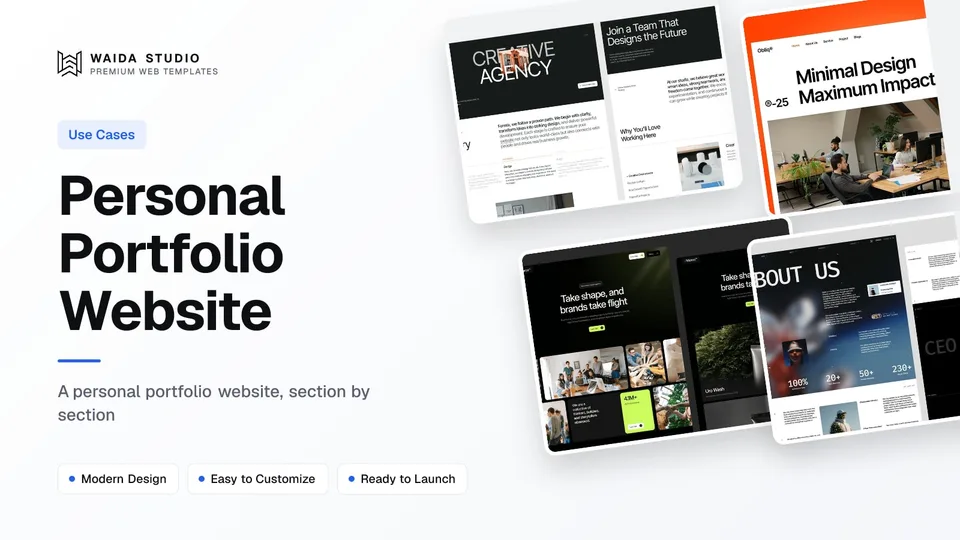
A personal portfolio website is a small site about you: who you are, what you do, three to six pieces of work that prove it, and one clear way to contact you. For most people a single page on a domain with their name is enough, and you can launch it in a weekend from a template.
This guide is for anyone who needs a site about themselves rather than a business: job seekers, students, freelancers, writers, career changers. If you are a designer building a full case-study portfolio, read how to design a portfolio website as well; artists and developers have their own guides on the art portfolio website and the developer portfolio website.
What a Personal Portfolio Website Is For
A personal portfolio website gives one link that answers "who is this and are they good?" better than a CV or a social profile can. You control the order, the wording and the work shown, and nobody else's feed or ads sit next to it.
It does a different job from the profiles you already have. LinkedIn shows your history in a fixed format. A CV is a document people download and skim. Your own site can show the work itself, explain it in your words and point to everything else.
- Job seekers: a link to put on a CV and in applications, with work samples a recruiter can open without logging in.
- Freelancers: a page that turns a referral into an enquiry, with services, examples and a contact form.
- Students and graduates: a place for course projects, internships and side work before there is much professional history.
- Writers, speakers and researchers: a single list of published pieces, talks or papers, kept current in one place.
The Sections a Personal Portfolio Needs
Five sections cover almost everyone: an introduction, selected work, an about section, proof such as experience or testimonials you actually have, and contact. On a one-page site they stack in that order; on a larger site each becomes its own page.
Section | Its job | What to put in it |
|---|---|---|
Introduction (hero) | Say who you are in five seconds | Your name, what you do in one line, a photo if it helps, one button to your work or contact |
Selected work | Prove the claim | Three to six pieces, each with a title, one line of context, your role and a link or image |
About | Make you a person | Two or three short paragraphs: background, what you care about, what you want next |
Experience or proof | Back it up | Roles, clients, education, awards or publications; real testimonials only, with permission |
Contact | Turn interest into a message | Email address or a short form, plus the two or three profiles that matter (LinkedIn, GitHub, Dribbble) |
Leave out anything you will not maintain. A blog with one post from two years ago, or a "currently reading" list nobody updates, makes the whole site look abandoned. You can add a writing section later, once you have a few pieces.
One Page or Several?
Start with one page unless your work needs room to explain. A single scrolling page is faster to build, easier to keep current and works well on a phone. Move to several pages when individual projects deserve their own write-up.
Choose | When it fits | Watch out for |
|---|---|---|
One page | Early career, a handful of projects, a site that mostly routes people to your CV or profiles | Keep it short; past five sections it stops feeling like one page |
Several pages | Projects that need a case study, a writing archive, or separate services for freelance work | Each extra page is something to update; link every page from the menu |
A common middle route is a one-page homepage with short project cards that open full project pages. Our portfolio website examples show both layouts on live sites, which helps when you are deciding.
Writing the Introduction and About Section
Write the introduction as one plain sentence that a stranger could repeat: your name, what you do and for whom. "I'm Sam Lee, a product designer who works on health apps" beats a clever tagline, because people scan for a role and a subject before anything else.
- Lead with the present. Say what you do now and what you want next, then the history. Visitors care about fit first.
- Use your real voice. Write in the first person, in short sentences, as you would introduce yourself at a meetup.
- Be specific. Name the tools, industries or subjects you know. "Writes about energy policy" tells a reader more than "passionate storyteller".
- Add a recent photo. A clear, friendly photo makes the site feel personal; skip it if it does not suit your field.
For each work sample, write two or three lines: what it was, what you did, and what happened. If you cannot share client work, describe the type of project and your role instead, or show a personal project that uses the same skills.
Use a Domain With Your Name
Put the site on a domain with your name, such as yourname.com, as soon as you can. It is easier to remember, it looks more serious on a CV, and it stays yours if you ever change builder.
Free builder plans publish to a subdomain of the platform instead: Framer's Free plan uses a free Framer domain and Webflow's Starter plan publishes to a webflow.io address. That is fine while you build or test. Connecting your own domain needs a paid plan on most builders, as the table below shows.
If your exact name is taken, add a middle initial or your field (samleedesign.com) rather than an unusual extension that people will mistype. Use the same domain for a matching email address if your registrar or email provider offers one.
Where to Build a Personal Portfolio Website
Pick the builder you will actually keep updating. Framer suits people who think visually and want a free plan to start; Webflow gives more control over structure; Squarespace is the most guided; GitHub Pages is free for developers comfortable with code. Prices below were checked on each official pricing page on 5 October 2026.
Builder | Free option | First plan with a custom domain | Good for |
|---|---|---|---|
Free plan on a Framer domain, 1 GB bandwidth | Basic, $10/month billed yearly, described as for "creative personal sites", 30 pages | Visual editing, fast one-page sites, free templates | |
Starter site on a webflow.io subdomain | Basic, $15/month billed yearly, 300 static pages, no CMS | More layout control, room to grow into a CMS | |
14-day free trial, no card | Basic, $12/month billed annually ($19 monthly); annual plans include a free domain for the first year | A guided editor and built-in hosting | |
Free for public repositories on GitHub Free | Free; custom domains supported | Developers hosting a static or code-template site |
Two limits are worth knowing. Framer's Free plan and Webflow's Starter plan cannot publish to your own domain, so budget for a paid plan once the site is ready. GitHub's usage limits cap a published site at 1 GB and say Pages is not meant to run an online business or e-commerce site, which a personal site is not.
If you already know you want Framer or Webflow, our comparison of Webflow vs Framer covers the difference in more depth.
Start From a Template
A template gives you the layout, typography and mobile behaviour on day one, so your weekend goes on the words and the work. Choose one for its structure, not its sample content: count the sections you need and check the template has them.
These four are Waida Studio templates, so we made them. They were designed for studios and creative professionals, not only for personal sites, but each works as a personal portfolio once you remove the pages you do not need. All four are free on Framer with a free Waida account, and also come as Webflow, HTML, Next.js and Astro versions.
Formix: for designers and creative freelancers

Formix is a portfolio and creative agency template with project and service sections. For a personal site, keep the homepage, one project page and contact, and rename the services to the work you take on.
Obliq: for a short, focused site

Obliq is a portfolio and agency template of 11 pages, the smallest of these four. It suits people who want a short site: a strong introduction, a handful of selected projects and a contact section.
Brandora: for people with many projects

Brandora has CMS-powered project and blog pages, so adding a new piece means filling in a form rather than copying a layout. It is the better fit if you plan to publish work or writing regularly.
Egnis: for photographers and video makers

Egnis is built for photography and video portfolios, with cinematic, full-width layouts. Choose it when your work is visual and the images should carry the page with very little text.
You can browse every portfolio website template we make, or go straight to the free Framer set. Our best free portfolio website templates list also includes picks from other makers.
Launch Checklist
Before you share the link, check the site the way a stranger will see it: on a phone, on a slow connection, without knowing anything about you. These checks take under an hour and catch most problems.
Check | How to test it |
|---|---|
Your role is clear in five seconds | Show the homepage to a friend for five seconds and ask what you do |
Every link works | Click every project, profile and CV link, including the email address |
It reads well on a phone | Open it on your own phone; text should be readable without zooming |
Images load quickly | Export images at the size they display, not straight from the camera or design file |
Contact reaches you | Send yourself a test message through the form and confirm it arrives |
The page title and description make sense | Set your name and role as the page title so it shows correctly in search results and link previews |
It is on your own domain | Connect the domain and check both yourname.com and www.yourname.com open the site |
Templates to start from
All 40 templates




Frequently asked questions
What should a personal portfolio website include?
An introduction with your name and what you do, three to six work samples with a line of context each, a short about section, any real proof such as roles or published work, and a clear way to contact you.
Should a personal portfolio website be one page or several?
Start with one page if you have a handful of projects and mostly want to route people to your work and contact details. Add separate project pages when individual pieces need a fuller write-up.
Can I make a personal portfolio website for free?
Yes. Framer's Free plan and Webflow's Starter plan publish to a platform subdomain at no cost, and GitHub Pages hosts public repositories free. Connecting your own domain on Framer or Webflow needs a paid plan.
Do I need my own domain for a portfolio website?
You don't need one to start, but a domain with your name looks more professional on a CV and stays yours if you change builder. Connect it before you share the site widely.
How many projects should a personal portfolio show?
Three to six is enough for most people. Choose the work that best matches the jobs or clients you want next, and put the strongest piece first rather than the newest.
Are Waida Studio portfolio templates free?
Formix, Obliq, Brandora and Egnis are free on Framer with a free Waida Studio account. Their Webflow, HTML, Next.js and Astro versions are paid, and Figma files are sold separately.
A personal portfolio website works when it says who you are in one sentence, shows a few pieces of work that prove it, and makes contacting you a single click. Start with one page, put it on a domain with your name, and only add pages you will keep current.
If you want the layout done for you, browse our portfolio templates or the free Framer templates. Formix, Obliq, Brandora and Egnis are free on Framer with a free Waida account; paid templates and plans are listed on the pricing page, and every licence covers unlimited personal and commercial projects under our licence terms.

More from Kazi
Related articles
More in Use Cases
Church Website Design: What a Church Site Needs in 2026
What a church website needs in 2026: service times on the first screen, a plan-your-visit page, a sermon archive, licensed livestreams and a short giving path.
Nonprofit Website Design: What a Charity Site Needs in 2026
What a nonprofit website needs in 2026: a clear mission, a donate path that takes a few taps, the documents donors check, and a site that meets Google's Ad Grants policy.
Dental Website Design: What a Practice Site Needs in 2026
What a dental practice website needs in 2026: service pages, a booking path that works on a phone, honest reviews, and the privacy and accessibility rules behind them.