Art Portfolio Website: What to Include in 2026
What an art portfolio website needs in 2026: the pages, how to curate and size your images, where to build it and how to sell prints or take commissions.
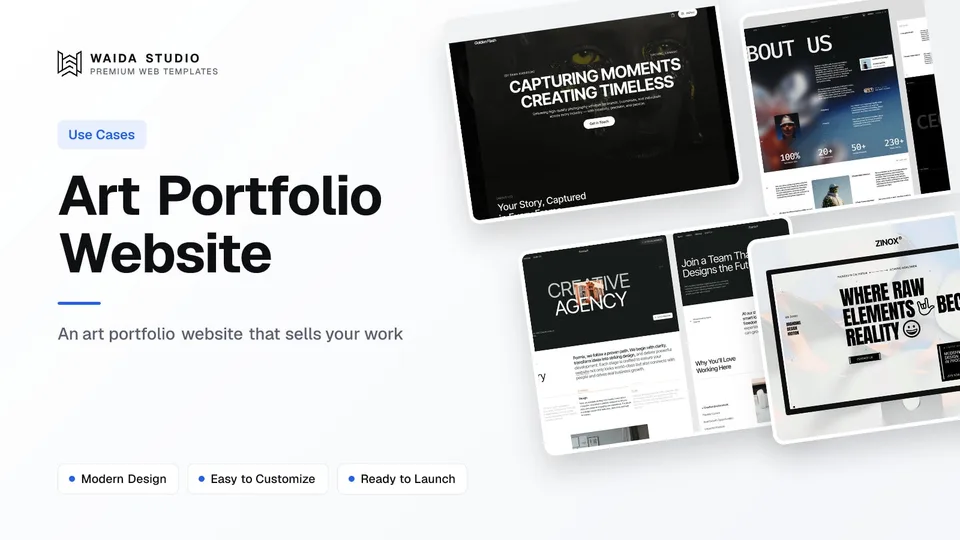
An art portfolio website needs a tight selection of your strongest work, grouped into series, shown large and fast on a phone. Add an artist statement, a CV of shows and publications, and one clear route for buyers: a shop, a commissions form or an email address. Put it on a domain with your name.
This guide covers the pages to include, how to curate and prepare images, where to build the site and how to sell from it. For portfolio design in general, read how to design a portfolio website; this article covers what changes when the work is painting, illustration, printmaking or other visual art.
Who Looks at an Art Portfolio
Four kinds of visitor matter: gallerists and curators, art directors hiring an illustrator, collectors who might buy, and people commissioning a piece. Each wants something different in the first screen, so decide which of them you most need to reach before you choose a layout.
- Gallerists and curators: a coherent body of work, an artist statement and a CV with exhibitions. They look for a consistent voice across a series.
- Art directors and editors: range within a style, published work and a quick way to see whether you are available for commissions.
- Collectors: titles, media, dimensions, year and whether a piece is available or sold. Price, or a clear way to ask for it.
- Commission clients: examples close to what they want, your process, typical turnaround and how to start.
The Pages an Art Portfolio Website Needs
Most art portfolios need five page types: a homepage that shows work at once, one page per series, an about page with your statement, a CV, and a contact or commissions page. A shop and a news page are optional; add them only if you will keep them current.
Page | Its job | What it must include |
|---|---|---|
Home | Show the work straight away | Your name, your discipline in a few words, a grid or slideshow of current work |
Series or project pages | Show a body of work together | A short intro, large images, title, medium, size and year for each piece |
About and statement | Explain the work | A 100–300 word statement in plain language, a photo of you or the studio |
CV | Give professionals the record | Education, exhibitions, residencies, awards, publications, collections |
Contact or commissions | Turn interest into a message | Email or a form, what you accept, turnaround, where you ship from |
Shop (optional) | Sell originals or prints | Available pieces with prices, edition sizes, shipping and returns |
If you are early in your career, a single page with a gallery, a short statement and a contact link is enough. Our portfolio website examples show both single-page and multi-page layouts on live sites.
How to Choose and Order Your Work
Show fewer, stronger pieces, grouped by series rather than by date. A visitor forms an opinion from the first screen, so lead with the work that best represents what you want to be hired or shown for next, not your oldest or most-liked piece.
- Pick a direction. If you work in two unrelated styles, give each its own series page, or lead with the one you want more of.
- Cut hard. Remove student exercises, near-duplicates and anything you would not make again.
- Group into series. A series of related pieces reads as a practice; a mixed grid reads as a sample.
- Caption every piece. Title, medium, dimensions and year, the same way a gallery wall label does. Add "Available", "Sold" or "Private collection" if you sell.
- Update on a schedule. Swap in new work each season and move older series to an archive page rather than deleting them.
Photographing and Sizing Images for the Web
Photograph each piece square-on in even, diffused light, crop to the edges of the work, and export a web copy separate from your print master. Then serve each image at the size it is shown: a phone does not need the file a large monitor needs.
Serving one huge file to every device wastes the visitor's bandwidth, which is why browsers support several sizes of the same image through the srcset and sizes attributes (MDN on responsive images). On a builder, check whether it creates these sizes for you when you upload; on a code site, set them yourself.
Step | What to do | Why |
|---|---|---|
Master file | Keep a full-resolution original offline | Prints, press requests and future edits |
Web export | A copy sized for the widest place it appears | Smaller files load faster |
Format | WebP or JPEG for paintings and photos; PNG only for flat graphics | WebP can produce smaller files than JPEG at comparable quality (web.dev on WebP) |
File name | Descriptive, e.g. harbour-at-dusk-oil-on-canvas.jpg | Readable for you, and for image search |
Alt text | Describe what the piece shows, not only its title | Screen reader users get the image's content |
Speed matters more on an art site than most, because the largest element on the page is usually an image. web.dev's LCP guide counts an image as a Largest Contentful Paint candidate and calls 2.5 seconds or less good. Alt text is also the first accessibility requirement: WCAG success criterion 1.1.1 asks for a text alternative for all non-text content (W3C Understanding 1.1.1).
Where to Build an Art Portfolio Website
You have three routes: a portfolio network such as Behance, a hosted builder such as Squarespace, Framer or Webflow, or a code template you host yourself. A network brings an audience but not a site you own; a builder or template gives you your own domain and layout.
Option | Price (checked 27 September 2026) | Worth knowing |
|---|---|---|
Behance | Free to post work; Behance Pro is a paid subscription with a free trial | Run by Adobe; Pro adds a custom portfolio website, analytics and 0% platform fees (Behance) |
Squarespace | From $12 a month billed annually, $19 monthly | Every plan can sell; Basic charges a store transaction fee that Core and Advanced do not (Squarespace pricing) |
Framer | Free on a Framer domain; Basic $10 a month on yearly billing with a custom domain | Framer describes its Free plan as ideal for non-commercial use (Framer pricing) |
Webflow | Free Starter on webflow.io; Basic $15 a month billed yearly with a custom domain | Ecommerce plans are separate site plans (Webflow pricing) |
Code template (HTML, Next.js, Astro) | The template price plus a domain; many static hosts have free tiers | You own the files and can host anywhere |
A sensible setup for many artists is both: keep a Behance or social profile for discovery, and link it to your own site, where the work, the prices and the contact route are yours. For how these builders compare, see Framer pricing and is Framer worth it.
Selling Prints and Taking Commissions
Start with the smallest setup that fits how much you sell. If you sell a few originals a year, captions marked "Available" and an enquiry form are enough. If you sell prints regularly, use a builder with a store or add payment links to your pages.
- Enquiry only. No checkout. The buyer emails you, you confirm the price and shipping, and you send an invoice. This suits originals and commissions.
- Payment links. Stripe Payment Links let you sell a product without writing code and share it on your website, in emails or on social media, including as an embeddable buy button (Stripe docs). This suits a short list of prints on any builder.
- A built-in store. Squarespace's plans all include selling, with a 2% store transaction fee on Basic and none on Core or Advanced. Webflow sells through separate Ecommerce plans; its Standard plan is $29 a month billed yearly with a 2% transaction fee.
- Commissions page. Say what you accept, your price range or starting price, how long it takes, how many revisions are included and the deposit you ask for.
Protecting Your Work Online
In the United States your work is protected by copyright from the moment it is created and fixed in a tangible form, and registration is voluntary. You do need to register a U.S. work before you can sue for infringement, according to the U.S. Copyright Office FAQ.
- Upload web copies, never print masters. A file sized for the screen is less useful to anyone who wants to print it.
- Put a short copyright line in the footer with your name and the year.
- Keep dated originals and working files, in case you ever need to show the work is yours.
- Consider registering the pieces or series you license or sell most, if you are in the U.S. Rules differ in other countries, so check your own.
Waida Templates That Fit an Art Portfolio
Waida Studio has no template made only for painters or illustrators, so these are the closest fits from our own portfolio templates: layouts with large imagery, project pages and a contact route. Each comes for Framer, Webflow, HTML, Next.js and Astro.
GoldenFlash

Built for photographers, studios and visual artists, with a dark theme, bold typography and 11 pages. It is free on Framer with a free Waida account; the Webflow version is $59 and the code versions start at $39.
Check out GoldenFlash template
Egnis

A portfolio template for photo and video work with cinematic layouts across 13 pages. The project pages suit series of artwork as well as films. Free on Framer with an account; $79 on Webflow.
Formix

A clean creative portfolio with 15 pages, suited to illustrators who also take client work and want services next to the gallery. Free on Framer with an account; $79 on Webflow.
Zinox

A bold editorial layout with striking type and monochrome visuals, a good frame for graphic and print work. $99 on Framer or Webflow, $39 as HTML and $49 for Next.js or Astro.
Figma files are sold separately for $19 each. The licence covers one person and unlimited projects, with no credit required (licence terms). If you would rather not set it up yourself, our customisation service adapts a template for $499, delivered in 7 days.
Templates to start from
All 40 templates




Frequently asked questions
What should an art portfolio website include?
A homepage that shows your work at once, a page for each series, an artist statement, a CV of exhibitions and publications, and a contact or commissions page. Add a shop only if you will keep it current.
How many pieces should I put in my art portfolio?
Show only work you would make again and want to be known for, grouped into series. A small, consistent selection reads as a practice; a large mixed grid reads as a sample.
Can I make an art portfolio website for free?
Yes. Behance is free to post on, and Framer and Webflow both have free plans on their own subdomains. A custom domain with your name needs a paid plan or a template you host yourself.
What image format is best for an art portfolio?
Use WebP or JPEG for paintings, drawings and photographs, sized to the largest place each image appears. Keep full-resolution masters offline and upload only web copies.
How do I sell art from my portfolio website?
For a few originals, mark pieces as available and take enquiries by email. For regular print sales, use a builder with a store, such as Squarespace or Webflow Ecommerce, or add Stripe Payment Links to your pages.
Is my art protected by copyright once it is online?
In the United States, copyright applies from the moment a work is created and fixed, and registration is voluntary. You must register a U.S. work before suing for infringement.
A good art portfolio website is mostly editing: fewer pieces, grouped into series, captioned like a gallery wall, loading fast on a phone, with one clear way to buy or get in touch. The builder matters less than the selection and the photographs.
If you want a head start, browse our portfolio website templates or the free Framer templates: GoldenFlash, Egnis and Formix are free with an account, and the paid Framer and Webflow versions of these four run from $59 to $99. See pricing for the Pro and Ultra plans.

More from Kazi
Related articles
More in Use Cases
Real Estate Agency Website Design: What Works in 2026
The pages a property agency needs, the three ways to handle listings, the advertising and accessibility rules that shape the copy, and what a build actually costs.
Developer Portfolio Website: What to Include in 2026
What a developer portfolio website needs in 2026: the pages, project write-ups, GitHub, free hosting and a code template to start from.

Law Firm Website Design: What It Needs in 2026
What a law firm website needs in 2026: practice-area pages, attorney bios, a working intake path, and the advertising rules that govern every word on it.