The Complete Guide to Website Types
Portfolio, agency, SaaS, real estate, and the patterns behind every great website — written by the team building templates for each one.
Updated
Articles in this guide
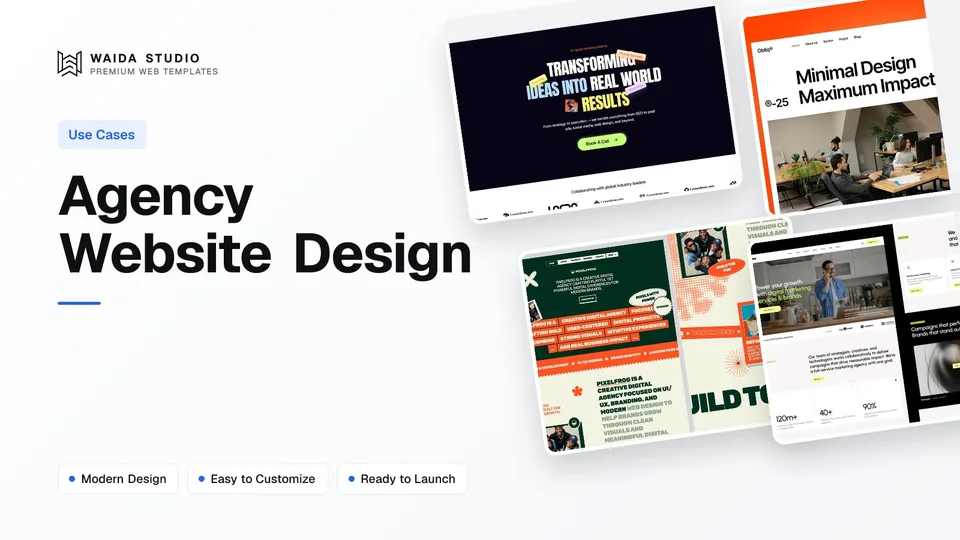
Agency Website Design: What Wins Clients in 2026
What an agency website needs, in order, to turn visitors into clients, plus template, customisation and custom-build costs.

Best Next.js Landing Page Templates: 9 Picks for SaaS and Startups in 2026
Nine Next.js landing page templates for SaaS products and startups, from designed templates to free open-source starters, with who each one suits.

SaaS Website Design: What a SaaS Site Needs to Turn Visitors into Signups
Pages, patterns and pricing: what a SaaS website needs to turn visitors into signups, with real examples and templates to start from.

Construction Website Design: What a Construction Company Site Needs in 2026
Pages, design and local SEO for builders and roofers: what a construction company website needs to win quote requests, plus four templates to start from.
A website's job depends entirely on who it's for and what it needs to do. A portfolio site exists to win projects. An agency site exists to convert qualified leads into discovery calls. A SaaS site exists to drive product signups. A real estate site exists to surface listings buyers actually want. Each website type has its own structure, conversion logic, and design priorities — and choosing the right pattern is what separates websites that work from websites that just look nice.
Why Use Case Matters More Than Aesthetics
Most website conversations start with the wrong question. "What should it look like?" is the wrong starting point. The right starting point is "What is it for?"
A beautiful site that doesn't fit its use case loses money. A simpler site built around the right pattern outperforms it. The most expensive websites in the world aren't the ones with the most polish — they're the ones built without a clear understanding of what they're supposed to accomplish.
This guide covers the major website types most builders, founders, designers, and agencies actually need. Each section breaks down what the site type is for, how it's structured, what makes one work versus fail, and what to consider when designing or buying templates for it. Use this as the strategic layer underneath any tool decision (Framer, Webflow, Figma) or visual direction.
Portfolio Websites
A portfolio website exists to convince a specific audience that you can be trusted with their next project. That audience could be hiring managers (for a designer or developer), prospective clients (for a freelancer), or gallery curators and collectors (for an artist). The visitor's job is to evaluate the work, decide whether it's a fit, and then take the next step — sending an email, requesting a meeting, or reviewing more pieces.
What a Portfolio Site Needs to Do
The website's only real job is to make "the work" feel inevitable. That means the work itself — projects, case studies, art pieces — has to be the focus. Everything else is supporting infrastructure.
Most portfolio sites get this wrong by burying the work behind too much navigation, too much explanation, or too much design ego. Visitors come to look at things, not to read about your design philosophy. The pages they actually use are: the work, individual case studies, a brief about page, and contact information.
The Standard Portfolio Structure
Effective portfolio sites typically follow a tight pattern:
- Home page — leads directly with featured projects, often as a visually-driven grid or scroll experience
- Work archive — the full body of work, organized by project type, year, or industry
- Individual case studies — one page per major project with images, context, role, and outcomes
- About page — short bio, contact info, professional background, social links
- Contact — direct path to start a conversation
Anything beyond this is usually noise. Personal blogs, manifestos, or service pages dilute focus unless they directly support the conversion.
What Separates Strong from Weak Portfolios
The difference is rarely visual. It's almost always about how the work is presented. Strong portfolios show fewer projects, presented in more depth, with clear context for each. Weak portfolios show many projects, all flattened into thumbnails, with little understanding of what made each one work.
For visual examples and curated portfolio layouts designed around this pattern, browse our portfolio templates.
Agency Websites
An agency website exists to make qualified prospective clients book a discovery call. Everything else — looking impressive, displaying client logos, showing the team — is in service of that one outcome. An agency site that doesn't convert visitors into discovery calls is failing, no matter how award-winning it looks.
What an Agency Site Needs to Do
The visitor is usually a marketing director, founder, or product owner with a real budget and a real problem. They're comparing 3–8 agencies, and they're looking for two signals quickly: "Can these people solve my specific problem?" and "Will I enjoy working with them?"
The site has about 30 seconds to answer both. That changes what gets prioritized — clear positioning above the fold, recognizable client work, a clear methodology, and unmistakable next steps.
The Standard Agency Structure
Most effective agency sites share a structure:
- Home page — strong positioning statement, recent client work, methodology, team teaser, clear primary CTA
- Work / Case Studies — depth-of-process for major client projects, written for someone evaluating fit
- Services — what the agency offers, ideally organized by buyer problem rather than internal capability
- About / Team — humans behind the work, with enough detail to feel real
- Process — how the engagement works (often the deciding factor between agencies)
- Contact — qualified intake form or booking link
What Separates Strong from Weak Agency Sites
The strongest agency sites have three things in common:
- Clear positioning — they know exactly who they serve and say so plainly
- Process transparency — they explain how working with them actually works, week by week
- Specific work — case studies that show outcomes, not just visuals
Weak agency sites tend to be vague ("we help brands grow"), overproduced (heavy motion that hides what the work actually was), or focused on the wrong audience (peers and award judges instead of clients).
For agency-specific templates designed around lead conversion, browse our agency templates.
SaaS and Software Websites
A SaaS website exists to convert qualified visitors into product signups, paid subscribers, or sales-qualified leads. The visitor lands looking for a solution to a specific problem, and the site's job is to make the product feel like the obvious answer fast enough that they sign up before checking competitors.
What a SaaS Site Needs to Do
SaaS visitors are evaluating three things: "Does this solve my problem?" "Is it credible?" "How much does it cost?" The site needs to answer all three within the first scroll if possible. Most great SaaS sites lead with a positioning headline that names the problem in the visitor's language, follow with proof points (logos, metrics, case studies), and surface pricing prominently.
The hard part is the balance between depth and brevity. Visitors want to understand the product, but reading too much is a source of friction. The best SaaS sites layer information — short on the homepage, deep on dedicated feature pages — so visitors can self-select how much they want to read.
The Standard SaaS Structure
A typical SaaS marketing site includes:
- Home page — positioning hero, primary feature highlights, social proof, secondary CTA
- Features pages — one page per major feature, written for someone trying to understand if the feature solves their problem
- Pricing — transparent, structured, easy to compare against expectations
- Use cases / Solutions — the same product framed for different buyer segments
- Customers / Case studies — real customer outcomes with specific numbers
- Blog — content marketing for SEO and credibility
- Documentation / Help — separate but linked, for users in evaluation mode
- About / Company — for buyers who want to understand who they're trusting
- Sign up / Get started — the primary conversion path
What Separates Strong from Weak SaaS Sites
The strongest SaaS sites are clear. They name their target customer specifically, use the customer's words to describe the problem, show the product in action with real screenshots, and show pricing without making visitors hunt for it.
The weakest SaaS sites are vague. Generic taglines, abstract feature lists, no clear primary CTA, hidden pricing, and the persistent assumption that the visitor will read more if they're really interested. They won't. Visitors leave when sites confuse them.
For SaaS-focused templates designed around conversion patterns, browse our Webflow templates and Framer templates.
Business and Corporate Websites
A business website exists to make a company feel real, professional, and credible to the people evaluating it — customers, partners, vendors, journalists, and prospective hires. It's less about conversion than about due diligence. People come to confirm that the company exists, looks legitimate, and is the kind of organization they want to engage with.
What a Business Site Needs to Do
The visitor is usually doing a quick credibility check before taking the next step elsewhere — calling, emailing, or signing a contract. The website is one of three or four signals they're using (alongside LinkedIn, Google reviews, and search results) to decide whether to proceed.
That's a different game than a conversion-focused SaaS or agency site. The job is to remove doubt, not to push action. Clear contact information, a real-looking team, recognizable customer logos, awards or press mentions, and a clean professional design typically do more than a polished CTA strategy.
The Standard Business Site Structure
Most business sites follow a simple pattern:
- Home page — what the business does, who it serves, key proof points
- About — leadership, history, mission, location
- Services / What we do — clear breakdown of offerings
- Customers or Case studies — credibility for B2B; testimonials for B2C
- Contact — multiple ways to reach the company
- Careers — for companies actively hiring
- News / Press — major announcements, press coverage
Compared to SaaS or agency sites, business sites can have more depth (history, leadership, regulatory information) without hurting performance, because the visitor's job isn't to convert — it's to verify.
What Separates Strong from Weak Business Sites
Strong business sites feel current. The team page has photos taken in this decade. Press mentions are recent. The blog (if there is one) has been updated this year. The site loads fast and looks competent on mobile.
Weak business sites feel dated. The "About" page has a timeline that ends in 2018. The team has stock photos. The phone number is the only contact method. These signals tell visitors the company isn't paying attention, which kills credibility before any conversion logic gets a chance.
For business-focused templates that handle the credibility patterns well, browse our business templates.
Real Estate Websites
A real estate website's job depends on the type of audience it serves. For agencies and brokerages, the website surfaces listings to buyers and renters. For individual agents, it builds a personal brand and a direct client pipeline. For property developers, it sells units in specific projects.
In all cases, the structure follows from the answer to one question: what does the visitor need to find quickly?
What a Real Estate Site Needs to Do
For listing-driven sites (brokerages, marketplaces), the entire experience is built around search and filtering. Visitors want to narrow listings by location, price, size, and features, then explore individual properties in depth. Search has to be fast, filters have to work, and each listing page has to provide enough detail (photos, floor plans, neighborhood info) to support a decision.
For agent or developer sites, the focus shifts to trust and project narrative. Visitors are evaluating whether to work with the agent or buy in the development, so credibility signals — recent transactions, testimonials, neighborhood expertise, and the project's design quality — carry more weight than search functionality.
The Standard Real Estate Site Structure
For listing-driven sites:
- Home page — search hero, featured listings, neighborhood links
- Search and filter results — fast, filterable listing grids
- Individual listing pages — photos, details, floor plans, virtual tours, agent contact
- Neighborhoods / Areas — local content for SEO and buyer education
- Agents / Team — for client matching
- Buying / Selling guides — educational content
- Contact — clear path to reach an agent
For agent or developer sites:
- Home page — strong personal brand or project hero, recent transactions, social proof
- Listings — current portfolio of properties
- About — credentials, experience, neighborhood expertise
- Resources / Insights — educational content (market reports, buying tips)
- Contact — direct outreach
What Separates Strong from Weak Real Estate Sites
Real estate sites that work treat listings as the product. Photos are abundant and high quality. Filters are useful. Listing detail pages give visitors what they need without forcing a phone call. Real estate sites that fail treat listings as inventory — text-heavy, hard to filter, designed for the brokerage's internal logic rather than the visitor's needs.
For real estate-specific templates, browse our real estate templates.
Personal Brand and Creator Websites
A personal brand website exists to be the single canonical place that represents one person on the internet. The audience could be employers, clients, collaborators, fans, or media — and the site's job is to be a clear answer to the question "who is this person?"
What a Personal Brand Site Needs to Do
The site is part business card, part portfolio, part biography. It needs to surface the most important things about the person quickly: what they do, what they've made, who they work with, and how to reach them. Visitors typically arrive after seeing the person's name elsewhere — on social, in a podcast, in an article — and they want to verify the person is real and worth engaging with.
The Standard Personal Brand Structure
Most effective personal sites are short:
- Home page — name, role, current focus, links to recent work, brief bio
- Work or Projects — what the person has made or contributed to
- About — extended bio, including background, philosophy, and current interests
- Writing or Speaking — content the person has produced (blog, talks, podcasts)
- Contact — direct paths to reach out (email, social, calendar)
Larger personal brand sites (for full-time creators) might add a newsletter, a shop, or member-only content, but the core remains: who is this person, and what should I do next if I want to engage.
What Separates Strong from Weak Personal Sites
Strong personal sites feel like the person. They have a clear voice, current information, and obvious next steps for visitors who want more. Weak personal sites feel generic — bland bio pages, dated information, no clear identity. The visitor leaves not knowing whether to follow, hire, or read this person.
For personal brand templates designed around a clear identity, browse our portfolio templates — many work well for personal brand use.
Landing Pages
A landing page is a single, focused page designed to drive one specific action. It's not a website — it's a destination. Visitors arrive from a paid ad, an email campaign, or a social link, and the page exists to make them take the next step before leaving.
What a Landing Page Needs to Do
The visitor arrived because something specific got their attention. The page's only job is to deliver on that promise and ask for the conversion. Everything that doesn't support that — navigation, secondary content, related links — is removed.
The structure matters less than the focus. A landing page can be 200 words or 5,000 words, depending on the offer's complexity, the audience's awareness level, and the conversion type. Short pages work for low-friction signups (newsletter, free trial). Long pages work for high-consideration purchases (courses, SaaS contracts, services).
The Standard Landing Page Structure
Most effective landing pages share these components:
- Hero with clear headline and primary CTA — what is this and why should I care
- Social proof — logos, testimonials, ratings, customer counts
- Features / Benefits — what the offer delivers, in the visitor's terms
- Objection handling — answers to "why won't this work for me?"
- Final CTA — last clear path to convert before leaving the page
The discipline is removal. Every section should justify its presence by moving the visitor closer to conversion. Anything that doesn't is friction.
What Separates Strong from Weak Landing Pages
Strong landing pages are specific. They name a specific audience, promise a specific outcome, and ask for a specific action. Weak landing pages are vague. Generic offers, abstract benefits, multiple competing CTAs — all signs that the page is trying to do too many things.
For landing page templates designed around focused conversion, browse our landing page templates.
Choosing the Right Pattern for Your Project
Every project starts by answering one question: what does this website exist to do? The honest answer rarely matches "make a beautiful site." It's almost always something specific — book discovery calls, sell software subscriptions, surface property listings, build personal credibility, drive newsletter signups.
That answer determines:
- What gets prioritized above the fold — usually the primary conversion or the audience-clarifying content
- What gets included on the homepage — only the things that move visitors toward the goal
- What gets cut — most "nice to have" content
- How depth is structured — when to layer information versus put everything on one page
- What templates fit — different use cases need different patterns
Most failed websites don't fail at design. They fail at strategy. They were beautiful but pointed in the wrong direction, or polished but unclear about what visitors should do, or thorough but missing the one section that would have made the difference.
Starting from the use case — and choosing a template or design pattern designed for that use case — is the highest-leverage decision in any web project.
Frequently asked questions
What's the difference between a portfolio website and an agency website?
A portfolio website showcases an individual's work to win them projects, jobs, or commissions. An agency website represents a company and exists to convert prospective clients into discovery calls. Both feature work, but portfolio sites are personal and project-led; agency sites are company-led with more structured services, process, and team content.
Do all SaaS websites need the same structure?
The fundamentals are similar — positioning hero, features, pricing, social proof, signup — but depth varies significantly. Self-serve products with low price points work with shorter pages and direct signup CTAs. Enterprise SaaS with longer sales cycles needs more depth — case studies, ROI calculators, demo bookings — to support the longer evaluation process.
How long should a landing page be?
Length depends on offer complexity and audience awareness. Low-friction offers (free trials, newsletter signups) work with short pages. High-consideration purchases (courses, expensive SaaS, services) often need long-form pages with detailed objection handling. The right length is the shortest version that delivers everything the visitor needs to convert.
Can one website serve multiple use cases?
It can, but it's harder to do well. Most effective sites pick one primary job and design around it. Sites that try to be a portfolio AND an agency site AND a personal brand AND a blog usually do all four poorly. The discipline is choosing the primary job first, then letting other use cases be supported by secondary pages or sub-sites.
Where do templates fit in this?
Templates work best when chosen for a specific use case. A "portfolio template" is shaped for showcasing work; a "SaaS template" is shaped for product conversion; an "agency template" is shaped for lead generation. Buying a generic template and trying to force it into a specific use case usually creates more work than starting from a use-case-specific template that's already structured around the right pattern.
Where to Go from Here
Three paths depending on what you need next.
If you're looking for a template for a specific use case — browse the Waida Studio templates, filterable by portfolio, agency, business, SaaS, real estate, and landing page categories. Each template is designed around the patterns specific to its use case.
If you want deeper guides on a specific website type — explore the use-case cluster articles in our Learn section. Topics include how to structure a portfolio, what to include in an agency site, SaaS landing page best practices, and more.
If you want a custom site built for you — see our customization services. Template Customization at $499 personalizes a Waida Studio template to your brand. Custom Website starts at $5,000 for fully bespoke design and development.