Framer vs Squarespace: Which to Choose in 2026
Framer vs Squarespace in 2026: Framer for designed marketing sites and portfolios, Squarespace for selling, bookings and an all-in-one setup.
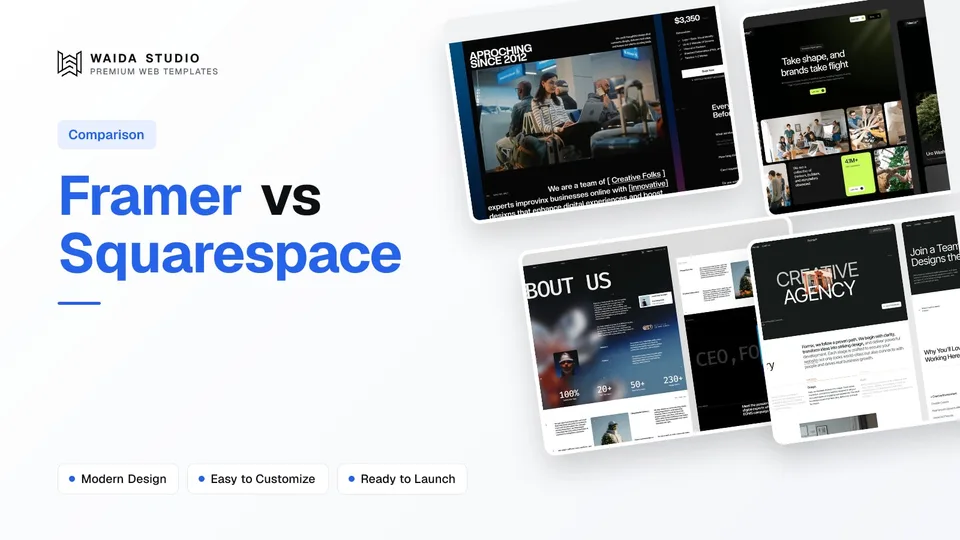
Choose Framer if you want full control over the design of a marketing site or portfolio; choose Squarespace if you need to sell products, take bookings or memberships, and want everything in one subscription. Framer starts free and paid plans start at $10 a month billed yearly; Squarespace has no free plan and starts at $12 a month billed annually.
Both are hosted website builders: you design in the browser, press publish, and the company runs the servers. The difference is what each one is built around. Framer is a design canvas that publishes websites. Squarespace is a business platform with a website at the front. This comparison uses prices and limits taken from both companies' own pricing pages today, and it says where each tool runs out.
Framer vs Squarespace at a Glance
Framer wins on layout freedom, responsive control and publishing workflow; Squarespace wins on built-in commerce, scheduling, contributors and an unlimited bandwidth promise. Prices are close at the entry level, but the Squarespace plan you need for code injection and lower transaction fees costs more than Framer's Basic plan.
Framer | Squarespace | |
|---|---|---|
Free plan | Yes: free Framer domain, 1 GB bandwidth, "ideal for non-commercial use" | No: 14-day free trial, no credit card required |
Entry paid plan | Basic, $10/month billed yearly | Basic, $12/month annually or $19 monthly |
Next plan up | Pro, $30/month billed yearly | Core, $17/month annually or $27 monthly; Advanced $25 or $36 |
Custom domain | Paid plans; complimentary domain included on yearly billing | Any plan; one year of free registration on annual plans |
Design approach | Free-form canvas, components and breakpoints you control | Templates, site styles and sections |
Selling online | No native store; "handled with integrations and custom work" | Unlimited products and services on every plan; Stripe or PayPal |
Transaction fee on store sales | Not applicable | 2% on Basic, 0% on Core and Advanced |
CMS | Basic: 2 collections, 1,000 items. Pro: 10 collections, 2,500 items | Built-in content types: blog, products, courses and memberships |
Bandwidth | Free 1 GB, Basic 50 GB, Pro 100 GB a month | Unlimited on every plan |
Team | Additional editors $20/month each; viewers free | Basic 2 contributors; Core and Advanced unlimited |
Sources: Framer pricing, Squarespace pricing and both companies' comparison pages, all checked on 7 October 2026. Prices are in US dollars before sales tax.
Design Freedom: Framer Gives You a Canvas
Framer gives you more design freedom. You place and size every element on a free-form canvas, build your own reusable components with variants, and set the layout separately for desktop, tablet and phone. Squarespace gives you a polished starting system of templates, site styles and sections, and you work inside it.
Framer's own comparison page puts it this way: Squarespace makes it straightforward to assemble a polished site from a guided system, while Framer is the stronger candidate when a team wants to art-direct responsive pages. That is a fair summary from either side.
In practice the difference shows up on the second and third pages of a site. On Squarespace, a designer who wants an unusual layout often ends up adding custom CSS, and the advanced code block and site-wide code injection are not included on the Basic plan. On Framer the unusual layout is just the layout, and the design you drew is what gets published. If design is the reason you are building a site at all, that matters more than any feature list. Our guide to what Framer is and how it works covers the canvas in more depth.
Selling Online: Squarespace Is the Clear Choice
Squarespace is the better choice for selling. Every plan lets you sell unlimited products and services, with payments through Stripe or PayPal. Framer has no native store; its own comparison page says commerce is handled with integrations and custom work, which usually means embedding a third-party checkout.
The Squarespace plan matters once money changes hands. Basic charges a 2% transaction fee on online store sales and 7% on digital content and memberships. Core removes the store fee and charges 5% on memberships. Advanced charges 0% on both and advertises the lowest payment processing fees. Squarespace also offers free invoicing on all plans, according to Squarespace's pricing page.
If you sell a handful of digital products, a Framer site with a checkout link to a separate service can work well. If you run a shop with stock, shipping and returns, Squarespace saves you from wiring those pieces together yourself.
Prices: What Each Costs for a Year
For a simple site on your own domain, Framer Basic costs $120 a year and Squarespace Basic costs $144 a year, both billed annually. For a business that sells online, Squarespace Core at $204 a year removes the store transaction fee. Framer Pro at $360 a year is for larger marketing sites that need redirects and staging.
Plan | Billed annually | Per year | Who it suits |
|---|---|---|---|
Framer Free | $0 | $0 | Trying Framer and non-commercial sites on a Framer domain |
Framer Basic | $10/month | $120 | Personal sites, portfolios and small studios on a custom domain |
Framer Pro | $30/month | $360 | Growing marketing sites: 150 pages, 10 CMS collections, redirects, staging |
Squarespace Basic | $12/month | $144 | A simple site; 2 contributors; 2% fee on store sales |
Squarespace Core | $17/month | $204 | Most businesses: 0% store fee, code injection, unlimited contributors |
Squarespace Advanced | $25/month | $300 | Shops and memberships: 0% on both fee types |
Monthly billing costs more on both. Squarespace lists $19, $27 and $36 a month on monthly terms. Framer adds sales tax at checkout based on your location and says its yearly plans include a complimentary domain; Squarespace's annual plans include one year of free domain registration, which then renews at its standard rate.
Neither figure includes the design work. A template cuts that cost most: a free or premium template gives you a finished layout to edit rather than a blank page. For the full picture across builders, freelancers and agencies, see how much a website costs, and for Framer's plans in detail, our Framer pricing guide.
Content, CMS and Limits
Squarespace's pricing page lists no cap on bandwidth, storage or the number of products, on every plan. Framer meters its plans: Basic allows 30 pages, 2 CMS collections and 1,000 CMS items, and Pro allows 150 pages, 10 collections and 2,500 items, with paid top-ups beyond that.
For most portfolios and small business sites, Framer's Basic limits are enough: a blog and a projects collection fit in two collections. They start to bite on content-heavy sites with several collection types, such as a blog, case studies, team members and job listings. Framer's Pro plan raises the limits and lets you buy more pages, collections, items and bandwidth in steps, up to fixed maximums listed on the pricing page.
Squarespace's content tools are built around the things a business publishes: blog posts, products, online courses and memberships. You get less control over how custom content is structured, but the common cases work without setup. If your site is mostly a blog with a shop attached, that is a reasonable trade.
Team Workflow, SEO and Publishing
Framer suits design teams that publish often; Squarespace suits a business owner with a few helpers. Framer bills additional editors at $20 a month each, with viewers free, and its Pro plan adds a staging environment and branching. Squarespace Basic allows 2 contributors and Core allows unlimited contributors at no extra charge.
Both cover the SEO basics; Squarespace's pricing page lists free SSL certificates, and Framer's basic plan card lists built-in SEO. Framer's Pro plan card lists site redirects, which matter when you move or rename pages, and its comparison page stresses keeping metadata and page structure close to the visual editor. Squarespace includes advanced website analytics from the Core plan. Our Framer SEO guide walks through the settings that matter on Framer.
Support differs too. Squarespace advertises 24/7 customer support on its comparison page. Framer's own compare page does not cover support, and Squarespace's page claims Framer offers chat support on paid plans only.
Which One Should You Pick?
Pick by what the site has to do, not by which builder is more popular. If the site is a designed marketing site or portfolio, Framer is the better tool. If the site is a store, a booking page or a membership business, Squarespace does more out of the box.
- Designers, studios and agencies: Framer. The canvas, components and breakpoints let you ship the design you drew.
- Portfolios and personal sites: Framer, unless you also sell prints or sessions online. Our guide to a personal portfolio website covers what to put on one.
- Startups and SaaS marketing sites: Framer, especially on Pro for redirects and staging as the site grows.
- Shops, restaurants with ordering, coaches with bookings: Squarespace, because commerce, invoicing and scheduling are built in.
- Owners who want one bill and one support line: Squarespace, with Core as the plan most businesses end up on.
If you are weighing other builders as well, read Framer vs Wix and Webflow vs Squarespace.
Starting a Framer Site from a Template
The fastest way to start on Framer is a template: you remix a finished site into your own Framer account and edit the words and images. These three are Waida Studio's own templates, so weigh our recommendation accordingly; all three are free on Framer with a free Waida account.
Zelda: a dark agency site

Zelda is a 13-page dark design agency template. It is free on every platform Waida supports, and its Figma file is free too.
Brandora: an agency and studio site

Brandora is a 15-page agency, studio and creative template, a good base for a studio that wants a portfolio and services in one site. The Framer version is free; the Figma file is sold separately for $19.
Egnis: a photography and video portfolio

Egnis is a 13-page photography and video portfolio template. The Framer version is free; the Figma file is $19.
Every Waida template comes with a licence for one person to use on unlimited personal, commercial and client projects, with no attribution required; the details are in our licence terms. If you would rather not do the editing yourself, our customisation service sets a template up for you.
Templates to start from
All 42 templates




Frequently asked questions
Is Framer better than Squarespace?
Framer is better for designed marketing sites and portfolios because you control every layout and breakpoint. Squarespace is better for online stores, bookings and memberships, because those tools are built in.
Is Framer cheaper than Squarespace?
At the entry level, yes. Framer Basic is $10 a month billed yearly and Squarespace Basic is $12 a month billed annually. Framer also has a free plan for non-commercial sites on a Framer domain; Squarespace offers only a 14-day trial.
Can you sell products on Framer?
Framer has no native online store. Its own comparison page says commerce is handled with integrations and custom work, so most Framer sites sell through an embedded or linked third-party checkout.
Does Squarespace have a free plan?
No. Squarespace has no free plan, but every site starts with a 14-day free trial with no credit card required. Annual plans include one year of free domain registration.
Can I move my Squarespace site to Framer?
Plan to rebuild the pages in Framer and copy the content across; neither pricing page lists an import tool. Starting from a Framer template shortens the rebuild, and you add redirects from old URLs on Framer's Pro plan.
Which is better for a photography portfolio?
Framer if you want the portfolio to look exactly as designed and do not sell online. Squarespace if you also need to sell prints, take session bookings or send invoices from the same site.
Framer vs Squarespace comes down to design control against built-in business tools. Framer is the stronger choice for designed marketing sites, portfolios and studio work, from $10 a month billed yearly. Squarespace is the stronger choice for selling, bookings and memberships in one subscription, from $12 a month billed annually, with Core at $17 the plan most businesses need.
If Framer is your pick, start from a finished design: Waida has 37 Framer templates, 22 of them free Framer templates with a free account, and premium ones from $49. The Pro plan on our pricing page is $12 a month billed yearly and includes a template credit every quarter.

More from Kazi
Related articles
More in Comparisons
How Much Does a Website Cost in 2026? Real Numbers by Route
What a website really costs in 2026, route by route: domain, hosting, template, freelancer or custom build, with first-year totals from prices checked today.
Framer vs Wix: Which Builder Is Right for Your Site in 2026?
Framer vs Wix in 2026 — design control, e-commerce, AI features, learning curve, and pricing. Honest comparison from a Framer studio.
Framer vs Figma Sites: Which Is Right for Your Site in 2026?
Framer vs Figma Sites in 2026 — production maturity, design environment, CMS, animations, and pricing.