Webflow vs Framer: Which Platform Should You Choose in 2026?
A neutral, dual-platform comparison of Webflow and Framer — pricing, CMS, e-commerce, SEO, animations, and use cases. Built by a studio that ships in both.
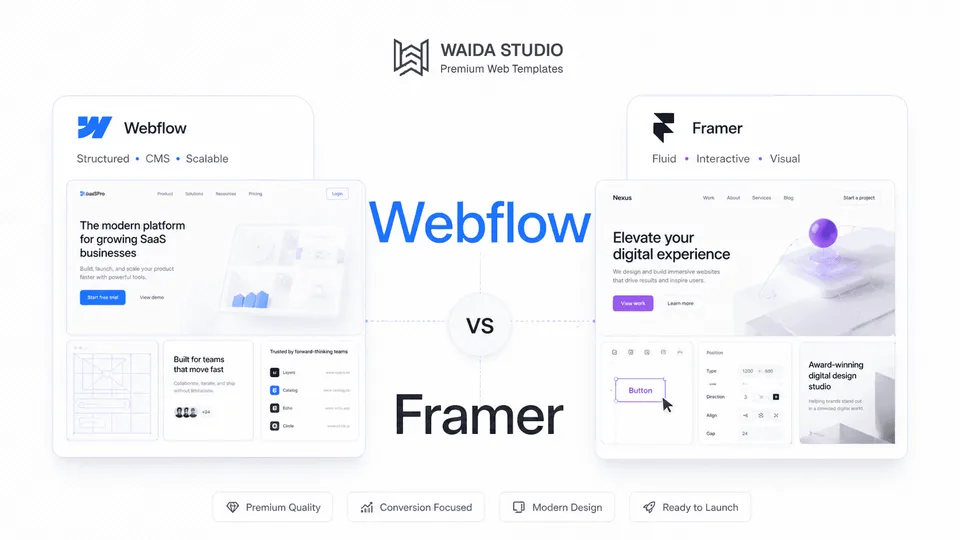
Webflow and Framer are both visual no-code website builders favored by designers, but they prioritize different things. Webflow offers deeper structural control, a more mature CMS, and stronger e-commerce — best for content-heavy marketing sites and online stores. Framer prioritizes design speed, animation polish, and a Figma-native canvas — best for portfolios, landing pages, and design-led product sites where shipping fast matters more than CMS depth.
This guide breaks down the trade-offs across nine categories: design control, learning curve, CMS, e-commerce, SEO, animations, forms and logic, hosting and performance, templates and ecosystem. We also cover current 2026 pricing for both platforms and provide a use-case decision matrix at the end.
At Waida Studio, we build templates for both Webflow and Framer, so we have no incentive to push one over the other. The right answer depends on what you're building.
At a glance
Webflow | Framer | |
|---|---|---|
Best for | Content-heavy sites, e-commerce, complex marketing sites | Portfolios, landing pages, design-led marketing sites |
Founded | 2013 | 2014 (as prototyping); website builder since ~2022 |
Learning curve | Steep | Moderate |
CMS depth | Mature, multi-collection, reference fields | Functional, growing |
E-commerce | Native, full-featured | Third-party only |
Animations | Powerful but technical (GSAP) | Best-in-class, designer-friendly |
Figma integration | Plugin-based import | Native, deep |
Free tier | Yes (with .webflow.io subdomain) | Yes (on a free Framer subdomain) |
Entry paid plan | Basic — $15/month (no CMS) | Basic — $10/month (with CMS, custom domain) |
Code export | Yes (paid Workspace plans) | No |
What is Webflow?
Webflow launched in 2013 as a visual web design tool that generates clean, semantic HTML and CSS through a structured class-based system. In 2025, the company rebranded the platform as the Website Experience Platform (WXP) — an umbrella covering site building, hosting, CMS, e-commerce, localization, A/B testing, and analytics in a single environment.

Waida Studio's Pexora template in the Webflow Designer: the Navigator on the left, and the selected section's class, flex layout, spacing and size on the right.
Today Webflow powers hundreds of thousands of websites globally and is widely adopted by marketing teams, SaaS companies, agencies, and enterprise organizations. Its strength is depth: a mature CMS supporting large item counts on higher tiers, native e-commerce, granular SEO controls, server-side compute via Webflow Cloud, and SOC 2 Type II security certification.
Webflow targets users who need precise control. Building responsive layouts requires understanding how CSS classes apply across breakpoints, even within the visual editor. The trade-off for that learning curve is structural predictability — a developer reading a well-built Webflow project can understand the design system within minutes.
Webflow is best understood as a visual development environment, not a website builder in the consumer sense. It expects technical fluency and rewards it.
What is Framer?
Framer started in 2014 as a prototyping tool for designers, sitting alongside Figma and Sketch in the design workflow. Around 2022, the company pivoted to position itself as a website publishing platform — keeping its design-tool DNA while adding hosting, CMS, forms, and animations.

Waida Studio's Pexora template in the Framer editor: the page's sections in the layers panel, and the selected section's size and layout on the right.
That heritage shapes every interaction. Framer's canvas works like Figma: freeform pixel-level control, visual nesting, real-time multiplayer collaboration, and an editing experience that feels native to anyone coming from design software. You position elements visually, set responsive behavior with breakpoints, and Framer generates the underlying code automatically.
The platform has evolved rapidly. By 2026 it includes a relational CMS, AI-assisted design tools (Wireframer for layout generation, Workshop as a coding assistant), built-in translation, A/B testing as a Pro add-on, and global hosting from 300+ locations on Pro. It's used by designer portfolios, agency landing pages, SaaS product sites, and increasingly by small-to-mid marketing teams that prioritize speed of iteration.
The trade-off: Framer abstracts CSS output. You don't manage classes the way you would in Webflow — Framer handles that under the hood. That abstraction is what makes it fast to learn but also why it's a less natural fit for engineering-led teams that want code-level visibility.
Feature-by-feature comparison
Design flexibility and visual control
Both platforms offer pixel-level visual editing, but they take opposite philosophies.
Framer treats the canvas as the source of truth. You drag elements freely, nest layers, and set positioning visually — anyone fluent in Figma will feel at home within an hour. The platform handles CSS generation behind the scenes, which means faster output for design-led work but less direct control over the underlying markup.
Webflow treats CSS as the source of truth. You work within a class-based system that mirrors how browsers render elements. Class management requires understanding cascade and inheritance, but it produces predictable, structured output that scales well across complex sites. A 200-page Webflow site built with proper class hygiene stays maintainable; the same site built carelessly becomes a tangle of one-off styles.
For solo creators and small teams shipping marketing sites, Framer's approach is faster. For teams maintaining sites across years and dozens of contributors, Webflow's structure pays dividends.
Learning curve and ease of use
Framer is meaningfully easier to learn. A designer with Figma experience can build a publishable Framer site within a weekend. The mental model — frames, layers, breakpoints — maps directly to design tools they already know.
Webflow has a steeper curve. You're not just learning a tool; you're learning how CSS works through a visual interface. Most users describe a meaningful productivity ramp of two to four weeks before they're building independently. That investment pays back in capability — Webflow can build things Framer cannot — but it's a real cost.
Neither platform is consumer-friendly in the way Squarespace or Wix are. Both target users with design literacy. The difference is that Framer assumes you know design; Webflow assumes you're willing to learn web architecture.
CMS capabilities
This is where the gap is widest in 2026.
Webflow's CMS supports up to 40 collections and large item counts (up to 20,000 items on the Premium site plan, more on Enterprise). Reference fields, multi-reference fields, dynamic filtering, sorting, and template pages that auto-generate from collection content are all standard. Editorial guardrails — required fields, character limits, default values, image dimension constraints — are configurable per collection. The CMS comes with the Premium site plan at $25/month billed yearly; Webflow's Basic plan has no CMS.

A Webflow CMS collection, with each item's publish status and date.
Framer's CMS has improved significantly but remains thinner for complex content architectures. The Basic plan ($10/month) includes two CMS collections and 1,000 items. Pro ($30/month) has ten collections and 2,500 items, expandable with add-ons to forty collections and 40,000 items; Enterprise limits are custom. Reference fields and relational structures exist but with fewer fine-grained controls than Webflow.

A Framer CMS collection: each blog post is one row, with its status, slug, image, category and date.
For a portfolio with a project gallery, a SaaS site with a blog, or an agency site with case studies — Framer's CMS is workable. For a media operation with authors, categories, tags, localized variants, and multiple editorial sections — Webflow remains the clear choice.
E-commerce
Webflow ships native e-commerce. Standard ($29/month plus 2% transaction fee), Plus ($74/month, no transaction fees), and Advanced ($212/month, no caps) plans support multi-product catalogs, variants, inventory tracking, custom checkout design, custom shopping cart, automatic tax/VAT calculation, and Stripe and PayPal integration.
Framer does not have native e-commerce. Sites that need to sell products integrate third-party tools — Shopify Buy Buttons, LemonSqueezy, or Gumroad — typically adequate for digital downloads, single-product launches, or small catalogs but not full storefronts. Inventory management, variant logic, shipping rules, and discount engines are not part of the Framer platform.
If e-commerce is core to your project, this is a deciding factor. Framer can sell digital products; it cannot run a meaningful retail operation.
SEO controls
Both platforms cover SEO fundamentals: custom meta titles and descriptions, Open Graph controls, automatic sitemaps, 301 redirects, schema markup support, and clean output to crawlers. For a typical marketing site, either will perform fine in search.
Webflow pulls ahead on the granular controls that matter for competitive SEO. Per-CMS-template metadata (so every blog post or product can have unique title/description rules pulled from collection fields), Automated SEO populating metadata at scale, advanced schema markup options, and finer control over canonical tags and robots directives. Webflow's Automated SEO feature dynamically generates metadata from CMS collections, eliminating the manual work that becomes painful on content-heavy sites.
Framer's SEO is functional and improved meaningfully through 2025 — schema markup support, sitemap configuration, redirects, AI-assisted meta generation. For a portfolio or 30-page marketing site, Framer's SEO is sufficient. For a site competing on organic search at scale, Webflow's depth matters.
Animations and interactions
Framer wins this category clearly. Animation is its native language — scroll-triggered effects, hover states, micro-interactions, page transitions, and component-level animation are built directly on the canvas without code. The animation timeline interface feels closer to After Effects or Principle than to a website builder.
Webflow's Interactions 2.0 panel is powerful — it produces precisely tuned, performance-optimized animations using a GSAP-based engine, the industry-standard animation library. The trade-off is technical complexity. Configuring complex Webflow interactions requires a clearer mental model of triggers, actions, and easing than Framer demands.
Designer community sentiment in 2026 generally agrees: Framer makes advanced animations easy; Webflow makes them precise. If shipping a beautifully animated site in days matters more than fine-grained timing control, Framer is the better tool.
Forms, logic, and dynamic functionality
Both platforms include form handling and basic conditional logic. Webflow Logic adds workflow automation — sending data to third-party services, conditional branching, simple integrations — without requiring custom code or middleware like Zapier. Webflow's extension marketplace adds memberships, gated content, and advanced form behaviors.
Framer handles forms cleanly and integrates with most popular form services and webhook destinations. Conditional logic and dynamic content respond to CMS data. For complex multi-step workflows or membership-style sites, Framer typically requires external tools.
For dynamic-functionality-heavy projects (memberships, gated content, multi-step forms with conditional flows), Webflow is currently the more capable platform.
Hosting, performance, and reliability
Both platforms ship modern hosting infrastructure. Webflow uses AWS and Fastly CDN with automatic asset compression and minified output. Framer hosts from 300+ locations on Pro (20 on Basic). Both deliver good Core Web Vitals out of the box on properly built sites.
Webflow Cloud (introduced in 2025) adds server-side compute, database storage, and edge functions — a meaningful step toward replacing custom backend infrastructure for marketing sites that need it. Framer remains a fully hosted platform with no code export option; the codebase stays on Framer's infrastructure.
Webflow offers code export on paid Workspace plans starting at $19/month — useful for teams that want to host elsewhere or hand off a static build. Framer does not offer code export at any tier.
For most use cases, the hosting capability difference doesn't matter. For teams with existing infrastructure or strict hosting requirements, Webflow is the more flexible option.
Templates and marketplace ecosystem
Both platforms have active template ecosystems. Webflow's marketplace is older and larger, with templates spanning portfolios, agencies, e-commerce, SaaS, blogs, and complex business sites. The depth of available CMS-driven templates reflects Webflow's longer history as a publishing platform.
Framer's template marketplace has grown rapidly since 2022 and now spans hundreds of designs across portfolios, agencies, startups, and product sites. Framer templates tend to lead on animation polish and visual sophistication; Webflow templates tend to lead on structural completeness and CMS architecture.
We sell templates on both platforms — currently 25+ Webflow templates and 22+ Framer templates — and our experience matches the broader pattern: Framer templates ship faster and feel more design-led; Webflow templates support more complex content and customization downstream.
Pricing
Pricing structure differs significantly between the two platforms. Webflow separates Site plans (per-site hosting) from Workspace plans (per-team collaboration), then layers add-ons on top. Framer uses a unified per-site plan structure with editor seats and locales as add-ons.
Tier | Webflow | Framer |
|---|---|---|
Free | Starter: webflow.io subdomain, 2 static pages, 50 CMS items, 1 GB bandwidth | Free: Framer subdomain, 1 GB bandwidth, 500 AI credits to try |
Entry paid | Basic — $15/month (no CMS, 300 static pages) | Basic — $10/month (2 CMS collections, 30 pages) |
CMS tier | Premium — $25/month (CMS, from 50 GB bandwidth) | Pro — $30/month (10 CMS collections, 150 pages, staging) |
Larger teams | Team — $2,500/month (annual contract); Enterprise custom | Enterprise — custom pricing |
E-commerce | Standard $29/mo + 2% / Plus $74/mo / Advanced $212/mo | Not native (third-party integration) |
Extra editor seats | $15/mo limited, $39/mo full | $20/mo per editor, $10/mo content-only |
Multi-language | Localize from $9/mo (Essential) or $29/mo (Advanced) | $20/mo per locale |
All prices reflect annual billing, checked on both pricing pages on 11 September 2026. Billed monthly, Framer's plans cost $15 and $45, and Webflow's $25 (Basic) and $39 (Premium).
The realistic monthly cost varies based on team size and add-on needs. A solo founder running a portfolio site pays $10/month on Framer Basic versus $15/month on Webflow Basic — Framer wins on sticker price at the entry tier and includes a CMS, which Webflow Basic does not. A CMS-driven client site pays $30/month on Framer Pro versus $25/month on Webflow Premium, before any collaborator seats — costs converge at this tier.
The biggest pricing surprises on both platforms come from team scaling. Framer charges $20 per additional editor per month ($10 for editors who only update content). Webflow charges $15/month for limited seats and $39/month for full seats beyond the owner's included seat. A six-person team with full editing rights pays $30 + 5 × $20 = $130/month on Framer Pro, and $25 + 5 × $39 = $220/month on Webflow Premium.
When Webflow is the right choice
Webflow is the better fit when:
- You're building a content-heavy site. Blogs with hundreds of posts, media operations with structured editorial workflows, sites with multiple interconnected content types — Webflow's CMS scales meaningfully better.
- You need native e-commerce. Multi-product catalogs, variants, inventory tracking, custom checkout flows — Framer cannot match this.
- Your team includes engineers or technical contributors. Webflow's class-based system, code components, code export, and Webflow Cloud integrate cleanly with engineering workflows.
- SEO is a primary traffic channel. Granular metadata controls, Automated SEO from CMS fields, and structural HTML output give Webflow an edge for competitive search.
- The project is enterprise or compliance-sensitive. SOC 2 Type II certification, advanced security configuration, and the established Enterprise plan support stricter requirements.
- You're building for handoff. Agency client work where the client takes over content management benefits from Webflow's editor interface, CMS guardrails, and design system structure.
When Framer is the right choice
Framer is the better fit when:
- You're building a portfolio or design-led marketing site. Animation, visual polish, and Figma-native iteration are Framer's core strengths.
- Speed to launch matters more than long-term complexity. Framer publishes a finished marketing site in days; Webflow typically takes weeks for the same output.
- Your team is design-first. Designers comfortable in Figma onboard to Framer in hours; Webflow's class-based system requires meaningful training time.
- The site is single-product or low-page-count. Landing pages, product launch sites, agency landing pages, and 20-page marketing sites are exactly the format Framer is optimized for.
- Animation is central to the experience. Scroll-triggered effects, micro-interactions, and component-level animation are easier and faster in Framer.
- You need clean client handoff. Framer's project transfer feature lets you transfer ownership without rebuilding; Pro Experts can edit client projects at no additional cost.
Decision matrix
Your situation | Recommended | Why |
|---|---|---|
Designer portfolio | Framer | Animation polish, fast iteration, Figma-native canvas |
SaaS marketing site (lean) | Framer | Quick to ship, easy to update, good defaults |
SaaS marketing site (content-heavy with blog) | Webflow | CMS depth, Automated SEO, scales with traffic |
Online store | Webflow | Native e-commerce, variants, inventory, checkout control |
Selling digital products | Either | Framer + Gumroad/LemonSqueezy works; Webflow native works |
Large blog or media site | Webflow | Reference fields, large CMS item counts, editorial guardrails |
Agency client deliverable | Webflow | Editor interface, CMS guardrails, established handoff workflows |
Agency landing page | Framer | Visual impact, fast launch, project transfer feature |
Solo founder shipping fast | Framer | Lower learning curve, faster to launch, lower entry cost |
Animation-heavy product page | Framer | Designed for it — canvas-native animation tools |
Enterprise / compliance-sensitive | Webflow | SOC 2 Type II, advanced security, mature Enterprise tier |
Migrating from WordPress | Webflow | CMS structure most closely mirrors WordPress workflows |
Migrating between platforms
There is no clean migration path between Webflow and Framer in 2026. Both platforms generate proprietary code that does not export to the other. CMS collections can be exported as CSV from Webflow and re-imported into Framer (or vice versa), preserving content but not structure.
In practice, migrating between the two means rebuilding. The design has to be recreated; the CMS schema has to be rebuilt; interactions and animations have to be reconfigured natively. Most teams that switch do so during a planned redesign, not as a standalone migration.
If you're choosing between the two for a new project, choose with the assumption that the decision is sticky.
Whichever way you go, the same designs are available for both: Webflow templates and Framer templates, so the platform decision does not have to constrain the design one.
Frequently asked questions
Is Framer better than Webflow?
Neither platform is universally better. Framer is better for design-led projects, portfolios, and fast-launch marketing sites. Webflow is better for content-heavy sites, e-commerce, SEO-driven projects, and enterprise use cases. The right platform depends on your project's specific requirements, not a global ranking.
Which is cheaper, Webflow or Framer?
Framer is cheaper at the entry tier ($10/month Basic versus $15/month Webflow Basic) and includes a custom domain and a CMS at that price. At the CMS tier Webflow is slightly cheaper ($25/month Premium versus $30/month Framer Pro), but extra editors cost more on Webflow ($39 per full seat against Framer's $20). Prices checked 11 September 2026. Both platforms get expensive when you scale teams or add locales — budget for editor seats and add-ons before committing.
Which has better SEO, Webflow or Framer?
Both ship modern SEO basics — meta controls, sitemaps, redirects, schema markup. Webflow has more granular controls (per-CMS-template metadata, Automated SEO from collection fields, finer control over canonical tags and robots rules) which matters for competitive search at scale. For a portfolio or small marketing site, Framer's SEO is sufficient. For a site whose primary growth channel is organic search, Webflow remains the stronger choice.
Can I migrate from Webflow to Framer or vice versa?
There is no clean migration path. Both platforms use proprietary code that does not export to the other. CMS data can be exported as CSV and re-imported, but the design, structure, and interactions must be rebuilt manually on the destination platform. Plan migrations as redesigns, not exports.
Which platform is better for designers?
Both are designer-first platforms, but they suit different design backgrounds. Designers who think in Figma — frames, layers, freeform positioning — adapt to Framer in hours. Designers comfortable with CSS, classes, and structural systems often prefer Webflow's predictability. There is no universal answer; try both for an afternoon to see which feels native to your workflow.
Can you build an e-commerce store on Framer?
You can sell products on Framer through third-party integrations like Shopify Buy Buttons, LemonSqueezy, or Gumroad. This works for digital downloads, single-product launches, and small catalogs. Framer is not suitable for full e-commerce operations involving large product catalogs, variant management, inventory tracking, or shipping rules. For real retail, use Webflow Ecommerce or a dedicated platform.
Still deciding? If you've narrowed it to one platform but want help customizing a template to your brand, our Template Customization service handles both Webflow and Framer for $499. If you need a fully bespoke build, our Custom Website service starts at $5,000.
Browse our full template libraries:
- Webflow templates — 30+ designs
- Framer templates — 30+ designs
Or read our deeper platform guides:

More from Kazi
Related articles
More in Comparisons
Framer vs Wix: Which Builder Is Right for Your Site in 2026?
Framer vs Wix in 2026 — design control, e-commerce, AI features, learning curve, and pricing. Honest comparison from a Framer studio.
Framer vs Figma Sites: Which Is Right for Your Site in 2026?
Framer vs Figma Sites in 2026 — production maturity, design environment, CMS, animations, and pricing.
Premium vs Free Website Templates: Which Should You Choose in 2026?
Premium vs free website templates in 2026 — what's actually included, hidden costs of free, and when each is genuinely the right choice. From a template studio.