Framer vs Wix: Which Builder Is Right for Your Site in 2026?
Framer vs Wix in 2026 — design control, e-commerce, AI features, learning curve, and pricing. Honest comparison from a Framer studio.
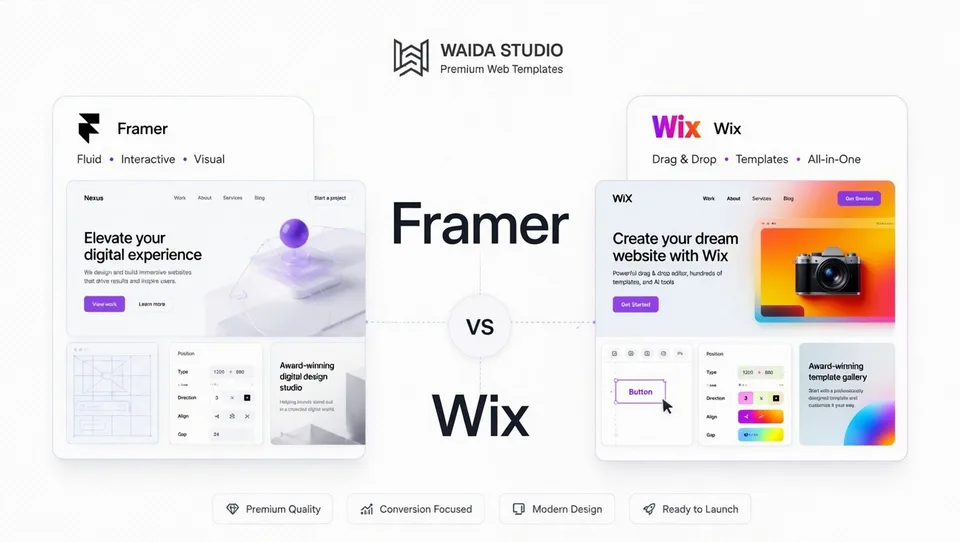
Wix wins for ease and breadth; Framer wins for design ceiling and modern aesthetic. They sit at opposite ends of the no-code spectrum. Wix is the beginner-friendly all-in-one: drag-and-drop, AI-generated, with built-in tools for every common business need. Framer is designer-first, built for pixel-level control, animation polish, and a Figma-native canvas, with a real learning curve in exchange.
This guide compares both platforms across nine dimensions: design flexibility, learning curve, CMS, e-commerce, SEO, animations, AI features, total cost, and where each genuinely wins. Both platforms restructured pricing in late 2025/2026 — Wix replaced its old Combo/Unlimited/VIP tiers with a four-plan lineup (Light, Core, Business, Business Elite), and Framer moved to its current Basic/Pro/Scale structure. Older comparisons online use stale plan names; this one is current.
We sell Framer templates at Waida Studio, which is the obvious bias here. We've written this comparison the way we'd want to read it from the other side: honest about where Wix's ease of use is genuinely the right answer, specific about when Framer's complexity isn't worth the learning investment.
At a glance
Framer | Wix | |
|---|---|---|
Type | Design-first visual builder | All-in-one website builder |
Best for | Portfolios, agency sites, SaaS marketing, design-led brands | Small businesses, online stores, service sites, beginners |
Founded | 2014 (as prototyping); website builder since ~2022 | 2006 |
Active sites | Significant growth, design-led concentration | 8.5+ million globally |
Learning curve | Moderate (design background helps) | Gentle |
Design flexibility | High — Figma-native canvas, full layout control | Moderate — template-based with adaptive grid |
CMS depth | Functional, growing | Functional, with Velo for advanced cases |
E-commerce | Third-party integrations only | Native, mature |
Animations | Best-in-class, designer-friendly | Basic to intermediate |
Free tier | Yes (with .framer.app + "Made in Framer" badge) | Yes (with Wix branding and .wixsite.com URL) |
Entry paid plan | Basic — $10/month | Light — $17/month |
Code customization | Custom code components, no full export | Velo (JavaScript framework) for backend logic |
What is Framer?
Framer launched in 2014 as a prototyping tool for designers, sitting alongside Figma and Sketch in the design workflow. Around 2022, the company pivoted to a full website publishing platform — keeping its design-tool DNA while adding hosting, CMS, forms, and animations.
That heritage shapes every interaction. The canvas works like Figma: freeform pixel-level control, visual nesting, real-time multiplayer collaboration, and an editing experience that feels native to anyone coming from design software. You position elements visually, set responsive behavior with breakpoints, and Framer generates the underlying code automatically.
By 2026, Framer includes a relational CMS, AI-assisted design tools (Wireframer for layout generation, Workshop as a coding assistant), built-in translation, A/B testing on the Scale tier, and global CDN delivery across 300+ edge locations. The platform's audience skews toward designers, design-focused founders, agency teams, and SaaS marketing organizations that prioritize speed of iteration and visual polish.
The trade-off: Framer abstracts CSS output. You don't manage classes the way you would in Webflow — Framer handles that under the hood. That abstraction is what makes it fast to learn for designers but also why it's a less natural fit for engineering-led teams that want code-level visibility.
What is Wix?
Wix launched in 2006 and has grown into one of the largest website builders on the internet, powering more than 8.5 million sites globally. The platform is built around a drag-and-drop editor that lets non-technical users place elements anywhere on a page, with extensive template libraries (500+ designs covering nearly every industry) and built-in tools for common business needs — bookings, e-commerce, email marketing, restaurants, events.
In 2025, Wix restructured its pricing into four tiers: Light ($17/month) for personal sites and portfolios, Core ($29/month) for small businesses with e-commerce, Business ($39/month) for growing online stores, and Business Elite ($159/month) for high-volume operations. The old Combo, Unlimited, Business Basic, and Business VIP tiers were retired. There's also a free forever plan with Wix branding and a .wixsite.com URL.
Wix's biggest 2025/2026 product investment is the Wix Harmony editor — a hybrid AI-powered design environment included in every plan, free or paid. Harmony combines Wix's traditional drag-and-drop with AI tools that generate complete pages and sections from natural language prompts, customize layouts conversationally, and handle repetitive tasks through Aria, a multi-skilled AI agent.
Wix Studio, launched in 2023, is a separate professional product layered on top of the platform — a more design-focused environment with responsive grid systems, advanced layout tools, and developer features. Most "Wix" comparisons online conflate the consumer Wix product with Wix Studio. We treat them as related but distinct below where it matters.
Wix's audience is non-technical: small businesses, freelancers, restaurants, service professionals, e-commerce operators, and anyone who wants a working professional website without learning design.
Feature-by-feature comparison
Design flexibility and visual control
Framer offers significantly more design freedom. The canvas is freeform — you place elements wherever you want, nest layers, control spacing visually, and produce designs that don't look like other Framer sites. Designers fluent in Figma feel at home within an hour. The animation tools are integrated into the canvas rather than bolted on, and the result is sites that feel design-led rather than template-driven.
Wix's standard editor is template-based with significant customization within those templates. You start with one of 500+ designs, swap colors, fonts, images, and content, and rearrange sections within the editor. You can produce something that looks polished and professional, but you can't easily produce something that looks meaningfully different from other Wix sites. Once a Wix site is live, you cannot switch templates without rebuilding — this is a hard platform constraint.
Wix Studio narrows the gap considerably for design professionals. Its responsive grid system, breakpoint controls, and Figma-to-Studio plugin make it a more capable design environment than the consumer Wix product, with AI-powered layout adaptation across breakpoints. For most users, however, the comparison still holds: Framer offers more creative freedom, Wix offers more guardrails.
For a designer or design-conscious founder who wants a unique aesthetic, Framer is the clear choice. For a non-designer who wants something professional without thinking about design, Wix's constraints are protective rather than limiting.
Learning curve and ease of use
Wix is significantly easier to learn. The drag-and-drop editor is intuitive, AI tools (Wix Harmony) generate functional sites from conversational prompts, and most users build a publishable site within hours. If you can use basic software, you can use Wix. This is the platform's defining strength.
Framer has a moderate learning curve — gentler than Webflow, steeper than Wix. Designers with Figma experience adapt within a few hours; non-designers typically need a week or two of guided learning, supplemented by Framer Academy and community tutorials, before they're building independently. The platform exposes more design concepts (breakpoints, layout systems, components, variants) than Wix does.
The honest framing: if you've never built a website and just want one done quickly, Wix gets you there faster. If you have design instincts or want to develop them, Framer's learning investment pays back across every project.
CMS capabilities
Both platforms include a CMS, but they target different complexity levels.
Framer's CMS uses collections — custom content types you define from scratch with fields, references, and dynamic page templates. The Basic plan includes one collection; Pro adds ten; Scale expands to twenty (forty with add-ons), with up to 10,000 items at the Scale tier. Reference fields, multi-reference fields, and relational structures support moderate-complexity content architectures. For portfolios with project galleries, SaaS sites with blogs, or agency sites with case study libraries — Framer's CMS works well.
Wix's CMS (called Wix Data, with collections accessible through the Wix editor or Velo) is more flexible than most builder CMSs but less elegant than Framer's. It handles standard content types — blog posts, products, events, members — and supports custom collections via Velo (Wix's JavaScript framework) for advanced cases. The setup is more technical when you go beyond the built-in content types, but the ceiling is high: with Velo, you can build genuinely custom database-driven applications on Wix.
For most marketing sites and small businesses, both CMSs are sufficient. For complex content architectures, Wix Studio with Velo is more capable than Framer; for visually-driven content (portfolios, design-led marketing), Framer is more elegant.
E-commerce
This is where Wix clearly leads. E-commerce is native to the platform from the Core plan ($29/month) up, with mature tooling: product catalogs supporting up to 50,000 SKUs, variants, inventory tracking, abandoned cart recovery, gift cards, subscriptions, customer accounts, multi-channel selling, and integrated payment processing through Wix Payments, Stripe, and PayPal. The Business Elite plan ($159/month) extends this to enterprise-scale catalogs with priority support and unlimited storage.
Framer does not have native e-commerce. Sites that need to sell products integrate third-party tools — Shopify Buy Buttons, LemonSqueezy, Gumroad — typically adequate for digital downloads, single-product launches, or small catalogs but not full storefronts. Inventory management, variant logic, shipping rules, and discount engines aren't part of the Framer platform.
If e-commerce is core to your project, Wix is the obvious choice over Framer. The platforms aren't really comparable in this category.
SEO controls
Both platforms cover SEO fundamentals: custom meta titles and descriptions, automatic sitemaps, redirects, schema markup, image alt text, and clean code output to crawlers.
Framer ships clean, fast-loading code with native schema injection and AI-assisted meta generation. The platform's performance defaults are excellent — fast Core Web Vitals out of the box without manual optimization. For most marketing sites and portfolios, Framer's SEO is sufficient and improving with each release.
Wix has invested heavily in SEO over the past several years, addressing earlier reputation issues around code bloat. Built-in SEO tools include customizable meta tags, an SEO Wiz that generates personalized SEO checklists, structured data options, automatic sitemap generation, and direct Google Search Console integration. For business sites and e-commerce, Wix's SEO toolkit is genuinely capable. Wix Studio adds developer-level SEO controls including custom URL structures and advanced schema configuration.
The honest framing: both platforms perform well for typical small business and marketing sites. Framer's code output is cleaner and faster by default; Wix's SEO toolkit is more feature-complete out of the box. Neither will be the bottleneck for a typical site's organic search performance.
Animations and interactions
Framer wins this category clearly. Animation is its native language — scroll-triggered effects, hover states, micro-interactions, page transitions, spring physics, gesture controls, and component-level animation are built directly on the canvas without code. The animation toolkit feels closer to After Effects or Principle than to a typical website builder.
Wix offers solid animation capability, particularly through Wix Studio's hover, drag, loop, and press effects, plus a Lottie integration for advanced animations and Rive/WebGL support. For typical small business sites, this is more than enough. For animation-led design — sites where motion is part of the brand experience and demands sophistication — Wix's ceiling is meaningfully lower than Framer's.
If your project's success depends on animation polish (designer portfolio, agency landing page, product launch site, design-forward brand), Framer is the obvious choice. If animation is decorative rather than core (most service businesses, e-commerce sites, content sites), the difference is noise.
AI features
Both platforms made significant AI investments through 2025/2026.
Wix Harmony is the platform's flagship AI offering, included in every plan including the free tier. It generates complete pages from conversational prompts, produces on-brand copy, customizes layouts visually, and includes Aria — a multi-skilled AI agent that handles repetitive tasks. The integration is positioned as an "AI builds your site for you" experience rather than an assistant, and it's genuinely capable for non-designers who want a functional site fast.
Framer's AI is more designer-positioned: Wireframer generates layouts, Workshop assists with component code, AI translation handles multi-language sites, and AI-assisted SEO populates metadata. The integration accelerates designer workflow rather than replacing it.
The framing: Wix's AI builds for non-designers. Framer's AI accelerates designers. Which is better depends entirely on whether you want a system that produces a finished site or a system that augments your work.
Total cost of ownership
Wix's pricing is broader and more bundled. Framer's is leaner but builds quickly with add-ons.
For a typical small business marketing site:
Framer Basic ($10/month annual): custom domain (separate, $12/year), 1 CMS collection, 30 pages, includes hosting and basic features. Annual cost: ~$132. To unlock more CMS capacity or staging environments, Pro at $30/month brings the annual cost to $360. Add a third-party e-commerce integration if needed.
Wix Light ($17/month annual): custom domain (free year 1, ~$15/year after), no e-commerce, basic site features. Annual cost year 1: ~$204. To unlock e-commerce, Wix Core at $29/month brings the annual cost to $348 with full ecommerce included.
For e-commerce-enabled sites, Wix Core at $348/year delivers a complete storefront. To match this on Framer, you'd need at minimum Pro ($360/year) plus a third-party e-commerce solution ($10–$30/month) — not cheaper, and more setup complexity.
For design-led marketing sites without e-commerce, Framer Basic at $132/year is meaningfully cheaper than Wix Light at $204/year, and Framer Pro at $360/year offers more design capability than Wix Core at $348/year for that use case.
The pricing comparison genuinely depends on whether e-commerce matters. With e-commerce, Wix wins. Without it, Framer is competitive or cheaper.
When Framer is the right choice
Framer is the better fit when:
- You're building a designer portfolio or design-led marketing site. Animation, visual polish, and Figma-native iteration are Framer's core strengths.
- Speed-of-design matters more than feature breadth. Framer ships finished design work faster than any other major platform.
- Your team is design-first. Designers comfortable in Figma onboard to Framer in hours; the platform rewards design literacy.
- Animation is central to the experience. Scroll-triggered storytelling, custom micro-interactions, sophisticated transitions — Framer is built for this.
- The site is single-product or low-page-count. Landing pages, agency sites, SaaS marketing, product launches.
- You're agency or freelancer building client work. Framer's project transfer feature lets clients take ownership without rebuilds.
- Aesthetic and visual differentiation matter. Framer sites don't look templated; the platform supports genuinely unique brand expression.
When Wix is the right choice
Wix is the better fit when:
- You need native e-commerce. Multi-product catalogs, variants, inventory, shipping rules — Framer can't match this.
- You're running a service business that needs scheduling, invoicing, and bookings integrated. Wix's Bookings, Acuity-style scheduling, and invoicing tools beat the alternative of stitching together third-party services.
- You're a non-designer launching your first website. Wix's drag-and-drop editor and AI tools require less design literacy than Framer.
- Speed-to-launch matters above all else. A Wix site can be live in a day; a Framer site typically takes a few days even from a template.
- You need restaurant, events, or specific industry tooling. Wix has dedicated tools for these verticals that Framer doesn't.
- App marketplace breadth matters. Wix's app market is significantly larger than Framer's plugin/integration ecosystem.
- Your project is a small business, restaurant, or local service. Wix is optimized for these archetypes; the platform's templates and tooling fit this audience well.
Decision matrix
Your situation | Recommended | Why |
|---|---|---|
Designer portfolio | Framer | Animation, visual control, design ceiling |
Photographer portfolio | Either | Framer for design; Wix for booking integration |
Service business (consultant, coach, lawyer) | Wix | Bookings, scheduling, invoicing native |
SaaS marketing site | Framer | Design-led, animation, fast iteration |
Online store (any size) | Wix | Native e-commerce |
Restaurant or local business | Wix | Industry-specific tools, simpler |
Agency landing page | Framer | Visual impact, fast launch, project transfer |
Creative blog | Either | Wix for ease; Framer for design |
Solo founder shipping fast | Framer if design matters; Wix if not | Fit-dependent |
Animation-heavy product page | Framer | Designed for it |
First-time website | Wix | Lower learning curve |
Beauty / lifestyle brand | Framer | Aesthetic differentiation |
Migrating between platforms
There is no clean migration path between Framer and Wix in 2026. Both platforms generate proprietary code that does not export to the other.
From Wix to Framer: Content (text, images) can be exported manually or via Wix's content export tools. Design and layout must be rebuilt in Framer. URL redirects must be mapped manually to preserve SEO equity.
From Framer to Wix: Same pattern in reverse. Content transfers; design rebuilds.
In practice, most teams that switch do so during a planned redesign. Budget 4–8 weeks for a meaningful migration depending on site size and complexity. Choose carefully upfront; the decision is sticky.
If you land on Framer, browse the Framer templates — 34 of them, 20 free — or read the guide to Framer websites first.
Frequently asked questions
Is Framer better than Wix?
Neither platform is universally better. Framer is better for designers, design-led marketing sites, portfolios, and projects where animation and visual differentiation matter. Wix is better for non-designers, e-commerce sites, service businesses needing integrated bookings and invoicing, and anyone who wants a working website without learning design. The right choice depends on your project's design ambitions and your comfort with a moderate learning curve.
Which is cheaper, Framer or Wix?
For design-led marketing sites without e-commerce, Framer is cheaper at the entry tier ($10/month Basic versus $17/month Wix Light) and includes a CMS collection at that price. For e-commerce sites, Wix is cheaper because e-commerce is native to the platform from $29/month — Framer requires adding third-party integrations. The honest answer: Framer wins on price for design-led sites without commerce; Wix wins on price for sites that need to sell products.
Which has better SEO, Framer or Wix?
Both ship strong SEO foundations. Framer's code output is cleaner and faster by default, with excellent Core Web Vitals out of the box. Wix has invested heavily in SEO tooling — built-in SEO Wiz, customizable meta tags, structured data, and direct Google Search Console integration give it a more feature-complete SEO toolkit. For typical sites, neither will be the bottleneck on organic search performance. For competitive SEO at scale, both are capable but neither matches Webflow or WordPress for granular technical control.
Can I migrate from Wix to Framer or vice versa?
There is no automated migration path. Both platforms use proprietary code that does not export to the other. Content (text, images) can be exported and re-imported manually, but design, layout, and interactions must be rebuilt natively on the destination platform. Plan migrations as redesigns rather than exports.
Which is easier to learn, Framer or Wix?
Wix is significantly easier. Most users build a publishable site within hours, particularly with Wix Harmony's AI tools generating layouts conversationally. Framer has a moderate learning curve — designers adapt in hours; non-designers typically need a week or two before building independently. Framer Academy and community tutorials accelerate the ramp. The trade-off is design ceiling: Wix's ease comes from constraints, Framer's complexity from flexibility.
Can you build an e-commerce store on Framer?
You can sell products on Framer through third-party integrations like Shopify Buy Buttons, LemonSqueezy, or Gumroad. This works for digital downloads, single-product launches, and small catalogs. Framer is not suitable for full e-commerce operations involving large product catalogs, variant management, inventory tracking, or shipping rules. For real retail, use Wix Core or higher, or a dedicated platform like Shopify.
Need help deciding or building? Browse our Framer templates — 22+ designs across portfolios, agencies, SaaS, and design-led marketing sites. Need a template customized to your brand? Our Customization service handles it for $499. For fully bespoke builds, our Custom Website service starts at $5,000.
Pillar guides:

More from Kazi
Related articles
More in Comparisons
Framer vs Figma Sites: Which Is Right for Your Site in 2026?
Framer vs Figma Sites in 2026 — production maturity, design environment, CMS, animations, and pricing.
Premium vs Free Website Templates: Which Should You Choose in 2026?
Premium vs free website templates in 2026 — what's actually included, hidden costs of free, and when each is genuinely the right choice. From a template studio.
Template vs Custom Website: Which Should You Choose in 2026?
Template vs custom website in 2026 — real costs, timelines, and when each is worth it. Plus the middle path of template customization that most articles miss.