Startup Website Design: What to Build at Each Stage in 2026
What a startup website needs before launch, at launch and while growing, with the pages, home page sections, platform costs and templates for each stage.
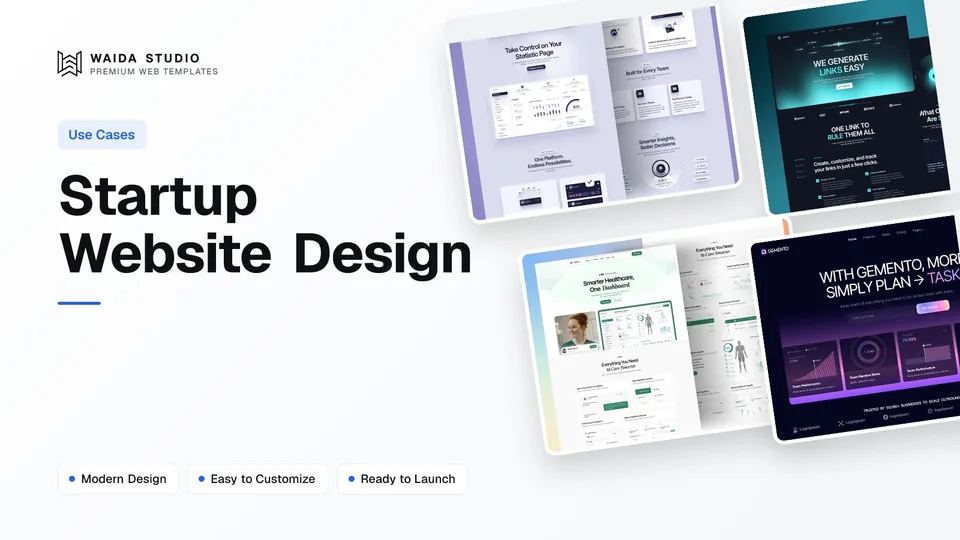
Good startup website design matches the site to the company's stage. Before launch, build one page that explains the problem and collects waitlist sign-ups. At launch, add product, pricing, about and contact pages. Once customers arrive, add a changelog, docs, comparison pages and a blog, in the order your customers ask for them.
This guide covers what to build at each stage, how to structure the home page, what the main platforms cost (checked on 13 October 2026) and which templates give you a head start.
What Makes Startup Website Design Different
A startup site is designed around uncertainty. The product, the audience and the message will all change in the first year, so the site has to be quick to edit, cheap to run and honest about what exists today. A polished site that takes two months to change is worse than a plain one you can rewrite in an afternoon.
Three things follow from that. First, write the copy before you design: a startup's main risk is a message nobody understands, not a layout nobody likes. Second, ask for one action per stage, such as joining the waitlist, starting a trial or booking a demo. Third, start from a template and change it, because the hours you save belong to the product.
If your startup sells software, SaaS website design goes deeper into feature pages, pricing tables and sign-up flows. This guide is broader: it applies to any early-stage company, from an AI tool to a hardware product or a marketplace.
Stage 1: The Pre-Launch Site
Before launch, a startup needs a single page with five parts: a headline that names the problem, a sentence on how you solve it, one visual of the product or prototype, a waitlist form and a short note on who is building it. That is enough to test the message and start a list of early users.
- Headline: the problem or outcome in the customer's words, not your category name. "Send invoices in under a minute" beats "Next-generation billing platform".
- Subheading: one sentence on how the product works and who it's for.
- Visual: a real screenshot, a prototype recording or a photo of the device. Avoid stock images of people pointing at laptops.
- Waitlist form: an email field and one button. Ask a second question only if it changes what you build, such as company size or role.
- Founders: names, a line of background and a way to contact you. Early users want to know a real team is behind it.
Keep the waitlist honest. Say roughly when you expect to launch, or say you don't know yet, and send a short update to the list at least once a month so the sign-ups are still warm when you open the doors. A pre-launch page is a landing page with one job, so the structure in how to make a landing page applies directly.
Stage 2: The Launch Site
At launch, grow the single page into five core pages: home, product or features, pricing, about and contact. Each one answers a question a visitor has before they sign up, and together they are enough for most startups through their first months of paying customers.
Page | The visitor's question | What to put on it |
|---|---|---|
Home | What is this, and is it for me? | The problem, the product, proof, how it works and one call to action, in that order |
Product or features | What exactly does it do? | Three to six features, each tied to an outcome, with a screenshot of the real interface |
Pricing | What will it cost me? | Plans side by side, what each includes, the trial or free tier, and billing terms |
About | Who is behind this, and will they be around? | Founders, why you started, where you're based and how to reach you |
Contact | How do I ask a question? | An email address or form, and a demo booking link if you sell to teams |
Publish pricing even if it's provisional. Visitors who can't find a price assume it's high or that they'll be pushed into a sales call. If you sell to large companies with custom deals, publish the starting price and say what changes it.
Add legal pages before you take payments or collect personal data: a privacy policy and terms of service, written for your product rather than copied from another company. Link them in the footer.
Stage 3: The Growth Site
Once customers arrive, add pages in the order they ask for them, not all at once. The usual order is a changelog, help docs, customer stories, comparison pages and a blog. Each new page should answer a question you keep hearing in sales calls or support emails.
- Changelog: a dated list of what shipped. It shows the product is alive, and it gives you something to send the waitlist.
- Docs or help centre: answers to the support questions you get every week. Searchable beats beautiful.
- Customer stories: only with the customer's permission, with their name and a concrete result they agree to share.
- Comparison pages: "Your product vs the alternative" pages for the tools buyers already know. Be fair; buyers check.
- Blog: only if someone will write for it at least twice a month. Two posts from last year make a startup look closed.
- Careers: when you are hiring, with real roles and the hiring process spelled out.
This is also the stage to revisit the home page. Replace early promises with proof from real users, swap the waitlist button for your trial or sign-up flow, and cut sections nobody scrolls to.
The Home Page, Section by Section
A startup home page works best as a short argument in seven sections: hero, problem, how it works, features, proof, pricing summary and a final call to action. Each section has one job, and if a section doesn't do its job, cut it rather than decorate it.
Section | Its job | Common mistake |
|---|---|---|
Hero | Say what the product does and for whom, with one button | A clever slogan that doesn't say what the product is |
Problem | Show you understand the visitor's pain | Listing industry statistics instead of the user's situation |
How it works | Show the product in three steps | Abstract icons instead of real screenshots |
Features | Tie each feature to an outcome | A grid of twelve features with equal weight |
Proof | Show who already uses it | Logos of companies that only tried a free trial |
Pricing summary | Set expectations before the click | Hiding all prices behind "Contact sales" |
Final call to action | Repeat the one action | Adding a second, competing action at the bottom |
Write the hero last. Once the other sections exist, the headline is usually the clearest sentence you already wrote. For working examples of this structure, see the real homepages in our SaaS landing page examples.
Keep the visual design restrained: one typeface pair, one accent colour and a lot of space. Startups change their message often, and a simple design survives rewrites better than an elaborate one built around a particular headline.
Choosing a Platform and Budget
Most early-stage startups are best served by a hosted no-code builder such as Framer or Webflow, because anyone on the team can edit the site without a deploy. A code template in Next.js, Astro or HTML suits a technical team that wants the site in the same repository as the product.
Option | Cost (checked 13 October 2026) | Suits |
|---|---|---|
Framer Free | $0, on a Framer domain; Framer calls it "ideal for non-commercial use" | Testing a pre-launch page before you buy a plan |
Framer Basic | $10 a month on yearly billing, custom domain, 30 pages, 2 CMS collections | A pre-launch or launch site |
Framer Pro | $30 a month on yearly billing, 150 pages, 10 CMS collections | A growth site with a blog, changelog and docs |
Webflow Basic | $15 a month billed yearly, custom domain, 300 static pages, no CMS | A launch site that doesn't need a blog yet |
Webflow Premium | $25 a month billed yearly, adds the Webflow CMS | A growth site with collections of posts or stories |
Code template | Hosting varies; the template is a one-off cost | Teams with a developer who will maintain it |
Prices come from Framer's pricing page and Webflow's pricing page, both fetched on 13 October 2026; check them again before you buy, since builders change plans often. For a side-by-side of the two builders, read Webflow vs Framer.
Budget for time as well as money. With a template, a founder can usually get a pre-launch page live in a weekend. If nobody on the team has the time, Waida's template customisation service adapts a Waida template for a one-off $499, with seven-day delivery.
Waida Templates for Startups
These four Waida Studio templates are built for startups and product companies; we made them, so weigh that. Each covers the launch-stage pages above, including features and pricing, and each can be cut down to a single pre-launch page by hiding sections.
Virion

Virion is a clean SaaS startup template with 12 pages. It is free on Framer with a free Waida account, $59 on Webflow, and $39 to $49 as HTML, Next.js or Astro code.
Lenkrio

Lenkrio is designed for AI startups and SaaS companies, with 12 pages built around product features. It is free on Framer with a free Waida account, and $39 to $49 as HTML, Next.js or Astro code. There is no Webflow version.
Medonix

Medonix is a 13-page template for health-tech startups and medical SaaS. It is free on every platform, Framer, Webflow, HTML, Next.js and Astro, with a free Waida account, and its Figma file is free too.
Gemento

Gemento is a dark template for SaaS and task-management products, with 27 pages including an integration directory, three-tier pricing and a blog. It is code-only: $39 as HTML, $49 as Next.js or Astro, with no framework or build step needed for the HTML version.
A Waida licence covers one person and unlimited projects, including commercial and client work, with no attribution required; the details are in our terms. Figma files are sold separately at $19 each, except Medonix's. The Pro plan, from $12 a month billed yearly, adds a template credit every quarter; see plans and pricing.
Templates to start from
All 42 templates




Frequently asked questions
What pages does a startup website need?
Before launch, one page with a headline, a product visual, a waitlist form and the founders. At launch, five pages: home, product or features, pricing, about and contact, plus a privacy policy and terms before you take payments or personal data.
Should a startup show pricing on its website?
Yes, even if the prices are provisional. Visitors who can't find a price tend to assume it's high. If you sell custom enterprise deals, publish a starting price and say what changes it.
How much does a startup website cost to run?
On 13 October 2026, Framer Basic cost $10 a month and Webflow Basic $15 a month, both on yearly billing with a custom domain. A template adds a one-off cost, or nothing if you use a free one.
Is Framer or Webflow better for a startup website?
Framer is usually quicker for a small team that wants to design and publish in one tool. Webflow suits teams that need a larger CMS or more structured content. Both let non-developers edit the site without a deploy.
When should a startup add a blog?
Add a blog once someone can write for it at least twice a month, usually after launch. Before that, a changelog and help docs answer more customer questions and are easier to keep current.
Can I use a website template for my startup?
Yes. A template saves weeks of layout work, and you replace the copy, images and colours with your own. Check the licence: a Waida licence covers unlimited commercial projects for one person, with no attribution required.
Startup website design is mostly a sequencing problem: one waitlist page before launch, five core pages at launch, then changelog, docs, stories and comparisons as customers ask for them. Write the copy first, ask for one action per stage, and pick a platform the whole team can edit.
To skip the layout work, browse the SaaS and startup templates. Virion, Lenkrio and Medonix are free on Framer with a free Waida account, and the paid versions start at $39 for code and $59 for Webflow.

More from Kazi
Related articles
More in Use Cases
How to Make a Website for Small Business: 7 Steps for 2026
How to make a small business website in seven steps: set one goal, plan seven pages, pick a platform and template, write the copy, set up local search and check it before launch.
Best HTML Portfolio Templates: 9 Picks for 2026
Nine HTML portfolio templates for designers, studios, photographers and developers, with what each one costs, what licence it carries and where you can host it.
Restaurant Website Design: What a Restaurant Site Needs in 2026
What a restaurant website needs in 2026: hours and address on the first screen, a menu in text, one booking button, direct online ordering and fast photos.