How to Make a Website for Small Business: 7 Steps for 2026
How to make a small business website in seven steps: set one goal, plan seven pages, pick a platform and template, write the copy, set up local search and check it before launch.
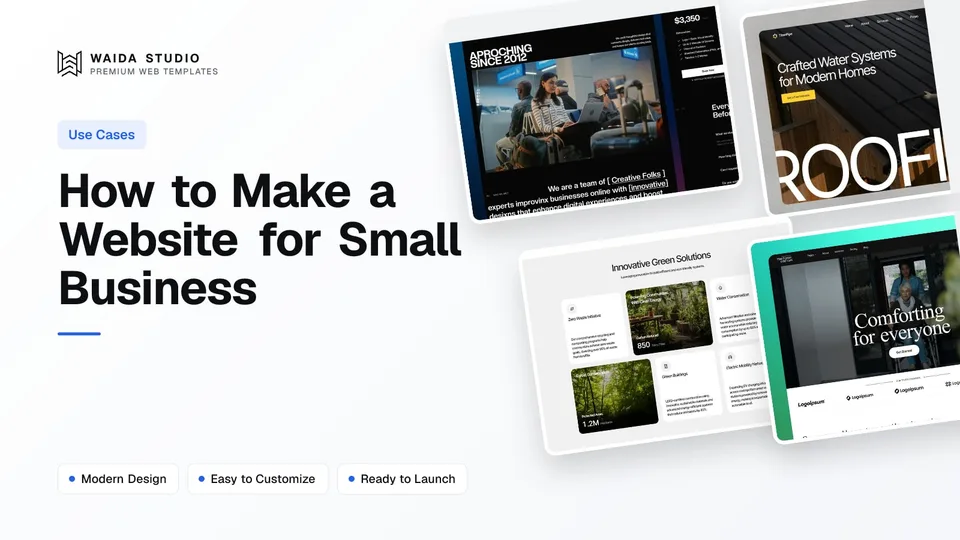
To make a website for a small business, decide the one action you want visitors to take, plan seven core pages, pick a platform and start from a template, write your own copy, connect a custom domain, set up your Google Business Profile, and check speed and mobile layout before launch.
This guide walks through each step in order, with the platform prices we checked on 12 October 2026 and a checklist you can work through before you publish.
Step 1: Decide What the Website Must Do
Pick one main action before you design anything: a phone call, a booking, a quote request or an order. Every page then points to that action, and you can judge the finished site by one question: does it make that action easy on a phone?
Write the action down with the details a visitor needs to take it. A plumber needs a phone number that works with one tap and the area they cover. A consultant needs a booking link and a short list of services. A shop needs product pages and a checkout. The answer decides which platform you need, so settle it first.
Then list the three questions customers ask you most often, on the phone or at the counter. Those questions become the headings on your home page and the start of your FAQ, and they are usually better than anything a template ships with.
Step 2: Plan the Seven Pages a Small Business Needs
Most small businesses need seven pages: home, services, about, work or reviews, pricing or how it works, FAQ and contact. A one-person business can merge some of them, but each one answers a question a customer has before they get in touch.
Page | The customer's question | What to put on it |
|---|---|---|
Home | Do you do what I need, here, now? | What you do, where, your phone number or booking button, and one line of proof, all on the first screen |
Services | What exactly do you offer? | One section per service, with who it's for and what's included; a page per service if each one is a search term |
About | Who will I be dealing with? | Your name, a real photo, how long you've traded and any licences or memberships |
Work or reviews | Are you any good? | Projects with photos and a line on the result, or reviews from customers who agreed to be quoted |
Pricing or how it works | Roughly what will it cost, and what happens next? | Starting prices or a price range, and the steps from first contact to finished job |
FAQ | What about my particular worry? | Short answers about areas covered, payment, guarantees and timing |
Contact | How do I reach you? | Phone, email, a short form, your address or service area, and your hours |
Keep the menu to these pages and put the main action in the header as a button, so it is visible on every page. Add a blog only if someone will write for it at least once a month; an empty blog with two posts from last year makes a business look closed.
The home page works like a landing page with one job. The structure in how to make a landing page applies directly, with your call, booking or quote request as the single action.
Step 3: Choose a Platform and a Template
For most small businesses, a hosted no-code builder is the simplest choice: Framer or Webflow host the site, handle security updates and let you edit text in the browser. A code template suits you if a developer will maintain the site. Start from a template either way; it saves weeks of layout work.
Option | What it costs (checked 12 October 2026) | Suits |
|---|---|---|
Framer Basic | $10 a month on yearly billing, custom domain, 30 pages, 2 CMS collections | A small business site with a few service pages |
Framer Pro | $30 a month on yearly billing, 150 pages, 10 CMS collections | A business with many service or location pages, or a blog |
Webflow Basic | $15 a month billed yearly, custom domain, 300 static pages, no CMS | A brochure site that rarely changes |
Webflow Premium | From $25 a month billed yearly, adds the Webflow CMS | A site with a blog, projects or job listings |
Code template (HTML, Next.js, Astro) | The template, plus hosting and a developer's time | A business with a developer who will maintain it |
Framer's own pricing page says its Free plan runs on a Framer domain and is meant for non-commercial use, and a custom domain needs a paid plan. Webflow's free Starter plan, on its pricing page, uses a webflow.io domain and allows 2 static pages. A business needs its own domain, so budget for a paid plan from day one.
If you are weighing the two builders, our Webflow vs Framer comparison covers editing, CMS and hosting side by side. If you are unsure whether a template is enough at all, read template vs custom website. For the total budget, including design time and a domain, see how much a website costs.
When you choose a template, judge the structure, not the stock photos. Check that it has pages close to the seven above, a contact form, a clear button in the header, and a mobile layout that keeps the phone number easy to reach.
Step 4: Write the Content and Add Your Own Photos
Write the copy yourself, in the words your customers use, and replace every placeholder before launch. Visitors decide fast, so the first screen should say what you do, where you do it and how to get in touch, in plain language.
- Headline: what you do and where, e.g. "Emergency plumbing in north Leeds, 7 days a week", rather than a slogan.
- Service sections: one short paragraph each, then what's included and a starting price if you can give one.
- Proof: real reviews with the customer's permission, project photos and any licences or trade memberships. Never invent a testimonial.
- Photos: your team, your premises and your work. Stock photos of strangers shaking hands tell a visitor nothing about you.
- Contact details: the same business name, address and phone number on every page, written as text rather than inside an image.
Go through the template page by page and delete what you can't fill honestly. An empty team section or a portfolio of template placeholder projects does more harm than a shorter page. Remember the small things too: the footer, the social icons that still link to the template's accounts, and the default favicon.
Step 5: Connect a Domain and Set Up Local Search
Connect your own domain, create or claim your Google Business Profile, and make your name, address and phone number match exactly everywhere. For a local business, the profile and the website should point at each other.
Google's guidelines for representing your business set the rules worth knowing before you fill in the profile:
- Name: use your real-world business name, without taglines, locations or keywords added to it.
- Address: list the real location you operate from. P.O. boxes and virtual offices aren't eligible.
- Service-area businesses: if you travel to customers and have no storefront, hide your address and set a service area instead.
- Website and phone: use a number under your direct control, and a website link that represents that location.
On the website, add structured data so search engines can read the same facts. schema.org's LocalBusiness type covers a physical business or branch and supports address, telephone, openingHoursSpecification, areaServed and priceRange. More specific types exist, such as ProfessionalService and HomeAndConstructionBusiness; use the closest one. Our glossary explains schema markup in more detail.
Give each main service its own page if people search for it by name, with the town or area in the heading where it's honest. The Framer SEO guide covers page titles, descriptions and sitemaps step by step.
Step 6: Check Speed, Mobile and Accessibility Before Launch
Test the site on a real phone before you publish, then run a short checklist. Many visitors arrive on a phone, often in a hurry, so a slow page or a phone number that isn't tappable costs you the call.
- Speed: Google's guidance is a Largest Contentful Paint of 2.5 seconds or less, measured at the 75th percentile of page loads. Compress the hero image and keep it small.
- Contrast: WCAG 2.2 asks for a contrast ratio of at least 4.5:1 for normal text and 3:1 for large text. Light grey text on white often fails.
- Tap targets: the phone number is a tel: link, the booking button is large, and the form works with a thumb.
- Forms: send a test enquiry and confirm it reaches an inbox someone reads every day.
- Links: click every link, including the footer and social icons, and fix anything that still points to the template's demo.
- Basics: a page title and description on every page, a favicon, a privacy page if you collect personal data, and HTTPS on the custom domain.
After launch, check the site once a month: hours, prices, the services list and the form. A website that quietly shows last year's prices loses trust faster than one that is plain.
Step 7: Start From a Waida Template
These four are Waida Studio's own templates, so treat this as our recommendation for our own products. Each has the structure a service business needs, and each is free on Framer with a free Waida account; Zelda is free on every platform.
Zelda

Zelda is a dark, modern template built for agencies and studios, with 13 pages. It suits a consultancy or creative service business that wants to look established, and it is free on Framer, Webflow, HTML, Next.js and Astro with a free Waida account, Figma file included.
TitanPipe

TitanPipe was made for roofing companies, construction firms and home service businesses, with 11 pages and a layout that puts services and contact details up front. It is free on Framer; the Webflow version is $79 and the HTML version $39. The construction website design guide covers trades sites in more depth.
Greencore

Greencore was designed for sustainability and agriculture brands, with 15 pages and CMS-powered sections for services and stories. It fits a local producer, a garden business or an environmental service. It is free on Framer and $79 on Webflow.
Oldage

Oldage is a calm, professional template for elderly care, health clinics and medical practices, with 14 pages. It suits a care or health business that needs to reassure families before they call. It is free on Framer and $59 on Webflow.
Every Waida licence covers unlimited projects for one person, including client work, with no attribution required, as set out in the licence terms. Browse the full set of business website templates or the professional services templates for more starting points.
Templates to start from
All 42 templates




Frequently asked questions
How do I make a website for my small business?
Decide the one action you want visitors to take, plan seven core pages, choose a platform such as Framer or Webflow, start from a template, write your own copy, connect a custom domain and set up your Google Business Profile before launch.
What pages does a small business website need?
Most need seven: home, services, about, work or reviews, pricing or how it works, FAQ and contact. A one-person business can merge some of them, as long as the phone number or booking button is on every page.
How much does it cost to build a small business website?
With a template and a hosted builder, the running cost can be a hosting plan: Framer Basic was $10 a month on yearly billing and Webflow Basic $15 a month billed yearly when we checked on 12 October 2026, plus a domain.
Can I use a free plan for my business website?
Usually not for long. Framer's Free plan runs on a Framer domain and is described as ideal for non-commercial use, and Webflow's Starter plan uses a webflow.io domain, so a business needs a paid plan for its own domain.
Do I need a Google Business Profile if I have a website?
Yes, if you serve customers locally. The profile appears in Google Maps and local results, and it should show the same name, address, phone number and website as your site.
Is a template good enough for a small business website?
For most small businesses, yes. A good template gives you tested layouts and a mobile design, and you replace the text, photos and colours. Custom design makes sense when you need features or a brand no template covers.
Making a website for a small business comes down to a few steps done in order: one clear action, seven pages that answer real questions, a paid plan on a builder you can edit, your own words and photos, a matching Google Business Profile, and a check on a real phone before launch. None of it needs a big budget; it needs an afternoon of honest copy and a template that already has the right structure.
You can start with the free Framer templates, which cost nothing with a Waida account, and paid versions of our templates start at $39. Waida's Pro plan is $12 a month billed yearly. If you'd rather hand it over, our template customisation service adapts a template with your logo, copy, colours and images for $499, delivered in 7 days.

More from Kazi
Related articles
More in Use Cases
Best HTML Portfolio Templates: 9 Picks for 2026
Nine HTML portfolio templates for designers, studios, photographers and developers, with what each one costs, what licence it carries and where you can host it.
Restaurant Website Design: What a Restaurant Site Needs in 2026
What a restaurant website needs in 2026: hours and address on the first screen, a menu in text, one booking button, direct online ordering and fast photos.
Photography Website Design: What to Include in 2026
What good photography website design looks like in 2026: the pages, fast galleries, client proofing, image SEO, copyright and where to build it.