Construction Website Design: What a Construction Company Site Needs in 2026
Pages, design and local SEO for builders and roofers: what a construction company website needs to win quote requests, plus four templates to start from.

A good construction website does four jobs: it shows finished projects, makes clear which services you offer and where, proves you are licensed, insured and trusted, and makes asking for a quote take seconds. Everything else, from animation to clever layouts, comes second. Below: the pages a construction company site needs, the design and local SEO choices that bring in quote requests, and four templates built for builders and roofers.
Bias disclosure: the templates in this guide are Waida Studio templates. We made them and we sell them; one of them is free. The advice above them applies whatever you build with.
What a Construction Company Website Needs
Most construction sites need the same seven pages. Start with the first five and add the rest as the business grows:
Page | What it has to do |
|---|---|
Home | Say what you build and where, in the first screen, with your phone number and a quote button in view. |
Services | One page per service (new builds, extensions, roofing, remodelling) so each can be found in search on its own. |
Projects | Real photos of finished work, before and after where you have them, with the location, scope and timeline. |
About | Years in business, licence and insurance details, the team, and any trade association memberships. |
Contact and quote | A short form, a phone number and an email address, plus how quickly you reply. |
Reviews | Testimonials from real customers, with their name, town and the kind of project. |
Service areas | The towns and regions you cover, with pages only for places where you actually work. |
Design Choices That Win Jobs
Real work over stock photos. A customer choosing a builder is judging your work, and stock photography of smiling men in hard hats tells them nothing. A dozen honest photos of finished projects beat a polished gallery of someone else's.
The phone number one tap away. Many people contact a contractor straight from their phone. Keep the number in the header on every page, and make it a tap-to-call link on mobile.
A short quote form. Name, phone, postcode, the kind of project and a message box are enough to start a conversation. Every extra field costs you enquiries; you can ask for the details on the call.
Trust in the first screen. Licence number, insurance, warranty and years in business are what a nervous homeowner is looking for. Put them near the top of the home page rather than only on the about page.
Fast on a phone. A full-screen video behind the headline looks good on an office monitor and loads slowly on mobile data. Keep images compressed and let the photos of your work do the heavy lifting.
Getting Found: Local SEO for Construction Companies
Construction is local, so most of your search traffic will come from people looking for a service near them. What moves the needle:
- A Google Business Profile with exactly the same business name, address and phone number as your website.
- One page per service, so "roof replacement" and "kitchen extensions" can each rank for their own searches.
- Location pages only where you work, each with real projects from that area. Thin pages that swap the town name are more likely to hurt than help.
- Project pages named by place and type, such as "Two-storey extension in Leeds", which match how people search.
- Reviews, asked for every time. Ask each customer when the job is finished, and reply to every review you get.
If you build on Framer, the Framer SEO guide covers the settings that matter; the same principles apply on any platform.
Construction Website Templates to Start From
Starting from a template built for the trade saves most of the design work: the pages above are already there, and you replace the photos, services and copy with your own. All four of these come as Framer, Webflow, HTML, Next.js and Astro templates.
Steelcrest — for roofers and contractors

Steelcrest is built for roofing companies, general contractors, home builders and remodelling firms, and every page pushes towards a quote request. It has service pages for roofing, repairs and installations, before-and-after project galleries, testimonial sections and prominent contact forms.
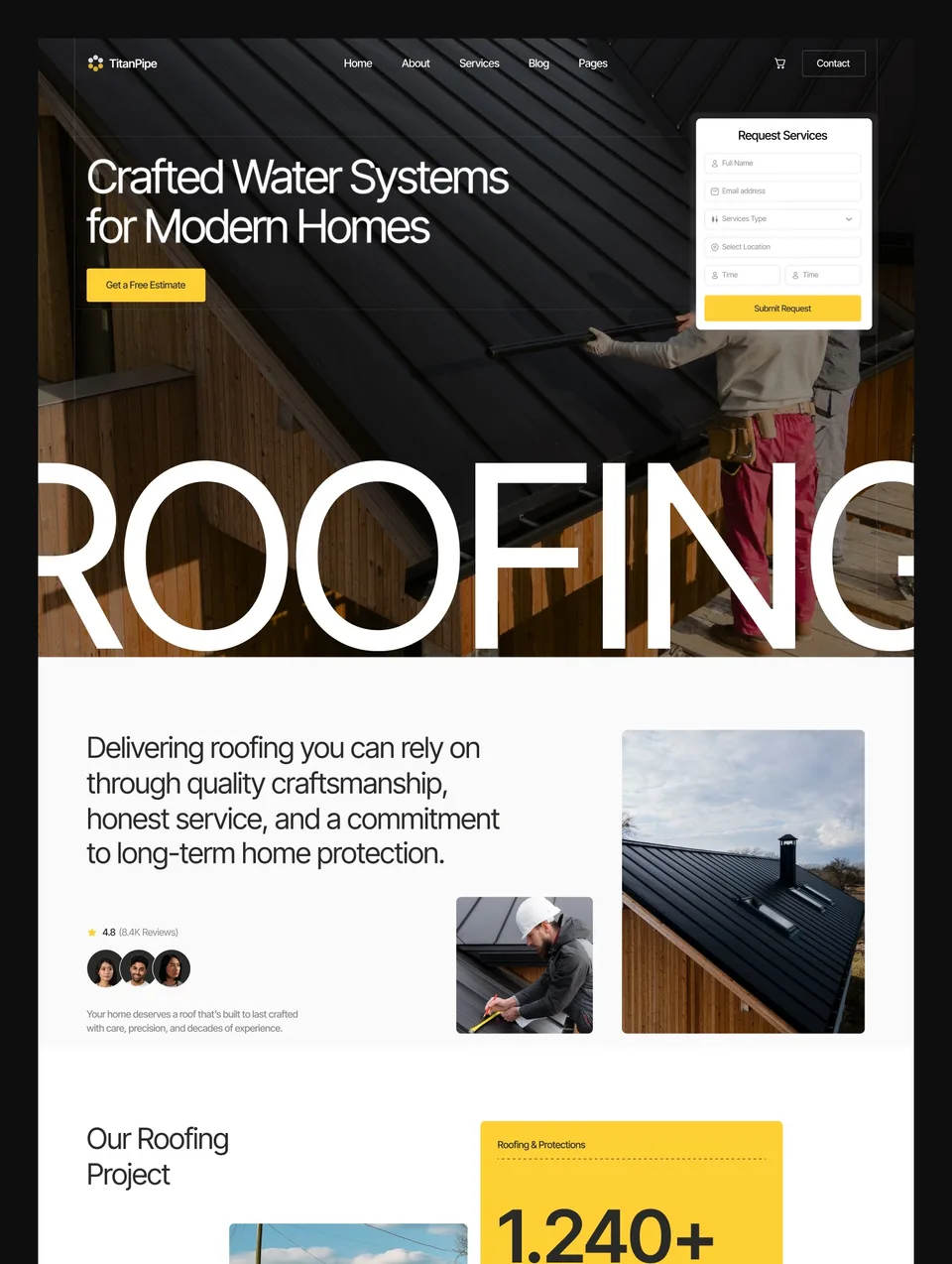
TitanPipe — free on Framer

TitanPipe is a clean, straightforward template for roofing companies, construction firms and home service professionals, with sections for services, process and completed projects. The Framer version is free, so it is the one to start with if you want to judge the work before spending anything.
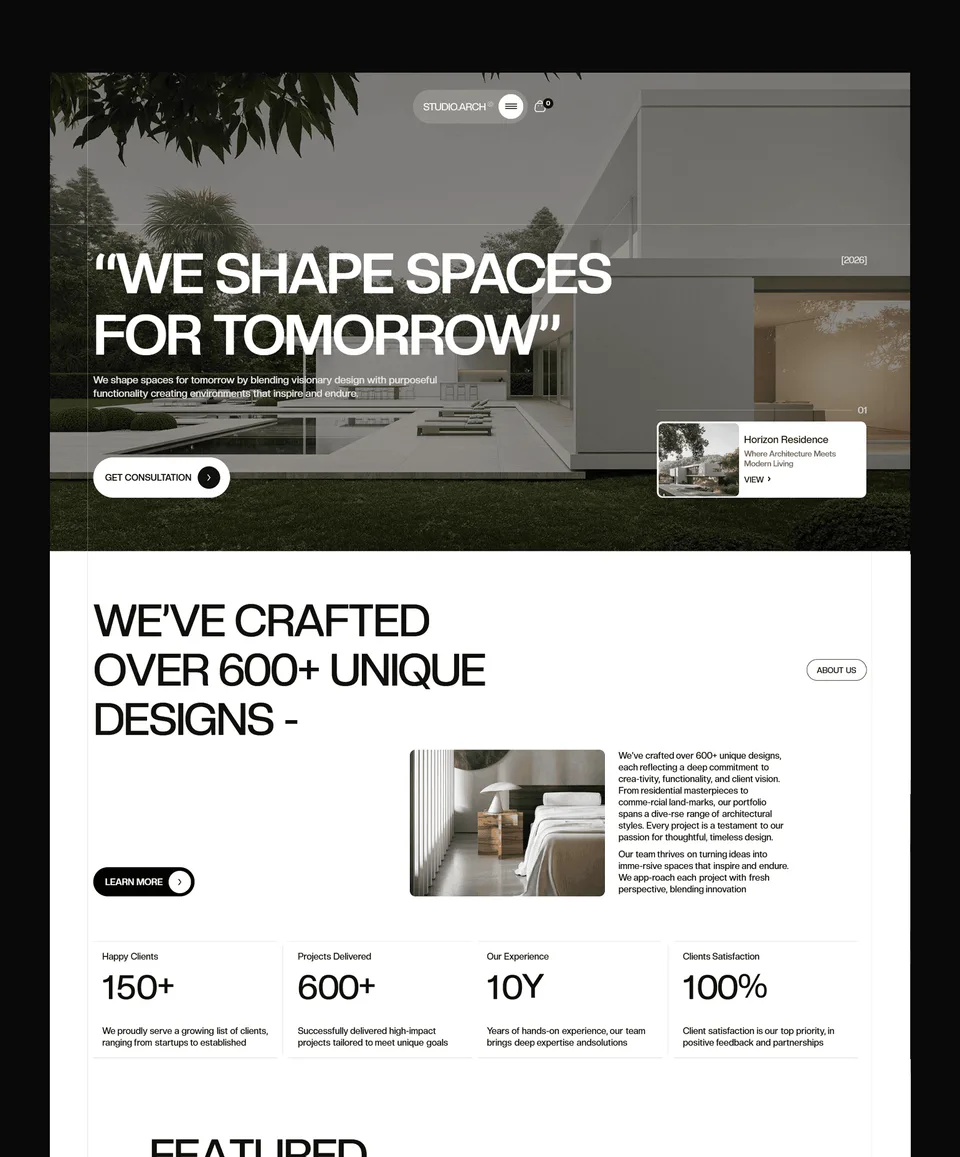
Studio Arch — for design-build and residential construction

Studio Arch suits residential architects, home construction firms and design-build companies, where the quality of the design is part of the sale. Project pages have room for floor plans, photos and details, alongside services, team profiles and inquiry forms.
Check out Studio Arch template
Nuvora — for sustainable builders

Nuvora is made for eco-construction companies, sustainable architecture firms and green property developers. Its project showcases put sustainability features such as energy efficiency, materials and certifications next to the photos, which is exactly what that customer wants to compare.
Template, Website Builder or Agency?
A template is the fastest and cheapest route: the structure and design are done, and you supply the photos and words. On Framer, hosting starts at $10 a month billed yearly; on Webflow, $15, or $25 with a CMS for project pages (prices checked on 11 September 2026).
An agency writes the copy, shoots or sources photography and designs something that is yours alone. It costs more and takes weeks rather than days, and makes most sense for larger firms with several services and regions. Template vs custom website sets out the trade-offs, and if you want a template adapted for you, there is a customization service.
Templates for this
All 44 templates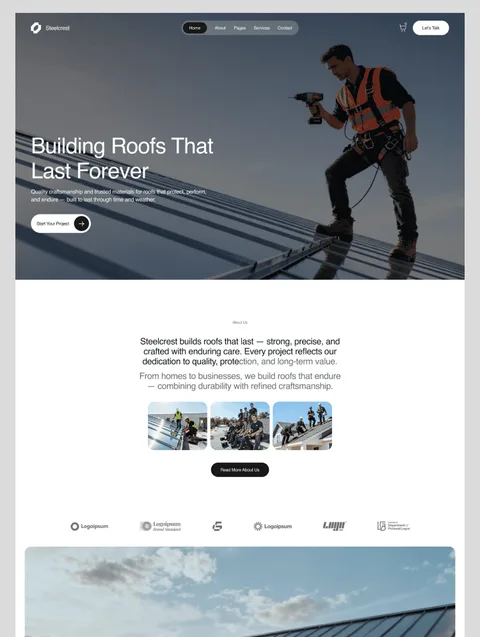



Frequently asked questions
What should a construction company website include?
A home page that says what you build and where, one page per service, a projects gallery with real photos, an about page with licence and insurance details, customer reviews, the areas you cover, and a short quote form with your phone number on every page.
How much does a construction website cost?
With a template: the template itself ($0 to $129 at Waida Studio), hosting from $10 a month on Framer or $15 to $25 a month on Webflow billed yearly (checked 11 September 2026), plus a domain. A custom site from an agency costs considerably more and varies widely with scope.
What is the best website builder for a construction company?
Framer is the quickest for a visual site you will mostly update yourself; Webflow suits larger sites with many project pages in its CMS; HTML, Next.js or Astro make sense if a developer maintains the site. The templates in this guide come in all five versions.
Is there a free construction website template?
Yes. The Framer version of TitanPipe, built for roofing, construction and home service businesses, is free to remix with a free Waida Studio account.
Do I need a website if I have a Google Business Profile?
Your profile gets you into map results; a website gives people the service pages, project photos and quote form that persuade them to call. The two work best together, with the profile linking to the site.
How many pages does a construction website need?
Start with five: home, services, projects, about and contact. Add reviews and service-area pages as you collect testimonials and work in more places, and add a page for each new service you offer.
A construction website earns its keep when it turns a local search into a phone call. Get the seven pages right, show real work, make the quote easy, and keep the site fast on a phone. Browse all business templates or professional services templates for more starting points.

More from Kazi
Related articles
More in Use Cases
Architecture Website Design: What Wins Commissions in 2026
What an architecture firm's website needs in 2026: a projects archive clients can browse by type, full project pages, fast photography and a clear enquiry path.

Roofing Website Design: What Wins Roofing Jobs in 2026
What a roofing website needs in 2026: a call button for leaks, a quote path for replacements, proof of licence and insurance, and a page per area you serve.

Consulting Website Design: What Wins Clients in 2026
What a consulting website needs in 2026: a sharp positioning line, case studies with numbers, one booking path, and proof of who does the work.