Church Website Design: What a Church Site Needs in 2026
What a church website needs in 2026: service times on the first screen, a plan-your-visit page, a sermon archive, licensed livestreams and a short giving path.
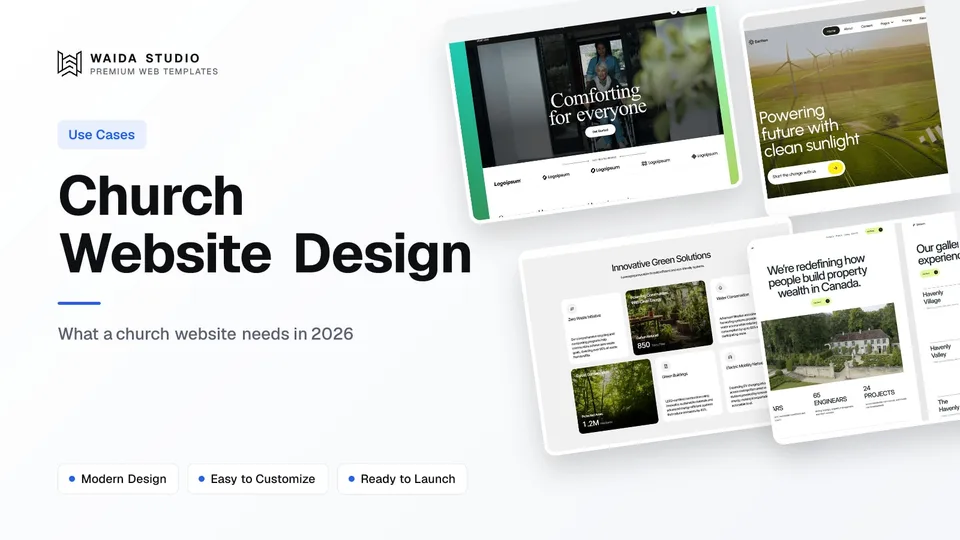
Good church website design answers a first-time visitor's questions before they ask: when the service is, where to park, what happens with the children, and what it will feel like to walk in. Behind that sit three jobs for the congregation itself: sermons, events and giving.
The Pages a Church Website Needs
Eight page types cover most local churches. Build the home page, the plan-your-visit page and the sermon archive first: they carry most of the traffic. The rest answer what members, newcomers and people in a hard week come looking for.
Page | What the visitor wants from it | What to put on it |
|---|---|---|
Home | When and where is the service? | Service times, the address and one clear button to plan a visit, all on the first screen |
Plan your visit | What will happen when I arrive? | Parking, the entrance, length of the service, children's check-in, accessibility, what people wear |
About and beliefs | Who are you and what do you teach? | A short statement of belief, denomination or network, a brief history |
Staff and leadership | Who will I meet? | Photos, names, roles and a way to reach each person |
Sermons and media | Can I watch or listen again? | An archive by series, speaker, date and passage, plus the live stream |
Ministries and groups | Is there something for me or my kids? | One section per ministry with the day, time, place and a named contact |
Events | What is coming up? | A dated list with times, place and sign-up, removed once each event is over |
Give | A quick, secure way to give | One page linking to your giving tool, with the regular and one-off options |
Add a Contact page with the office hours, a phone number and a form, and a short prayer-request form if your church offers it. Keep the menu to six or seven items; ministries and staff can sit under About.
Make the First Visit Easy
For someone deciding whether to come on Sunday, the page that matters most is the one about the first visit. Write it for someone who has never been to any church: plain words, real photos of your building and people, and the practical details in the order they will meet them.
- Service times for each location, with the next date written out, such as "Sunday 10:30 am"
- The full address, a map link and where to park, including accessible spaces
- Which door to use and who will meet them there
- How long the service lasts and what it includes
- What happens with children: the age groups, how check-in works and whether parents stay
- Step-free access, hearing loops or captions, if you have them
- What people usually wear, in one sentence
Put the service time and address on the home page as well, above the fold on a phone, and in the footer of every page. Keep them as live text, never inside an image, so search engines and screen readers can read them. When times change for a holiday or the summer, change the home page first.
Treat this page like a landing page: one intent, one action. The structure in how to make a landing page applies, with "plan your visit" in place of a sign-up button. A short form that lets a visitor say they are coming, so someone can meet them, is a good final step.
Sermons, Livestreams and Music Licences
A sermon archive is the page members use most after the service times, so give it structure. Store each sermon as an entry with a title, series, speaker, date, Bible passage, video or audio link and notes. Then visitors can filter by series or speaker, and each sermon gets its own page and URL.
That structure is a CMS collection, and it affects which plan you need. On Framer's pricing page, the Basic plan includes 2 CMS collections and Pro includes 10, enough for sermons, events and staff. On Webflow's pricing page, the Basic plan is described as for sites that don't need a CMS, and the CMS starts on the Premium plan.
Livestreams. Most churches stream to YouTube or Facebook and embed the player on the site. YouTube's help centre says live streaming requires a verified channel with no live streaming restrictions in the past 90 days. Streaming from a phone also needs at least 50 subscribers, and the first stream may need a 24-hour wait after you turn live streaming on, so set it up well before your first broadcast.
Music in the stream. Streaming worship songs needs its own licence. CCLI's streaming page says its Streaming License extends the Church Copyright License to live-streamed and uploaded services, and that the Streaming Plus License adds master recordings such as backing tracks and multitracks. It lists US prices from $84 a year for churches already licensed with CCLI, and says archived streams can stay online as long as the licence is kept.
The licence covers the songs; your website covers the context. Put the stream, the order of service and the sermon notes on one page, so a viewer at home can follow along.
Online Giving Without Friction
Give online the same way you would ask in person: once, clearly, and without pressure. Put a Give link in the header, send it to one page, and on that page offer regular and one-off giving through a tool built for donations. The website supplies the page and the button; the giving tool handles the payment.
- A Give link in the header of every page, visible on a phone without opening the menu
- One Give page with a short line on what giving supports
- A choice of one-off or regular giving, set up in the giving tool
- Only the fields the payment needs: name, email and a card or wallet
- A receipt that arrives by email straight away
Fees. Compare processor rates before you choose a tool. PayPal's fee page lists a charity rate of 1.99% plus a fixed fee of $0.49 for domestic US transactions, subject to eligibility, application and pre-approval, against a standard checkout rate of 3.49% plus the same fixed fee.
Receipts. In the US, the IRS says the written acknowledgment for a gift of $250 or more must name the organisation and the amount. It must also say whether any goods or services were given in return, or that they consisted entirely of intangible religious benefits, if that was the case. Check that your giving tool's receipts carry that wording.
Churches have one difference from other nonprofits here. The IRS lists churches among the organisations excepted from filing the annual Form 990, so there is no public return for donors to look up. If your church publishes an annual report or a budget summary, link it from the Give page. The nonprofit website design guide covers the transparency side in more depth.
Accessibility, Speed and Search
A church website serves every age group, so build it for older eyes and slow phones first. That means readable type, strong contrast, fast pages on mobile data, and structured data that tells search engines this page is a place of worship with service times.
- Contrast: WCAG 2.2 asks for a contrast ratio of at least 4.5:1 for body text and 3:1 for large text, which it defines as 18 point, or 14 point bold.
- Speed: Google's guidance is a Largest Contentful Paint of 2.5 seconds or less, measured at the 75th percentile of page loads. Compress the large hero photo of your building first.
- Video: embed the stream player lower on the page or behind a click-to-play image, so it doesn't slow the first screen.
- Captions: turn on captions for sermon videos, and offer audio for people who listen on the move.
- Structured data: schema.org has a Church type, a kind of PlaceOfWorship, with properties for the address, opening hours and events. Use it on the home or contact page.
For local search, the name, address and service times on the site should match your Google Business Profile word for word. A visitor who searches "church near me" may meet that listing before they ever reach your site.
Building It: Platforms and Costs
A small church can run a good website for the price of a hosting plan, because the design can come from a template and the content from volunteers. The real decision is who will update it each week, and whether they can do that without a developer.
Option | What it costs (checked 2 October 2026) | Suits |
|---|---|---|
Framer Basic | $10 a month on yearly billing, custom domain, 2 CMS collections | A small church with a sermon list and events |
Framer Pro | $30 a month on yearly billing, 10 CMS collections, site redirects, staging | A church with several ministries, locations or a large archive |
Webflow Basic | $15 a month billed yearly, custom domain, no CMS | A brochure site whose sermons live on YouTube |
Webflow Premium | $25 a month billed yearly, Webflow CMS | A church that wants its archive and events in a CMS |
A Waida template | 20 templates free on Framer with an account; paid versions from $39 | Any of the above, as a starting design |
Waida template customisation | $499 one-time, 7-day delivery | A church with no volunteer designer |
Framer's own pricing page calls its Free plan ideal for non-commercial use, but a custom domain needs a paid plan, and a church site needs its own domain. For a fuller cost breakdown, including domains and the time it takes, see how much a website costs. If you are still choosing a platform, the Webflow vs Framer comparison covers editing, CMS and hosting side by side.
Whatever you choose, give two people access, write the weekly update steps on one page, and set a calendar reminder to remove past events. An out-of-date events page tells a visitor more than any design choice.
Waida Templates to Start From
Waida Studio doesn't make a church template, so these three are our own templates with a calm, warm structure that adapts well: services, people, stories and a contact page. You would add the service-times block, the sermon collection and the Give page yourself.
Oldage

Oldage was designed for elderly care and clinics, so its tone is already reassuring and its layout already explains services to people who need them. Across 14 pages there is room for About, Ministries, Staff and Contact. It is free on Framer with a Waida account, $59 on Webflow and $39 to $49 as code.
Earthon

Earthon was made for environmental organisations, with a nature-inspired palette and a clear structure for a mission and its stories. Its 11 pages suit a smaller church or a church plant. It is Framer only, and free with a Waida account.
Greencore

Greencore has CMS-powered pages and sections for impact and stories, which map well to ministries and a sermon archive. It has 15 pages, is free on Framer with a Waida account, $79 on Webflow and $39 to $49 as code.
Every Waida licence covers unlimited projects for one person with no attribution required, as set out in the licence terms. Browse the free Framer templates for more starting points, or the business templates if your church runs a café, school or community centre alongside its services.
Templates to start from
All 40 templates



Frequently asked questions
What should a church website include?
Service times, the address and parking on the home page, a plan-your-visit page, beliefs and staff, a sermon archive, ministries and groups, an events list and a Give page. Contact details belong in the footer of every page.
Do churches need a licence to livestream worship music?
Yes, streaming copyrighted worship songs needs a streaming licence. CCLI's Streaming License extends its Church Copyright License to live-streamed and uploaded services, and its Streaming Plus License adds master recordings such as backing tracks.
How much does a church website cost?
A small church can run one for the price of a hosting plan: Framer Basic is $10 a month and Webflow Basic is $15 a month on yearly billing. Add a domain, plus a template or design work if you need it.
What is the best platform for a church website?
Choose the one your volunteers can update each week. Framer suits churches that want a design-led site with a simple CMS for sermons and events; Webflow suits churches with someone comfortable in a more technical editor.
Should a church website have online giving?
Yes. Put a Give link in the header, send it to one page, and use a giving tool that offers regular and one-off gifts and emails a receipt straight away.
Can I use a free template for a church website?
Yes. Several Waida Studio templates are free on Framer with a free account and can be adapted for a church. Waida doesn't make a church-specific template, so you add the service times, sermons and Give page yourself.
Church website design comes down to a few things done well: service times and the address on the first screen, a plan-your-visit page written for a newcomer, a sermon archive that someone keeps up to date, licensed livestreams and one short path to giving. Build those, keep them current, and the design can stay simple.
If you want a head start, the free Framer templates cost nothing with a Waida account, and the paid versions of the three above run from $39 to $79. If no one on your team has time to adapt one, our template customisation service does it for $499, delivered in 7 days.

More from Kazi
Related articles
More in Use Cases
Nonprofit Website Design: What a Charity Site Needs in 2026
What a nonprofit website needs in 2026: a clear mission, a donate path that takes a few taps, the documents donors check, and a site that meets Google's Ad Grants policy.
Dental Website Design: What a Practice Site Needs in 2026
What a dental practice website needs in 2026: service pages, a booking path that works on a phone, honest reviews, and the privacy and accessibility rules behind them.
Art Portfolio Website: What to Include in 2026
What an art portfolio website needs in 2026: the pages, how to curate and size your images, where to build it and how to sell prints or take commissions.