Architecture Website Design: What Wins Commissions in 2026
What an architecture firm's website needs in 2026: a projects archive clients can browse by type, full project pages, fast photography and a clear enquiry path.
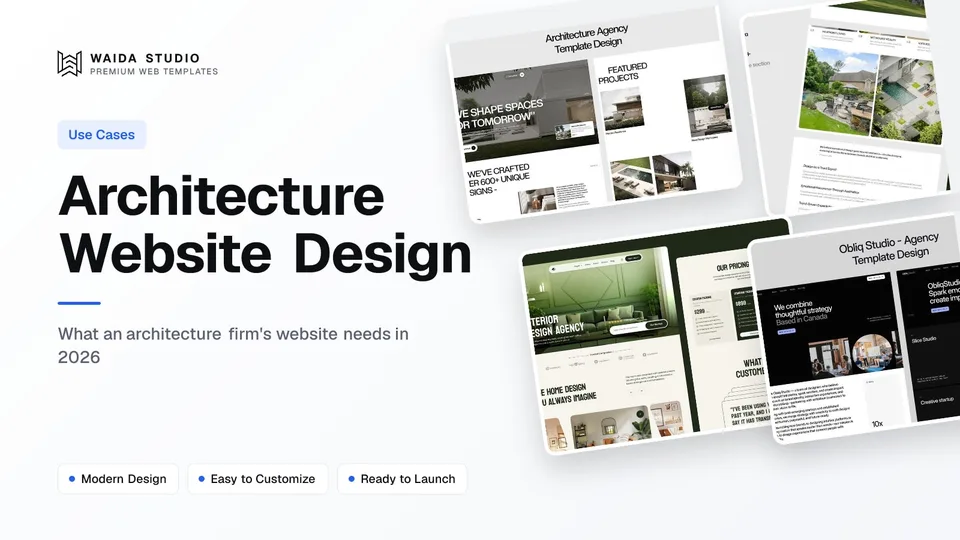
Good architecture website design puts the built work first. A client should be able to browse your projects by type, open one and see the photos, the brief, the location, the year and the team, then find a short enquiry form without hunting for it. Everything else on the site supports those three steps.
This guide covers the pages an architecture firm needs, how to structure a project page, how to handle large photography without a slow site, what four well-known practices do on their own sites, and what it costs to start from a template. If you design and build, the construction website design guide covers the contractor side of the same problem.
The Pages an Architecture Firm Website Needs
Seven page types cover most practices, from a two-person studio to a multi-office firm. The projects archive and the project pages carry most of the weight; the studio, process and contact pages turn interest into a first meeting.
Page | What the visitor wants from it | What to put on it |
|---|---|---|
Home | What kind of work do you do, and is it any good? | Three to six strong projects, one line on what you design and where |
Projects archive | Have you done a project like mine? | Every project, filterable by type (houses, workplace, education, interiors) and status |
Project pages | How did you approach this one? | Photos, brief, location, year, size, status, team and consultants |
Studio or About | Who will I actually work with? | Principals, team, history, registrations and memberships |
Services and Process | What happens between the first call and handover? | Your stages in plain words, from feasibility to completion |
News or Journal | Is the practice active and recognised? | Awards, publications, completions, talks |
Contact | How do I start, and what do you need from me? | A short form asking for project type, location, budget range and timing |
A small practice with five or six projects can fold the archive into the home page. Once you pass about a dozen projects, a separate archive with filters stops visitors scrolling past houses to find the school they came for. Larger firms also add a careers page, since the website is where most applicants look first.
How to Build a Project Page
A project page should answer what, where, when, how big and who in the first screen, then let the photography tell the rest. Clients compare firms project by project, so every page needs the same facts in the same place.
- A lead image that shows the whole building or space, not a detail shot.
- A short fact panel: location, year completed (or current stage), size, client type and status, such as Completed, On site or Competition.
- The brief in two or three sentences: what the client asked for and what constrained it, such as site, budget, planning or heritage.
- Your response: the main design moves, in plain language rather than theory.
- Drawings where they help: a plan or section often explains a project faster than ten photos.
- Credits: collaborators, engineers, the contractor and the photographer.
- A next step: a link to similar projects and to the contact page.
Store projects in your site's CMS, not as hand-built pages. Each project then becomes one entry with the same fields, the archive filters update themselves, and adding a completion takes minutes. Our Framer CMS guide shows how collections and filters work if you build in Framer.
Photography: Big Images, Fast Pages
Architecture sites live on photography, so speed depends almost entirely on how you handle images. Google's guidance is that a good Largest Contentful Paint is 2.5 seconds or less, measured at the 75th percentile of page loads, and on an architecture site the LCP element is usually the hero photo.
- Export at display size. A hero rarely needs to be wider than about 2,400 pixels; a 40-megapixel file straight from the photographer is wasted weight.
- Use modern formats. Google Search supports WebP and AVIF alongside JPEG and PNG, according to its image SEO guidance. With code templates, your build step or an image CDN can do the conversion.
- Load the first image eagerly and the rest lazily. The browser's lazy loading attribute defers off-screen images, but web.dev's guide to lazy loading and LCP warns against deferring the images in the first view.
- Write real alt text. "Timber-clad house above a lake, viewed from the jetty" helps screen reader users and search; "house1.jpg" helps nobody. Google calls alt text the most important attribute for image metadata.
- Name files descriptively, such as lakeside-house-north-elevation.jpg, which Google treats as a light clue to the subject.
Check who owns the photos before you publish them. Under US law, as the Copyright Office explains, copyright belongs to the author of the work, not to whoever holds a copy, so a professional photographer's images are theirs unless your contract says otherwise. Get web use in writing and credit the photographer on each project page.
What Leading Practices Do on Their Own Sites
Four large practices, checked live today, share one pattern: projects are browsable by type, and news, people and careers sit one click from the home page. None of them leads with a long mission statement. You don't need their budgets to copy the structure.
- [BIG (Bjarke Ingels Group)](https://big.dk/) groups projects by discipline (Architecture, Interiors, Landscape, Planning and Products) with typologies such as Culture, Education and Residential underneath. Each project card shows a name and a location.
- [Snøhetta](https://www.snohetta.com/) keeps the top menu to People, Process and Projects, then splits work by discipline (Architecture, Landscape, Interior, Product) and runs a news feed and an events calendar.
- [MVRDV](https://www.mvrdv.com/) organises the home page around themes such as Housing, Transformations and Urbanism, has a press room and jobs page in the main menu, and offers the site in five languages.
- [KPF](https://www.kpf.com/) keeps a five-item menu (Projects, People, News, Careers, Contact) and lets visitors browse projects by type, from Adaptive Reuse to Supertall.
For more inspiration, galleries such as Awwwards' architecture category collect firm sites, and our photography website design guide covers the gallery layouts that architecture sites borrow.
Credentials, Enquiries and Trust
Clients hiring an architect are committing to years of work and a large budget, so make your credentials and your process easy to check. In the US, NCARB notes that each state sets its own rules for practising architecture, so state your registrations accurately and only where they apply.
- Registrations and memberships on the studio page, with the jurisdiction for each.
- Awards and publications with the year and a link to the source, not just a logo wall.
- A process page that names your stages and roughly how long each takes for a typical project.
- A short enquiry form: name, email, project type, location, budget range and timing. Ask the rest on the first call.
- Client words only with permission, quoted exactly and attributed. Never write them yourself.
Say who the site is for. A practice that does private houses and a practice that does hospitals need different first screens, and a visitor should know within seconds whether you take on projects like theirs.
Waida Templates for Architecture and Interior Studios
These four are Waida Studio's own templates, so weigh our view accordingly. Each has a projects archive with a filterable layout, individual project pages and a structured contact page, and each comes on Framer, Webflow, HTML, Next.js and Astro. The Figma file is sold separately for $19.
Studio Arch: residential architecture and design-build

Studio Arch is built for residential architects, design-build firms and home construction companies. Its 15 pages include project pages with floor plans, photos and details, services pages and a process page, with CMS collections for projects, work, services and a blog. It costs $79 on Framer or Webflow, $39 for HTML and $49 for Next.js or Astro.
Check out Studio Arch template
Nuvora: sustainable architecture and development

Nuvora suits sustainable architecture firms and green developers. Its 11 pages include project pages that highlight sustainability features, a sustainability or impact page and an about page with room for certifications. Prices match Studio Arch: $79 on Framer or Webflow, $39 HTML, $49 Next.js or Astro.
Zenvira: interior architecture and design studios

Zenvira is a visual-first template for interior designers, interior architects and boutique studios, with 14 pages, detailed photo galleries on each project page and a shop collection if you sell products. Same prices: $79 Framer or Webflow, $39 HTML, $49 Next.js or Astro.
Obliq Studio: editorial, typography-led studios

Obliq Studio is for practices that want a bolder, editorial look, with typography-led layouts across 15 pages and a careers collection for hiring. It was designed for creative studios, so expect to rename sections for architecture. $79 on Framer or Webflow, $39 HTML, $49 Next.js or Astro.
Check out Obliq Studio template
On a tight budget, Zelda is free on every platform with a free Waida account, Figma file included. It is a dark design-agency template, so it suits a small studio comfortable with that look. You can browse the rest of the real estate and building templates and the portfolio templates too.
What an Architecture Website Costs
Starting from a template costs between nothing and a few hundred dollars before hosting, while a fully custom build costs thousands. Hosting is separate: you publish Framer and Webflow templates on your own Framer or Webflow plan, and the code versions on any host you choose.
Route | Cost | What you get |
|---|---|---|
Free template (Zelda) | $0 with a free Waida account | A full site to adapt; hosting billed by your platform |
One architecture template | $79 Framer or Webflow; $39 HTML; $49 Next.js or Astro | One template on one platform, unlimited projects |
Pro plan | $12 a month billed yearly ($144), or $299 lifetime | One template credit every quarter |
Framer or Webflow Bundle | $159 one-time | Every template on that platform |
Template customisation by Waida | $499, delivered in 7 days | Logo, copy, colours, images, up to 2 new sections, 2 revision rounds |
Custom website by Waida | $5,000 | Custom design system, CMS structure, interactions, SEO foundations, Figma file |
Full plan details are on the pricing page and the services are on the customisation page. For how these figures compare with agency quotes, see how much a website costs. Every Waida licence covers one person and unlimited projects, including client work, under our licence terms.
Launch Checklist
Before you launch, check these eight points on a phone as well as a laptop. Most problems on architecture sites are slow heroes, unlabelled photos and contact forms buried three clicks deep.
Check | Pass when |
|---|---|
Projects archive | Filters work and every project has a lead image |
Project pages | Each shows location, year, status, size and credits |
Hero speed | The first image loads eagerly and is exported at display size |
Alt text | Every project photo has a specific description |
Photo rights | Web use is agreed in writing and the photographer is credited |
Credentials | Registrations name the jurisdiction and are current |
Enquiry form | Reachable from every page and asks five or six questions at most |
Mobile | Galleries swipe and text stays readable on a phone |
Templates to start from
All 44 templates




Frequently asked questions
What should an architecture firm website include?
A projects archive filterable by type, a page per project with photos, location, year, size, status and credits, a studio page with registrations, a process page and a short enquiry form reachable from every page.
How many projects should an architect show on a website?
Show every project you are proud of and can photograph well, but lead with three to six strong ones on the home page. Past about a dozen, add filters by type so clients find relevant work quickly.
Which platform is best for an architecture website?
Framer and Webflow both handle large photography and CMS-driven project archives without code. Choose Framer for faster visual editing, Webflow for finer CMS control, or a code template if a developer will maintain the site.
How do I keep an image-heavy architecture site fast?
Export photos at display size, use WebP or AVIF, load the first image eagerly and lazy-load the rest. Google treats a Largest Contentful Paint of 2.5 seconds or less as good.
Can I use my photographer's images on my website?
Only with permission. Under US law the photographer owns the copyright unless your contract transfers it, so agree web use in writing and credit them on each project page.
How much does an architecture website template cost at Waida?
Studio Arch, Nuvora, Zenvira and Obliq Studio cost $79 on Framer or Webflow, $39 for HTML and $49 for Next.js or Astro. Figma files are $19 extra, and Zelda is free with a Waida account.
An architecture website that wins commissions is mostly an archive done well: projects a client can filter, project pages with the same facts in the same place, photography that loads fast, and a short way to start a conversation. Get those right before you add animation or a manifesto.
Start from Studio Arch or Nuvora at $79 on Framer or Webflow, or Zelda free with a Waida account, and compare them with the other Framer templates. Every licence covers unlimited projects, so one purchase can serve your own studio and the sites you build for clients.

More from Kazi
Related articles
More in Use Cases
Roofing Website Design: What Wins Roofing Jobs in 2026
What a roofing website needs in 2026: a call button for leaks, a quote path for replacements, proof of licence and insurance, and a page per area you serve.
Consulting Website Design: What Wins Clients in 2026
What a consulting website needs in 2026: a sharp positioning line, case studies with numbers, one booking path, and proof of who does the work.

Startup Website Design: What to Build at Each Stage in 2026
What a startup website needs before launch, at launch and while growing, with the pages, home page sections, platform costs and templates for each stage.