Consulting Website Design: What Wins Clients in 2026
What a consulting website needs in 2026: a sharp positioning line, case studies with numbers, one booking path, and proof of who does the work.
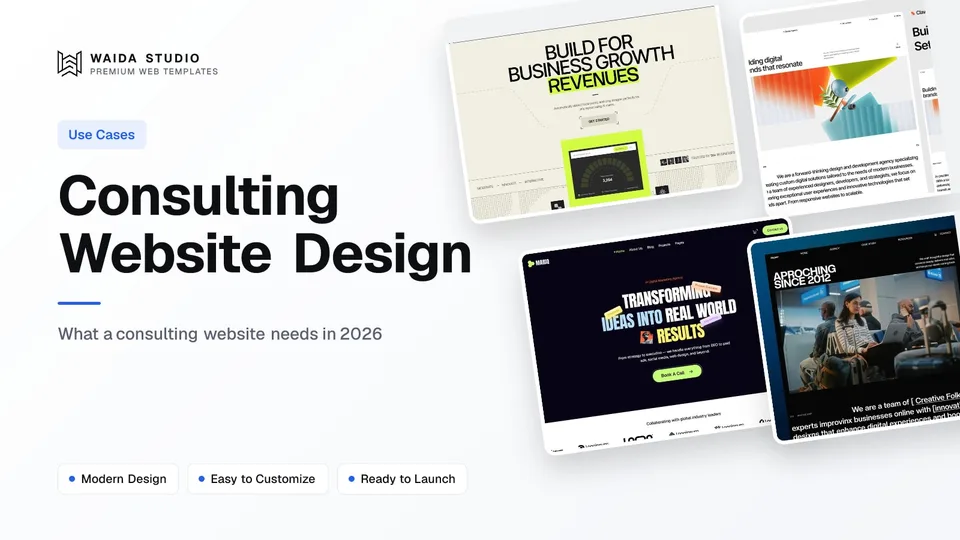
A consulting website wins clients when a buyer can tell in one screen what problem you solve and for whom, see proof you have solved it before, and book a call without hunting. That means a sharp positioning line, a page per service, case studies with real outcomes, named consultants and one booking path.
This guide works through each of those, the rules that apply to testimonials, the technical basics worth your time, and what a consulting site costs if you start from a template.
The Pages a Consulting Website Needs
Seven page types cover most consultancies, from a solo adviser to a twenty-person firm. Build the service pages and case studies first, because they do the selling. The rest supports them: the team page proves who does the work, insights prove how you think, and the contact page turns interest into a call.
Page | What the buyer wants from it | Why it earns work |
|---|---|---|
Home | Is this firm for a company like mine, with a problem like mine? | Sorts the right buyer into the right service in one screen |
Service (one per offer) | What you do, how long it takes, what it costs to start | Gives each search and each referral its own landing page |
Case studies | Have you done this before, and what changed? | The strongest proof a consultancy can publish |
Team or About | Who would actually work on my account | Buyers hire people, not logos |
Insights or blog | How do you think about my problem? | Shows expertise and earns search traffic over time |
Process or How We Work | What happens after I sign | Removes the fear of an open-ended engagement |
Contact or Book a Call | How do I start, and what happens next? | The page every other page points to |
If you sell one tightly defined offer, a single long page can hold all of this. The services landing page guide covers that format section by section.
Lead With the Problem You Solve
The hero line should name the buyer and the problem, not the firm's values. "We help mid-sized logistics companies cut warehouse costs" sorts visitors in two seconds. "Strategic partners for sustainable growth" sorts nobody, because every consultancy could say it.
Write the line before you choose a design. If you cannot fill in "We help [who] with [problem] so they can [outcome]", the website is not the problem yet; the positioning is. A narrow line feels risky, but it is what lets a referral send you the right client and a stranger recognise themselves.
Under the hero, put three things: the services as plain nouns, one proof point you can source (a named client logo you have permission to show, or a result from a case study), and the booking button. Everything else can wait for the scroll.
Case Studies Do the Selling
A case study is the closest a buyer gets to watching you work, so give it a fixed structure and real detail. Four parts are enough: the situation the client was in, what you did, what changed, and what the client said, if they agreed to say it in public.
- Situation. The industry, the size of the company and the problem, in the client's terms rather than yours.
- Approach. The steps you took and how long each took. Name the methods; skip the jargon.
- Outcome. A before-and-after figure the client signed off, or a plain description of what changed if the numbers are confidential.
- Attribution. A named quote with the person's role, used only with written permission.
Confidentiality is normal in consulting. When a client cannot be named, describe them ("a regional bank with 40 branches") and say the study is anonymised. That is honest and still useful. Inventing a client or a result is not, and in the US it is also a legal risk.
The FTC's Consumer Reviews and Testimonials Rule went into effect on October 21, 2024. It covers fake or false testimonials, including ones that misrepresent the reviewer's experience, and it requires insiders such as employees and relatives to clearly disclose their relationship to the business. Testimonials you publish in your own marketing are not exempt.
Build One Booking Path and Test It
A consulting site should have one primary action, usually "Book a call", and every page should end with it. A second, lighter action, such as subscribing to insights, is fine for visitors who are not ready yet. Five choices in the header is not.
- A "Book a call" button in the header on every page, visible on mobile
- A booking page that says who the call is with, how long it lasts and what it covers
- A scheduling embed, or a short form if you qualify leads first: name, work email, company, and a few lines about the problem
- A confirmation that says what happens next and when
- A follow-up email that arrives within the time you promised
Keep the form short. Budget and timeline questions can wait for the call, and every extra field is a reason to leave. Then test the whole path on your own phone once a month: book a slot, check the confirmation arrives, and cancel it.
Show Who Does the Work
Buyers hire the consultant, not the brand, so every person who works on client accounts deserves a real photo and a short bio. Give each one their background, the problems they specialise in, credentials with the issuing body named, and a link to their LinkedIn profile.
The same logic applies to insights. Google's guidance on creating helpful content asks you to evaluate content by "Who, How, and Why", and says it helps people understand a page's E-E-A-T when it is clear who created it. Put a byline with a linked bio on every article, and write about problems you have actually worked on.
Publish less, but publish things only you could write: a teardown of a common mistake you fix for clients, or how you scope a first engagement. One useful article a month beats four generic ones.
Speed, Contrast and Structured Data
Three technical things are worth the effort on a consulting site: how fast it loads, whether the text is readable, and whether search engines can tell what the business is. Everything else can wait until the content is right.
Speed. Google's guidance on Largest Contentful Paint is 2.5 seconds or less, measured at the 75th percentile of page loads. On consulting sites the usual culprit is a large hero photo or background video. Compress it, or replace it with type.
Contrast. WCAG 2.2's contrast minimum is 4.5:1 for normal text and 3:1 for large text. Light grey body copy on white, a favourite of minimal consulting sites, regularly fails it.
Structured data. Don't reach for `ProfessionalService`: schema.org notes that the general type for local businesses was deprecated because it was confused with `Service`. Mark the firm up as an `Organization`, or as a LocalBusiness if clients visit an office, with your name, logo, address and profiles.
Consulting Templates You Can Start From
These are Waida Studio's own templates; we made them, so weigh that. Each has the structure a consultancy needs: services, case studies or projects, a team or about page, and a contact path. The full set is in consulting and professional services templates.
Avande, for technical and AI consultancies

Avande was built for AI consultancies, automation agencies and workflow studios. It has solutions pages, case studies, a blog and pricing, with an editorial, technical look that suits firms selling expertise in systems rather than slideware.
Free on Framer with a Waida account, $99 on Webflow, $39 on HTML and $49 on Next.js or Astro. The Figma file is $19 separately.
Clavo, for a solo consultant or small firm

Clavo is an 11-page template designed for marketing agencies, creative studios and consultants. Service sections, case studies and pricing blocks map directly onto a consultancy that sells defined packages.
Free on Framer with a Waida account, $59 on Webflow, $39 on HTML and $49 on Next.js or Astro.
Mariq, for a firm that publishes

Mariq is an 11-page template for marketing agencies, startups and creative teams, with CMS-powered pages for services and case studies. If you add case studies often, its CMS-powered pages make that routine.
Free on Framer with a Waida account, $79 on Webflow, $39 on HTML and $49 on Next.js or Astro.
Zelda, if the budget is zero

Zelda is a 13-page template made for design studios, and it is free on Framer, Webflow, HTML, Next.js and Astro with a free Waida account, Figma file included. Use it to test your positioning and page structure before you spend anything. Expect to rework its studio language and visuals for a consulting audience.
What a Consulting Website Costs
With a template, a consulting site costs between nothing and a few hundred dollars, plus hosting. Framer says connecting a custom domain needs a paid Framer plan, and Webflow's free Starter plan publishes only to a webflow.io subdomain with two static pages (Webflow pricing).
Route | What you get | Price |
|---|---|---|
Free template | Zelda on any platform; Avande, Clavo and Mariq free on Framer, with a free Waida account | Free |
One template | One template on one platform, unlimited projects | $39 to $99 for the four above |
Pro plan | One template credit every quarter, plus unlimited sections | $12 a month, billed yearly |
Platform bundle | Every template on one platform, one payment | $159 Framer or Webflow; $99 HTML, Next.js or Astro |
Template customisation | Your copy, colours and images on a template, 7-day delivery | $499 one-time |
Custom website | A full custom build with design system and CMS | $5,000 one-time |
Every option uses the same Waida licence: one person, unlimited projects, personal, commercial and client work, no attribution required. Plans are compared on the pricing page, and the customisation service covers the two done-for-you options. For a wider view of the market, see how much a website costs.
Templates to start from
All 42 templates




Frequently asked questions
What pages should a consulting website have?
A home page, one page per service, case studies, a team or about page, insights, a process page and a booking or contact page. A solo consultant with one offer can fit all of it on a single long page.
How do I show case studies when clients are confidential?
Describe the client by industry and size instead of name, say the study is anonymised, and only publish outcomes the client has approved. Never invent a client, a result or a quote.
Should a consulting website show prices?
Showing a starting price or a fixed-price first engagement filters out poor-fit leads and makes the booking easier. If every project is scoped individually, explain how pricing works instead of listing figures.
What schema type should a consulting firm use?
Use Organization, or LocalBusiness if clients visit an office. Schema.org notes that the general ProfessionalService type for local businesses was deprecated because it was confused with Service.
How much does a consulting website cost with a template?
Waida's consulting templates run from free on Framer to $99 on Webflow, and Zelda is free on every platform with a free account. Template customisation is $499 if you want it done for you.
Can I use one template for several client websites?
Yes. The Waida licence covers one person and unlimited projects, including commercial and client work, with no attribution required.
Start with the positioning line, then one page per service and two or three case studies with outcomes your clients have approved. Add bios, one tested booking path and a monthly article. A template settles the design: the professional services templates run from free to $99 depending on platform, and Zelda is free everywhere with a free account.
If your practice sits close to another field, the law firm website design guide and the agency website design guide work through the same structure for those buyers.

More from Kazi
Related articles
More in Use Cases
Startup Website Design: What to Build at Each Stage in 2026
What a startup website needs before launch, at launch and while growing, with the pages, home page sections, platform costs and templates for each stage.
How to Make a Website for Small Business: 7 Steps for 2026
How to make a small business website in seven steps: set one goal, plan seven pages, pick a platform and template, write the copy, set up local search and check it before launch.
Best HTML Portfolio Templates: 9 Picks for 2026
Nine HTML portfolio templates for designers, studios, photographers and developers, with what each one costs, what licence it carries and where you can host it.