Fashion Website Design: What Sells Clothes Online in 2026
What a fashion brand's website needs in 2026: imagery that loads fast, honest size and fit details, clean variants, clear returns and a story people can check.
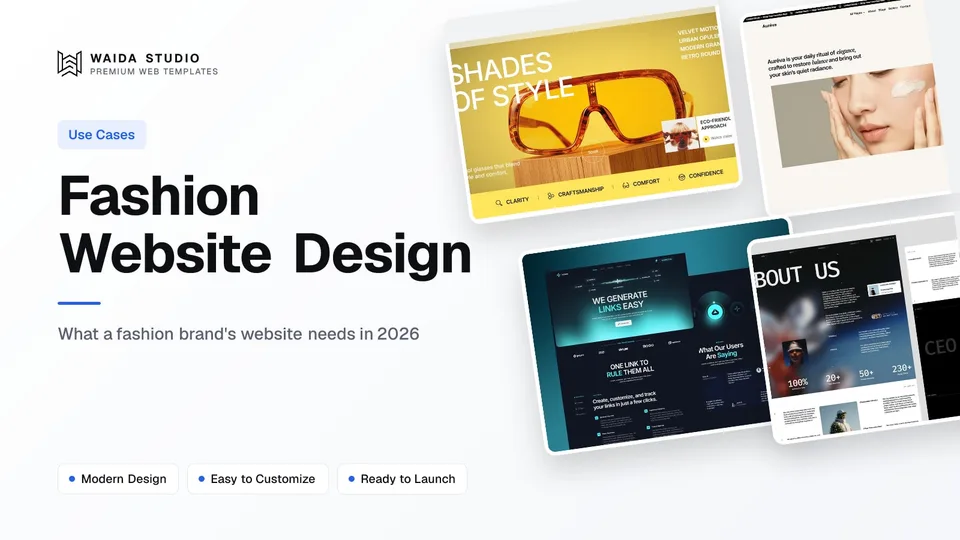
Good fashion website design shows the clothes well and answers the fit question before the shopper asks it. That means large, fast-loading photos, a lookbook that links to the products in it, size and fit details on every product page, colour and size variants that are easy to pick, and returns terms stated plainly.
The galleries that rank for this topic are useful for mood, but they rarely say why a site works. This guide covers the parts that do the selling, what to check before launch, and two Waida templates you can start from. For the general store mechanics (cart, checkout, platform costs), see our guide to ecommerce website design.
The Pages a Fashion Brand Site Needs
A fashion site needs a home page that sets the season's mood, collection and product pages, a lookbook or campaign page, a size guide, a shipping and returns page, and an about page with the brand's story. Everything else is optional until those pages are clear.
Page | What it does | What to get right |
|---|---|---|
Home | Sets the mood and sends people to the current collection | One campaign image, one clear way into the shop |
Collection / shop | Lets people browse and filter | Filters for size, colour and category; the same photo crop on every card |
Product | Sells one item | Several photos, price, variants, size and fit, materials, care, delivery and returns |
Lookbook / campaign | Shows how pieces are worn together | Every look links to the products in it |
Size guide | Answers fit before checkout | Measurements per size, how to measure, how the cut runs |
Shipping and returns | Removes the last doubt | Costs, times, return window and who pays for return postage |
About / story | Explains who makes the clothes | Specific facts about materials and making, not slogans |
Smaller labels can fold the size guide into each product page and the story into the home page. A one-collection brand with a dozen pieces does not need deep navigation; it needs every product page to be complete.
Imagery: Large Photos That Still Load Fast
Fashion sells on photos, so they should be large, consistent and quick to load. Shoot every product the same way (same light, same crop, same background) so a collection page reads as one set, and add at least one on-body shot and one detail shot of the fabric.
The hero image on most fashion pages is the largest thing on screen, which makes it the element Google's Largest Contentful Paint metric usually measures. web.dev's guidance is an LCP of 2.5 seconds or less at the 75th percentile of page loads, on mobile and desktop. In practice that means:
- Export photos at the size they are shown, not straight from the camera.
- Use WebP or AVIF; both are formats Google Images supports.
- Load the first image straight away and lazy-load the ones below the fold.
- Treat autoplaying campaign video as a cost: use a poster image and keep it off product pages.
Google's image guidance also asks for short, descriptive file names and useful alt text rather than keyword lists. "black-wool-overcoat-front.webp" with the alt "Black wool overcoat, front, on model" helps both search and screen-reader users more than "IMG_0412.jpg".
Size, Fit and Variants on the Product Page
Fit is the question that stops most clothing purchases, so the product page has to answer it in plain view. Give measurements for each size, say whether the cut runs small, true or large, and list the model's height and the size they wear. Put the size guide one tap from the size picker, not in the footer.
Variants (each colour and size combination) need care as a range grows. Shopify, for example, allows up to 2,048 variants and three options per product, which covers size, colour and one more choice such as length. Whatever the platform, a good variant picker:
- shows colours as swatches and swaps the photos when one is picked,
- greys out sizes that are sold out instead of hiding them,
- keeps the chosen size when the shopper changes colour,
- shows the price of the chosen variant if it differs.
Below the picker, list materials, care instructions and where the piece is made. Then repeat the delivery cost and return window, so nobody has to leave the page to find them.
Lookbooks and Editorial Pages That Lead to Products
A lookbook is worth having only if every look links to the products in it. Editorial pages are where a fashion brand shows its taste, but a campaign page with no way to buy the outfit is a dead end for the shopper and for the sales report.
Lay a lookbook out as a sequence of full-width looks, each with a short caption and links to the pieces. On a phone, keep one look per screen and put the product links directly under the image. If you build on a no-code tool with a CMS, store looks as their own collection so a new season is a content job rather than a redesign; our Webflow tutorial and Framer CMS guide show how collections work on each.
The same thinking applies to photography in general: our guide to photography website design covers gallery layouts and image handling in more depth.
Search, Shopping Listings and Product Data
Clothing shows up in Google's shopping results only when the product data is complete. Google's documentation separates product snippets, for pages where you cannot buy the item, from merchant listings, for pages where you can, and merchant listings can carry clothing sizes, shipping details and return policies.
If you list products through Google Merchant Center, apparel has extra required fields. The size attribute is required for free listings of clothing and shoes, and the colour attribute is required for apparel accessories. Plan these fields into your product data from the start rather than adding them later.
Brand Story and Sustainability Claims
A fashion site's about page works when it gives checkable facts: where the fabric comes from, who makes the pieces, how many are made. Vague words like "conscious" or "eco" persuade nobody and can mislead.
In the United States, environmental marketing is covered by the FTC's Green Guides, which set out how marketers can substantiate and qualify environmental claims so they do not deceive consumers. If you say a fabric is recycled or a garment is low-impact, link the certificate or explain the specific process, and qualify the claim by naming the fibre and stating how much of the garment it makes up, rather than calling the whole piece "recycled".
Waida Templates for Fashion and Beauty Brands
Two Waida Studio templates suit fashion-led brands. These are our own templates, so weigh them against the alternatives below. Neither is a clothing store out of the box; both give you the editorial layout and product pages to adapt.
Eyeconic: eyewear and beauty brands

Eyeconic is a minimal, fashion-driven template for eyewear and beauty labels: a lifestyle hero, shop and category pages, product detail pages, cart and checkout flows and brand story pages across 10 pages. On Webflow it uses Products and Categories CMS collections. It is $79 on Framer or Webflow, $39 for HTML and $49 for Next.js or Astro.
Auréva: skincare and beauty with an editorial feel

Auréva is a calm, editorial template on a warm parchment palette, built for skincare and cosmetics labels but easy to retheme for a small clothing line. It has 38 pages, including thirteen product pages, a gallery, a cart saved in the browser and a checkout flow, in dependency-free code. Connect a payment provider before you take real orders. It is $39 for HTML and $49 for Next.js or Astro.
If neither fits, Framer's marketplace has a fashion ecommerce category with free and paid options from other creators, and our full set of ecommerce website templates is worth a look for the store structure.
Fashion Website Launch Checklist
Before launch, check every product page on a phone and make sure each one answers price, fit, materials, delivery and returns without scrolling far. Then run through this list.
Check | Done when |
|---|---|
Product photos | Same crop and light on every product; on-body and detail shots |
Image weight | Photos exported at display size in WebP or AVIF; hero loads first |
Size and fit | Measurements per size, fit note, model's height and size |
Variants | Swatches swap photos; sold-out sizes shown greyed out |
Lookbook | Every look links to its products |
Returns | Window, cost and process on the product page and its own page |
Product data | Size and colour filled in for every variant |
Claims | Every sustainability claim is specific and sourced |
Alt text | Each product image describes the item, colour and view |
Templates to start from
All 44 templates




Frequently asked questions
What makes a good fashion website design?
Large, consistent product photos that load quickly, size and fit details on every product page, easy colour and size variants, a lookbook that links to products, and shipping and returns terms stated plainly.
What pages does a fashion brand website need?
A home page, collection pages, product pages, a lookbook or campaign page, a size guide, a shipping and returns page and an about page that explains who makes the clothes and how.
How should a fashion website show sizing?
Give measurements for each size, say whether the cut runs small, true or large, list the model's height and size, and put the size guide one tap from the size picker.
What image format should a fashion website use?
WebP or AVIF, exported at the size the image is shown. Both are supported by Google Images. Avoid uploading full-size files straight from the camera.
How many variants can a clothing product have on Shopify?
Shopify allows up to 2,048 variants and three options per product, which covers size, colour and one more choice such as length or fit.
Do sustainability claims on a fashion website need proof?
In the US, the FTC's Green Guides explain how to substantiate and qualify environmental claims. Make each claim specific, such as which fibre is recycled and how much of the garment it makes up, and link the certificate behind it.
Fashion website design that sells is less about novelty and more about removing doubt: photos that show the garment honestly, fit details next to the size picker, variants that behave, returns stated up front and a story backed by facts. Get the product page right first; the lookbook and the campaign pages build on it.
To start from a design, look at Eyeconic, $79 on Framer or Webflow, or Auréva, $39 for HTML and $49 for Next.js or Astro, and the wider ecommerce templates. If you want a template adapted to your brand, our customisation service is $499 with 7-day delivery, and the Pro and Ultra Waida plans include template credits.

More from Kazi
Related articles
More in Use Cases
Ecommerce Website Design: What Sells in 2026
What an online store's website needs in 2026: clear product pages, an honest checkout, the right platform for your catalogue and a fast, well-described site.

Architecture Website Design: What Wins Commissions in 2026
What an architecture firm's website needs in 2026: a projects archive clients can browse by type, full project pages, fast photography and a clear enquiry path.

Roofing Website Design: What Wins Roofing Jobs in 2026
What a roofing website needs in 2026: a call button for leaks, a quote path for replacements, proof of licence and insurance, and a page per area you serve.