Event Website Design: What an Event Site Needs in 2026
A practical guide to event website design: the pages, agenda, ticketing hand-off, pricing and accessibility rules and search setup an event site needs.
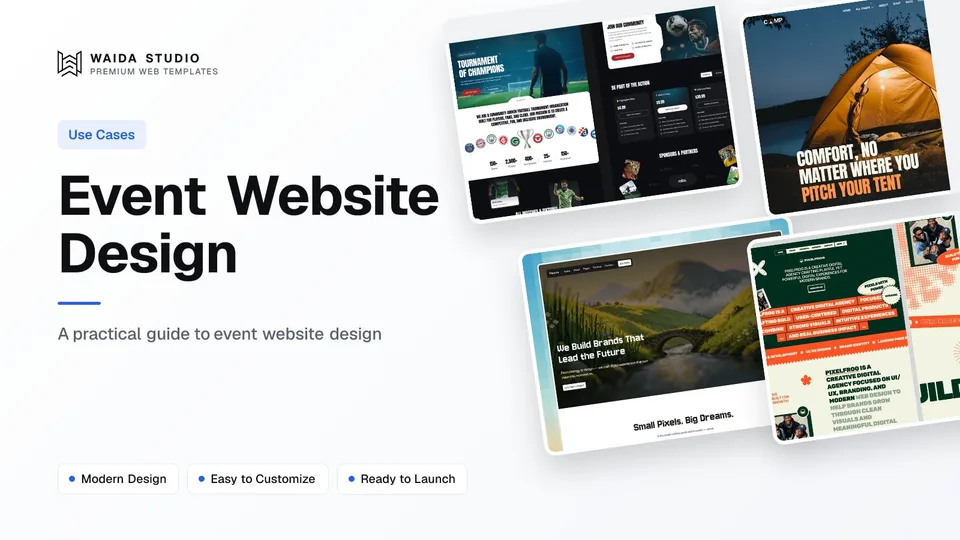
Good event website design answers three questions within seconds, what is it, when and where is it, and how do I get a ticket, then makes buying that ticket easy on a phone. Everything else, the agenda, the speakers, the venue guide, exists to support that one decision.
This guide covers what an event site is for, the pages it needs, agenda and speaker pages, how the site hands visitors to your ticketing tool, two US rules on ticket prices and accessible seating, search and Event structured data, what to do before and after the day, and what it costs to build.
What an Event Website Is For
An event website exists to turn interest into registrations or ticket sales, and then to get those people to the right place at the right time. It works as a sales page before the event and as a reference guide in the final week.
That double role shapes the design. Months out, visitors want the pitch: who is speaking or playing, why it is worth the trip, and what it costs. In the last few days, the same visitors come back on their phones looking for the address, the doors-open time, the schedule and the Wi-Fi password. A site that only does the first job leaves attendees hunting through emails.
It also means the website and the ticketing system are separate tools. The website tells the story and answers questions; a ticketing or registration platform handles inventory, payment, confirmations and check-in. Design the site around a clean hand-off between the two.
The Pages an Event Website Needs
Most single events need six to eight pages, and the home page and tickets page do most of the selling. Put the date, the city and a Get tickets button in the header so they are visible on every page.
Page | The visitor's question | What to put on it |
|---|---|---|
Home | Is this for me, and when is it? | The name, date, city, a one-line promise and a Get tickets button above the fold |
Agenda or schedule | What happens, and when? | Sessions or acts by day and time, with rooms or stages, filterable by track |
Speakers or line-up | Who will I see? | A card per person with photo, role and talk title, each linking to a detail page |
Tickets | What does it cost, and what do I get? | Each ticket type with its total price, what it includes, deadlines and the refund policy |
Venue and travel | How do I get there? | Address, map, transport, parking, nearby hotels and accessibility details |
Sponsors | Who is behind it? | Sponsor logos by tier, plus a sponsorship enquiry form or pack |
FAQ | What are the rules? | Age limits, bag policy, dress code, recordings, transfers and contact details |
A small meetup can fold most of this into one long page with anchor links. The structure in our landing page design guide works well for that, with Get tickets as the single action. Larger events with several tracks or stages need the agenda and speakers as separate pages.
Agenda and Speaker Pages
Build the agenda and the speaker list from structured content, not hand-made pages. Each session and each speaker should be an entry with the same fields, so the list pages, detail pages and filters all stay consistent when the programme changes.
- Session fields: title, day, start and end time, room or stage, track, format (talk, workshop, panel) and the speakers linked to it.
- Speaker fields: name, photo, role, company, a short bio, links, and the sessions they appear in.
- Time zones: show times in the venue's local time and say so; for hybrid events, add the time zone abbreviation to every slot.
- Changes: mark a moved or cancelled session clearly on its card rather than quietly deleting it.
- Phone first: a day-by-day list with sticky day tabs reads better on a phone than a wide grid.
A CMS makes this practical. In Framer you would create Sessions and Speakers collections and reference one from the other; our Framer CMS guide shows how collections, references and detail pages work. Check your plan's collection limit before you start, because a festival with sessions, speakers, sponsors and news needs four collections.
Tickets and Registration: Link or Embed
Use a ticketing or registration platform for inventory, payment and check-in, and make the website hand visitors to it in one tap. Don't rebuild ticket sales inside a website builder.
You can connect the two in two ways. A link sends buyers to the ticketing platform's own event page. An embed places the checkout inside your site. Tito, for example, describes its ticket widget as a way to embed the registration form with custom CSS, or a single button that opens the form in a pop-up.
- One clear button. Use the same Get tickets label in the header, the hero and the tickets page.
- Deep-link ticket types. A button under the workshop pass should open that ticket type, not the start of the flow.
- Match the look. Bring your logo, colours and fonts into the checkout so the hand-off doesn't feel like another site.
- Track it. Tito notes that its widget is what you need for Google Analytics or your own tracking of completed orders; check the same for whichever platform you use, or you can't tell which pages sell tickets.
Show the Total Ticket Price Up Front
In the US, a business that shows a price for a live-event ticket must show the total price, including mandatory fees, more prominently than any other pricing information. This comes from the FTC's rule on unfair or deceptive fees, 16 CFR Part 464.
The rule's definitions list live-event tickets as a covered good or service. Total price means the maximum total of all fees and charges a buyer must pay, and government charges, shipping charges and optional extras may be left out. Section 464.2 sets the prominence requirement for any offer, display or advertisement that shows a price.
On the website, that means the tickets page, the hero and any "from $X" banner should show the total including mandatory service or booking fees, or leave the price off and send buyers to checkout. Check that your ticketing platform's checkout follows the same rule. This is a summary, not legal advice; ask your lawyer how it applies to your event.
Accessible Seating and an Accessible Site
US venues and ticket sellers covered by the ADA must give people with disabilities the same chance to buy accessible seating as everyone else buys tickets, and, when asked, describe that seating in enough detail for them to judge it themselves.
The rule is in the ADA Title III regulations at 28 CFR 36.302(f), which you can read on Cornell's copy of section 36.302. It requires accessible seating to be sold during the same hours, at the same stages, including pre-sales and general sales, and through the same methods as other tickets. When asked, the seller must say where accessible seats are still available; if seating maps are given to the public, they must identify accessible seating; and accessible seats can't cost more than other seats in the same section.
On the website, give accessibility its own section on the venue page: step-free routes, wheelchair spaces and companion seats, accessible toilets, quiet rooms, captioning or interpretation, and a named contact. Make sure accessible tickets can be bought online like any other ticket. The site itself should also work with a keyboard and a screen reader, with real text on the agenda rather than an image of a schedule.
Search, Speed and Event Structured Data
Mark up each in-person event with schema.org Event structured data so Google can show it with its date and place, and keep the pages fast on a phone, where most last-minute visits happen.
- Required properties: Google's event structured data guide lists name, startDate and location, with location.address, as required. Recommended ones include description, endDate, eventStatus, image, offers, organizer and performer.
- Physical events only: the same guide says virtual experiences with no real-world component aren't supported for event rich results. Schema.org's Event type still has an eventAttendanceMode property to say whether an event is online, offline or mixed.
- Speed: Google's Core Web Vitals guidance sets a Largest Contentful Paint of 2.5 seconds or less, an Interaction to Next Paint of 200 milliseconds or less and a Cumulative Layout Shift of 0.1 or less, measured at the 75th percentile of page loads. A large hero video is usually what breaks LCP.
- One set of facts: keep the date, venue name and address identical on the website, the ticketing page and every listing.
Before, During and After the Event
An event website changes with the calendar, so plan three states: selling, on the day and archive. Each one moves different content to the top of the home page.
Stage | What the home page leads with | What else changes |
|---|---|---|
Selling (months to weeks before) | Date, city, headline speakers or acts, Get tickets | Early-bird deadlines, new speaker announcements, sponsor slots |
Final week and the day | Doors-open time, address, today's schedule | Check-in instructions, Wi-Fi, live updates, a visible contact |
After (archive) | Thank-you message, recordings or photos, next date | Save-the-date sign-up; keep the old agenda and speaker pages live |
If plans change, don't delete the event page. Google's guide says to keep the other properties unchanged and set eventStatus to EventCancelled for a cancelled event; for a postponed event with no new date, keep the original startDate and set EventPostponed; for a rescheduled one, update the dates and set EventRescheduled.
For a recurring event, keep each year's pages under a stable address such as /2026 and point the main domain at the current edition. Past programmes and recordings are your best evidence when you sell the next one.
Building It: Platforms and Costs
Most event sites can run on a website builder plan, because the ticketing platform carries payments and check-in. The choice is mainly about how often the programme changes and who will update it.
Option | What it costs (checked 31 October 2026) | Suits |
|---|---|---|
Framer Basic | $10 a month billed yearly, custom domain, 2 CMS collections, 50 GB bandwidth | A single event with a short agenda and one person editing |
Framer Pro | $30 a month billed yearly, 10 CMS collections, 100 GB bandwidth, staging, site redirects | A conference or festival with sessions, speakers, sponsors and news |
Webflow Basic | $15 a month billed yearly, custom domain, no CMS | A one-page event whose details rarely change |
Webflow Premium | $25 a month billed yearly, Webflow CMS included | A multi-track event with session and speaker collections |
Code template (HTML, Next.js, Astro) | Hosting from your own provider | A team with a developer who wants full control |
Prices are from Framer's pricing page and Webflow's pricing page, fetched today; both change, so check before you buy. Your ticketing platform charges its own fees on top. If you are choosing between the two builders, our Webflow vs Framer comparison goes through the differences, and how much a website costs covers domains, design time and the rest of the budget.
Waida Templates to Start From
Waida Studio doesn't make a conference template, so these two are our own templates with event listings built in. You would rename their collections to match your programme and point the ticket buttons at your ticketing platform.
Goal

Goal was built for football tournaments, sports events and athletic organisations. Its 11 pages include events and fixtures pages, team and player profiles and a live event hub, with a Tournaments CMS collection on Framer and Webflow and ticket or streaming buttons throughout. It suits a tournament, a league, a race or any event with a fixture list.
It costs $59 on Framer or Webflow, $39 in HTML and $49 in Next.js or Astro.
Camp

Camp is a code template for outdoor brands and trip operators, with 41 pages including an upcoming events list and nine event detail pages that show prices, dates and locations. It suits workshops, retreats, guided trips and other small-group events that sell places alongside products. It comes in HTML for $39 and in Next.js or Astro for $49.
Every Waida licence covers unlimited projects for one person with no attribution required, as set out in the licence terms, so an agency can reuse a template for each client's event. Figma files are sold separately for $19 each. You can browse more layouts in the business website templates.
Templates to start from
All 44 templates




Frequently asked questions
What pages should an event website have?
A home page with the date, place and a Get tickets button, an agenda, a speakers or line-up page, a tickets page with total prices, a venue and travel page, a sponsors page and an FAQ.
Should I sell tickets on my event website or on a ticketing platform?
Use a ticketing or registration platform for inventory, payment and check-in. Your website links to it or embeds its checkout, and deep-links each ticket type so buyers don't start from scratch.
Do US event websites have to show ticket fees in the price?
Yes. The FTC's rule on unfair or deceptive fees, 16 CFR Part 464, covers live-event tickets and requires the total price, including mandatory fees, to be shown more prominently than other pricing. Government charges may be left out.
What does the ADA require for event ticket sales?
Under 28 CFR 36.302(f), accessible seating must be sold during the same hours, at the same stages and through the same methods as other tickets, and, on request, described in enough detail for buyers to judge it independently.
Can Google show online-only events as event rich results?
No. Google's event structured data guide says virtual experiences with no real-world component aren't supported. In-person events need name, startDate and a location with an address.
Does Waida Studio have an event template?
Not a dedicated conference template. Goal has events, fixtures and a Tournaments collection for sports events, and Camp has an upcoming events list with nine event detail pages for trips and workshops.
Event website design comes down to a short list done well: the date, place and a Get tickets button on every page, an agenda and speaker list built from structured content, a one-tap hand-off to your ticketing platform, the total price including mandatory fees, accessible seating described in full, Event structured data, and a plan for the day itself and the archive afterwards.
To start quickly, Goal costs $59 on Framer or Webflow and Camp starts at $39 in HTML, and the free Framer templates cost nothing with a Waida account if you want a simpler base. If you would rather hand the setup over, our template customisation service adapts a template for you for $499, with delivery in seven days.

More from Kazi
Related articles
More in Use Cases
Hotel Website Design: What a Hotel Site Needs in 2026
A practical guide to hotel website design: the pages, room details, booking engine, pricing and accessibility rules a hotel site has to get right.
Medical Website Design: What a Clinic Site Needs in 2026
What a medical clinic website needs in 2026: service and provider pages, a short booking path, trustworthy health content, and the privacy, notice and accessibility rules behind them.

Fashion Website Design: What Sells Clothes Online in 2026
What a fashion brand's website needs in 2026: imagery that loads fast, honest size and fit details, clean variants, clear returns and a story people can check.