Dental Website Design: What a Practice Site Needs in 2026
What a dental practice website needs in 2026: service pages, a booking path that works on a phone, honest reviews, and the privacy and accessibility rules behind them.
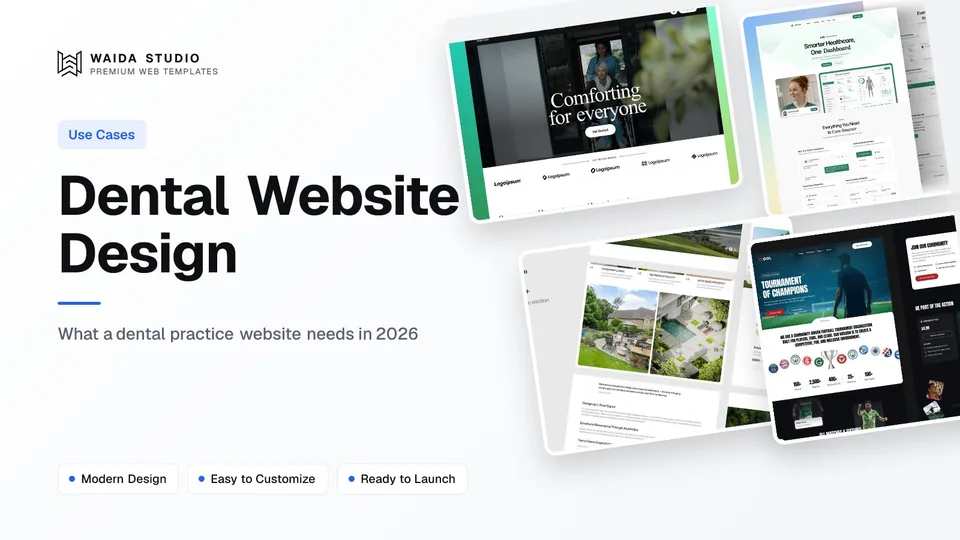
Good dental website design gets a nervous patient from a search to a booked appointment in under a minute. That takes a page per treatment, a phone number and booking button on every screen, clear hours and insurance information, real photographs of the team, and forms that treat patient data as health data.
The Pages a Dental Website Needs
Eight page types cover most general practices. Build the treatment pages first, because that is where search sends people. The rest answer the questions a patient asks before they call: who will treat me, will it hurt, what will it cost, and can I get in this week.
Page | What the patient wants from it | Why it matters |
|---|---|---|
Home | Is this a practice near me that takes new patients? | Sorts visitors into treatments or booking in one screen |
Treatment page (one per treatment) | Does this practice do my treatment, and what happens? | The page that ranks for "implants near me" style searches |
New patients | What to bring, what the first visit involves, forms | Removes the uncertainty that stops a first booking |
Team | Who the dentists and hygienists are, with faces | Anxious patients want to see who they will meet |
Fees and insurance | Roughly what it costs and how to pay | Answers the question most people are too shy to phone about |
Emergency | Can I be seen today? | High-intent visits, often on a phone, often out of hours |
Reviews | Do other patients trust this practice? | Social proof, within the rules covered below |
Contact and booking | Address, parking, hours, a way to book | The whole site exists for this page |
A specialist practice, such as orthodontics or periodontics, swaps the general treatment list for fewer, deeper pages, and adds a referral page for the dentists who send patients over.
Treatment Pages Do the Ranking
People search for a treatment or a problem, not for your practice name. One page per treatment gives each of those searches its own heading, copy and booking button. A single Services page listing fifteen treatments cannot rank for fifteen different intents.
Each treatment page should say who it is for, what happens at each appointment, how long the course takes, how pain is managed, how fees work, and which clinician does it. End with one next step: book a consultation. That one-page, one-intent, one-action structure is the same one covered in how to make a landing page.
Write for someone who is anxious. Short sentences, plain words for procedures, and the answer to "does it hurt" before the reader has to ask. The American Dental Association's website guidance makes the same point: the site should appeal to prospective and current patients, not to other dentists.
Make Booking Work on a Phone
Many patients will look for you on a phone, some of them out of hours. Put a tap-to-call number and a Book button in the header of every page, and keep both visible as the visitor scrolls. Then make the path behind them short.
- A sticky header with the phone number and a Book button
- Online booking or a request form with four or five fields: name, phone, email, reason for visit, preferred time
- A line next to the form saying what happens next and when the practice will reply
- A confirmation screen and email that repeat the address, parking and what to bring
- Opening hours and an emergency number on the contact page, the footer and the emergency page
Keep the booking form free of clinical questions. Medical history belongs in the practice's secure patient system, not in a website contact form that emails the front desk.
Patient Privacy, Reviews and Photos
A dental website handles health information the moment a patient types a symptom into a form, so the tools behind the site matter as much as its design. Three areas need care: forms, reviews and before-and-after photographs.
Forms and HIPAA. Under the HIPAA Privacy Rule, a covered practice may let a vendor handle patient information only with satisfactory assurances that it will safeguard it, and 45 CFR 164.502(e) says those assurances must be documented in a written contract or agreement. In practice: if a form, booking widget or chat tool collects health details, use a vendor that will sign that agreement, and ask your compliance adviser which of your tools count.
Reviews. The FTC's Consumer Reviews and Testimonials Rule, in effect since October 21, 2024, bans fake reviews, incentives conditioned on a positive review, and suppressing reviews through threats or false accusations. Staff reviews need a clear disclosure. Asking patients for honest reviews, with no strings attached to what they say, is allowed.
Photos. Before-and-after photographs are patient images. The ADA's website guidance points practices to sample photography release and patient authorisation forms for exactly this use. Get the signed release before a photo goes on the site, and prefer your own cases to stock images that imply results you did not produce.
Accessibility Now Has Deadlines
Accessibility is a legal requirement for many US practices, not a nice extra. Under 45 CFR 84.84, a recipient of HHS federal financial assistance must make its web content meet WCAG 2.1 Level A and AA: from May 11, 2026 with fifteen or more employees, and from May 10, 2027 with fewer.
Whether your practice counts as a recipient is a question for your adviser, but the checklist is worth following either way, because it also helps older patients and anyone reading on a small screen.
Check | What to do |
|---|---|
Text alternatives | Describe every meaningful image, including before-and-after photos, in alt text |
Contrast | Body text dark enough to read on a phone in daylight |
Forms | Visible labels on every field, and error messages that say what to fix |
Keyboard | Booking, menus and dialogs usable without a mouse |
Video | Captions on treatment explainer videos |
PDF forms | Offer new-patient forms as accessible web forms or accessible PDFs |
Local Search and Speed
Patients look for a dentist near them, so the site has to tell search engines exactly where and when the practice is open. Put the practice name, address and phone number as text on every page, in the same form as your Google Business Profile, and add structured data for the practice.
Schema.org has a Dentist type that is a subtype of LocalBusiness, MedicalBusiness and MedicalOrganization. Google's local business guidance requires only a name and address, recommends opening hours, and asks for the most specific subtype you can use, which for a practice is Dentist.
Speed matters because a patient choosing between practices will not wait for a slow page. web.dev sets a good Largest Contentful Paint at 2.5 seconds or less, measured at the 75th percentile of page loads. The usual culprit on dental sites is a large hero photograph or an autoplaying video; compress the image and keep video below the fold.
Templates to Start From
Waida Studio has no dental-specific template, and we would rather say so than pretend. These two are our own templates for clinics and medical practices, and their structure of services, trust-building sections and contact maps well onto a practice site.
Oldage

Oldage is built for elderly care, health clinics and medical practices, across 14 pages. It is free on Framer with a free Waida account, $59 on Webflow, $39 as HTML and $49 for Next.js or Astro. The Figma file is sold separately for $19.
Medonix

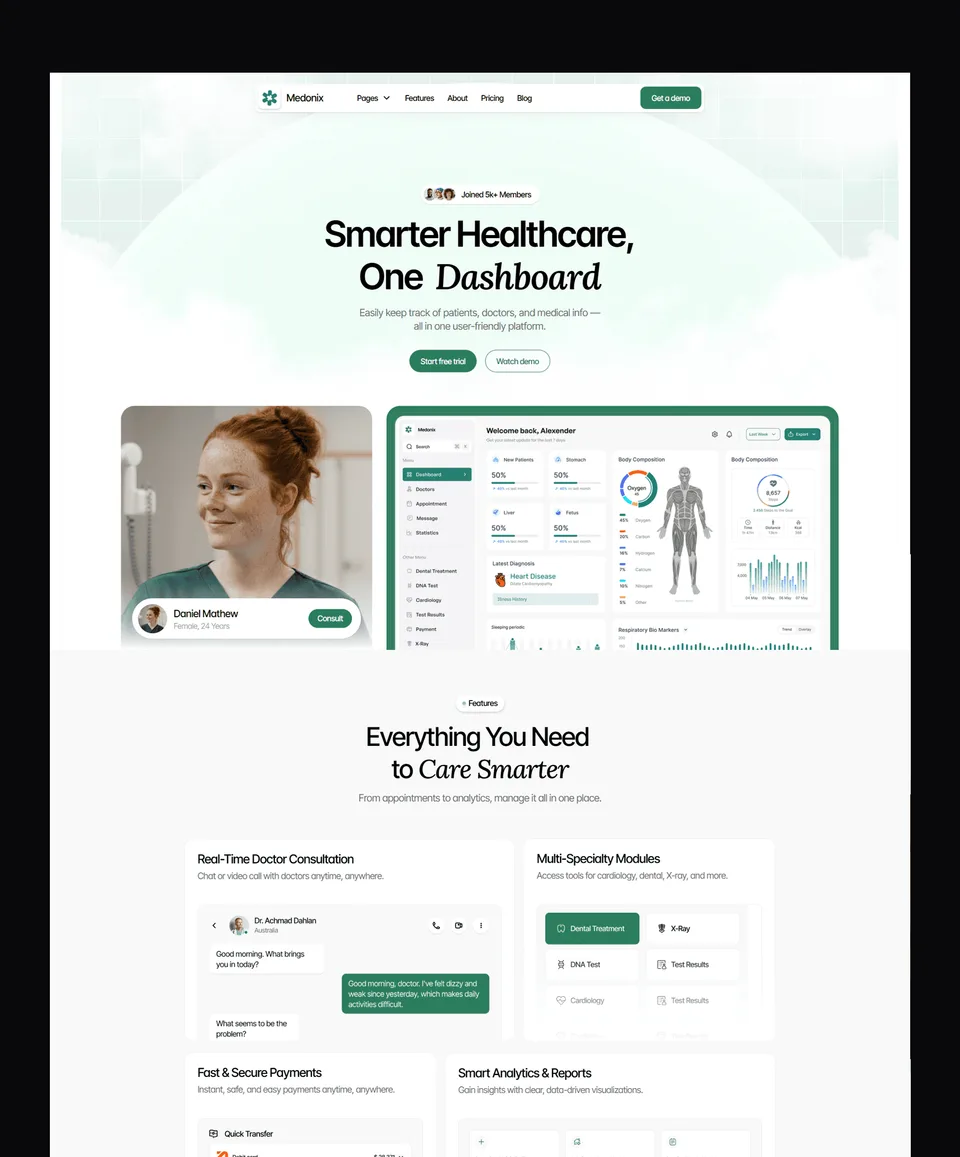
Medonix is a 13-page template for clinics, medical professionals and health-tech teams. It is free on Framer, Webflow, HTML, Next.js and Astro with a free Waida account, and its Figma file is free too.
For more options, browse the professional services templates and business templates. Every template comes with a licence for unlimited projects, including client work, as set out in the terms. If you build sites for several professions, the law firm website design guide covers a similar trust-first structure.
Templates to start from
All 40 templates



Frequently asked questions
What pages does a dental website need?
A home page, one page per treatment, a new-patients page, a team page, fees and insurance, an emergency page, reviews, and a contact page with booking, hours and directions.
Does a dental website need to be HIPAA compliant?
Any form, booking tool or chat that collects patient health details should come from a vendor that signs a written business associate agreement with the practice. Ask your compliance adviser which of your website tools count.
What accessibility standard applies to dental websites?
Under 45 CFR 84.84, recipients of HHS federal financial assistance must meet WCAG 2.1 Level A and AA: from May 11, 2026 with fifteen or more employees, and May 10, 2027 with fewer.
Can a dental practice ask patients for reviews?
Yes. The FTC rule allows asking for honest reviews, but bans fake reviews, rewards conditioned on positive sentiment, and suppressing negative reviews through threats or false accusations.
Which schema type should a dental practice use?
Use the schema.org Dentist type. Google requires only a name and address for local business structured data, recommends opening hours, and asks for the most specific subtype available.
Is there a free template for a dental website?
Waida Studio has no dental-specific template, but Medonix is free on every platform with a free Waida account, and Oldage is free on Framer. Both suit clinics and medical practices.
A dental website works when an anxious patient can find their treatment, see who will treat them, and book from a phone in a few taps, with their details handled like the health data they are. Start with the treatment pages and the booking path, then add reviews, photos and structured data.
To start from a template, browse the Framer templates, where Oldage and Medonix are free with a Waida account, or see what a website costs by route. If you would rather hand it over, template customisation is $499 with 7-day delivery.

More from Kazi
Related articles
More in Use Cases
Art Portfolio Website: What to Include in 2026
What an art portfolio website needs in 2026: the pages, how to curate and size your images, where to build it and how to sell prints or take commissions.
Real Estate Agency Website Design: What Works in 2026
The pages a property agency needs, the three ways to handle listings, the advertising and accessibility rules that shape the copy, and what a build actually costs.
Developer Portfolio Website: What to Include in 2026
What a developer portfolio website needs in 2026: the pages, project write-ups, GitHub, free hosting and a code template to start from.