Framer vs Figma Sites: Which Is Right for Your Site in 2026?
Framer vs Figma Sites in 2026 — production maturity, design environment, CMS, animations, and pricing.
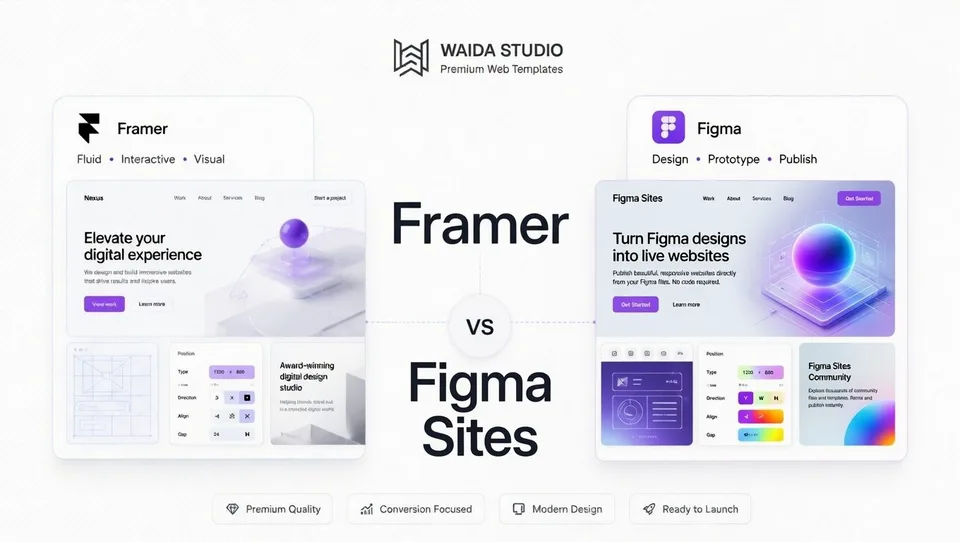
Framer wins on production readiness; Figma Sites wins on ecosystem integration if you already live in Figma. Both are design-tool-native builders for designers who want to ship websites without leaving a Figma-style canvas. Framer is the mature one: a website builder since around 2022, with CMS, AI tools, A/B testing, and a global CDN. Figma Sites, announced at Config 2025, is still in open beta and only on Full seats.
This guide compares both platforms across nine dimensions: design environment, learning curve, CMS, e-commerce, SEO, animations, AI features, total cost, and where each platform actually wins. We also cover the fundamental status difference — Framer is a finished product; Figma Sites is a beta tool still adding capability — which matters more than feature parity for most decisions.
Waida Studio sells Framer templates, and we don't currently offer Figma Sites templates because the platform isn't yet stable enough for production sites. That's the bias upfront. We've written this comparison the way we'd want to read it: honest about Figma Sites' real potential, specific about why "wait and see" is the right answer for most projects today.
At a glance
Framer | Figma Sites | |
|---|---|---|
Type | Production website builder | Beta website publishing add-on |
Best for | Designer portfolios, agency sites, SaaS marketing, production work | Quick prototypes, landing pages, Figma-native teams testing the workflow |
Status | Mature product (since ~2022) | Open beta (since May 2025) |
Founded | 2014 | Figma launched 2016; Sites announced May 2025 |
Learning curve | Moderate (Figma users adapt fast) | Low for existing Figma users |
Design environment | Figma-style canvas, dedicated to web | Inside Figma, alongside Design files |
CMS | Functional, growing | Beta, basic dynamic content |
E-commerce | Third-party only | Not supported |
Animations | Best-in-class, designer-friendly | Basic to intermediate (improving) |
Free tier | Yes (with .framer.app + "Made in Framer" badge) | Available with Figma Full seat |
Entry paid plan | Basic — $10/month per site | Requires Figma Professional ($16/editor/month) + Figma Sites add-on |
Code customization | Custom code components | Limited (improving) |
What is Framer?
Framer launched in 2014 as a prototyping tool for designers, sitting alongside Figma and Sketch in the design workflow. Around 2022, the company pivoted to a full website publishing platform — keeping its design-tool DNA while adding hosting, CMS, forms, and animations.
That heritage shapes every interaction. The canvas works like Figma: freeform pixel-level control, visual nesting, real-time multiplayer collaboration, and an editing experience that feels native to anyone coming from design software. You position elements visually, set responsive behavior with breakpoints, and Framer generates the underlying code automatically.
By 2026, Framer is a complete website platform: relational CMS supporting up to 10,000 items at the Scale tier, AI-assisted design tools (Wireframer for layout generation, Workshop as a coding assistant), built-in translation, A/B testing on Scale, and global CDN delivery across 300+ edge locations. The platform's audience skews toward designers, design-focused founders, agency teams, and SaaS marketing organizations.
The trade-off is that Framer abstracts CSS output. You don't manage classes the way you would in Webflow — Framer handles that under the hood. That abstraction is what makes it fast for designers to learn, and also why it's a less natural fit for engineering-led teams that want code-level visibility.
What is Figma Sites?
Figma Sites is a website publishing feature inside Figma, announced at Config 2025 and currently available as an open beta on Figma's Full seats. It allows designers to take Figma designs from concept to live site without leaving the Figma environment — the entire design → publish workflow happens in a single tool.
The pitch is workflow integration. Most designers already use Figma for UI/UX work; Figma Sites lets them publish a website from inside that same workspace, using the same components and design system they've already built. Auto Layout 2.0 handles responsive behavior, breakpoints generate adapted layouts for tablet and mobile, and pre-designed templates accelerate the path to a publishable page.
What Figma Sites is not, as of early 2026: a complete website builder. It's a beta product that still has significant limitations compared to mature platforms. Basic dynamic content is supported, but advanced CMS features remain limited. SEO controls are functional but not granular. There's no native e-commerce. Custom code support is improving but not on par with Framer or Webflow. And critically, the product is still iterating in beta — features ship, change, and sometimes break in ways that mature platforms don't experience.
For prototypes, landing pages, and design-native teams testing the workflow, Figma Sites already works well. For production websites that need to perform reliably for years, the platform isn't there yet.
Feature-by-feature comparison
Design environment
Both platforms offer a Figma-style canvas, which is the core design parity. Both support freeform layout, visual nesting, components, and the responsive behavior pattern designers already understand.
Framer's canvas is purpose-built for websites. It has dedicated breakpoint controls (desktop, tablet, mobile, and custom sizes), web-specific layout primitives (sections, navigation, structured page templates), and a workflow optimized end-to-end for shipping production sites. Real-time multiplayer collaboration is mature.
Figma Sites lives inside Figma alongside Design and FigJam files. The canvas leverages Auto Layout 2.0 — a meaningful upgrade that improved responsive behavior across screen sizes — and templates accelerate page-level setup. The advantage is workflow continuity: components from your existing Figma design system can be used directly in Sites without export/import.
For teams whose primary design work already happens in Figma, the workflow integration is genuinely valuable. For teams who would otherwise be in Framer, Figma's web canvas doesn't yet match the depth of Framer's web-specific tooling.
Learning curve and ease of use
Both platforms have low learning curves for users with Figma experience. Designers fluent in Figma adapt to either platform within an hour or two, since the underlying interaction patterns are nearly identical.
Framer has more web-specific concepts to absorb — breakpoints, CMS collections, dynamic page templates, SEO settings — that Figma users won't recognize from design work alone. Most users describe a "first day learning, then comfortable" experience.
Figma Sites has the lowest absolute learning curve for existing Figma users, because the editor is the same Figma editor with publishing controls layered on. There's no separate tool to learn. For non-Figma users, both platforms have a similar ramp.
The honest framing: if your team already uses Figma daily, Figma Sites has no learning curve worth mentioning. If you don't use Figma, Framer is a more standalone proposition that doesn't require learning Figma first.
CMS capabilities
Framer's CMS is meaningfully more developed. Custom collections with reference fields, multi-reference fields, and dynamic page templates are native. The Basic plan ($10/month) includes 1 CMS collection; Pro ($30/month) adds 10 collections; Scale ($100/month) expands to 20 (40 with add-ons), supporting up to 10,000 items. For portfolios, blogs, agency case study libraries, and SaaS resource centers, Framer's CMS works well.
Figma Sites' CMS is in beta with basic dynamic content management. You can build pages with structured data fields, but advanced features — relational data, complex filtering, multi-collection references, large-scale content operations — remain limited. The platform is improving with each release, but as of early 2026, it isn't a complete CMS for content-driven sites.
For any project that depends meaningfully on CMS-driven content, Framer is the more reliable choice today. Revisit Figma Sites in 6–12 months as the CMS matures.
E-commerce
Neither platform offers native e-commerce, though they're at different points of capability.
Framer integrates with third-party tools — Shopify Buy Buttons, LemonSqueezy, Gumroad — typically adequate for digital downloads, single-product launches, or small catalogs. Inventory management, variant logic, shipping rules, and full e-commerce operations require an external platform.
Figma Sites does not currently support e-commerce in any meaningful form. There's no native commerce, and the platform's beta status means third-party integrations are limited compared to what's available on Framer.
If you need to sell products, neither platform is the right choice — use Webflow Ecommerce, Shopify, WooCommerce, or another dedicated e-commerce platform. For digital products on a marketing site, Framer + a third-party payment integration works.
SEO controls
Framer ships clean, fast-loading code with native schema injection, AI-assisted meta generation, automatic sitemaps, redirect management, and granular metadata controls. Performance defaults are excellent — fast Core Web Vitals out of the box. For most marketing sites and portfolios, Framer's SEO is sufficient and improving with each release.
Figma Sites covers SEO basics — meta titles, descriptions, sitemap generation, basic schema — but the controls are less granular than Framer's. The beta status means some advanced SEO features (custom robots.txt rules, fine-grained canonical tag control, advanced schema patterns) are either missing or still in development.
For any site where organic search is a meaningful traffic channel, Framer is the more proven choice. Figma Sites' SEO will likely catch up over time, but as of early 2026 it isn't yet at parity.
Animations and interactions
Framer's animation toolkit is one of the strongest in the entire no-code category. Scroll-triggered effects, hover states, micro-interactions, page transitions, spring physics, gesture controls, and component-level animation are integrated directly into the canvas. The animation experience feels closer to After Effects or Principle than to a typical website builder.
Figma Sites supports animations and interactions without requiring code, with options for page transitions and micro-interactions. The toolkit is improving, but as of early 2026 it's noticeably less sophisticated than Framer's. Designers used to Framer's animation depth will find Figma Sites more limited; designers coming from Figma's existing prototyping tools will find it broadly familiar.
For animation-led design where motion is part of the brand experience, Framer remains the clear choice. For typical marketing sites where animation is decorative, both platforms work.
AI features
Both platforms have invested in AI capabilities, with different positioning.
Framer's AI is positioned as a designer copilot. Wireframer generates layouts from prompts. Workshop assists with component code. AI translation handles multi-language sites. AI-assisted SEO generates metadata. The integration accelerates designer workflow rather than replacing it.
Figma's broader AI suite includes Figma Make (an app generation tool that produces functional prototypes from prompts), AI-powered design assistance, and generative image tools. As of March 2026, AI usage is metered through credits — Professional plans include 3,000 credits/month, with overage billed separately. Figma Sites integrates with these AI tools at the edit layer.
Both platforms have credible AI offerings. Neither is a clear winner — your preference depends on whether you prefer Framer's design-first AI experience or Figma's broader, more credit-metered AI ecosystem.
Total cost of ownership
Pricing structures differ significantly.
Framer Basic ($10/month annual): custom domain (separate, ~$12/year), 1 CMS collection, 30 pages, includes hosting and basic features. Total annual cost: ~$132. Pro at $30/month brings the annual cost to $360 with 10 collections and staging.
Figma Sites: requires a Figma Full seat ($16/editor/month on Professional, billed annually). Figma Sites publishing is included as a beta feature on Full seats during the beta period. Custom domains are configured separately; the underlying Figma subscription is the dominant cost. For an existing Figma user already paying for a Full seat, Figma Sites adds zero marginal cost for the website itself. For a non-Figma user, the entry cost is $192/year (one Full seat) just to access Figma, before any website publishing.
For teams already paying for Figma Full seats, Figma Sites is essentially free to try. For teams not on Figma, Framer Basic is significantly cheaper than the cost of adopting Figma plus Sites.
Important pricing caveat: Figma's pricing structure changed significantly in 2025/2026 with seat-type segmentation (Full, Dev, Collab) and AI credit metering enforcement starting March 2026. Total cost for Figma users is more variable than for Framer users. Verify current pricing directly on Figma's site before committing.
When Framer is the right choice
Framer is the better fit when:
- You need a production-ready website today. Framer is mature; Figma Sites is in beta. For sites that need to perform reliably, Framer is the safer choice.
- You need a full CMS. Custom collections, reference fields, dynamic page templates — Framer's CMS works at scale; Figma Sites' is still maturing.
- Animation is central to the experience. Framer's animation toolkit exceeds Figma Sites' significantly.
- You're not already a Figma user. Adopting Figma plus Figma Sites is meaningfully more expensive than adopting Framer alone.
- SEO matters for the project. Framer's SEO controls are more granular and proven.
- You're building for clients. Production reliability, proven uptime, and feature completeness matter more for client work than experimental tooling.
- The site is design-led marketing or a portfolio. Framer's specific strengths align with these archetypes.
When Figma Sites is the right choice
Figma Sites is the better fit when:
- Your team already lives in Figma. Workflow integration is genuinely valuable; you're not paying for a second tool or learning a second canvas.
- You're publishing prototypes, internal tools, or non-critical sites. The beta status is acceptable for low-stakes work where iteration speed matters more than reliability.
- You're building landing pages quickly. A landing page or microsite where time-to-publish matters more than long-term feature breadth fits Figma Sites well.
- You want to test the workflow before committing. For Figma users, Figma Sites is essentially free to try and validate before deciding on Framer or another platform.
- You're using Figma's broader product suite (Make, Slides, Buzz). Figma Sites integrates with these in ways Framer doesn't.
- You're early-stage and need to validate a concept. Beta tools are fine for validation work; they're not for shipping client deliverables.
A note on beta status
The single biggest difference between Framer and Figma Sites in 2026 isn't features — it's product maturity.
Framer ships predictable updates without breaking existing sites. Templates remain compatible. APIs are stable. Customers building production work today can reasonably expect their sites to keep working as the platform evolves.
Figma Sites is in open beta. Features ship, change, and occasionally break. Documentation is being written in real time. Bug behavior is sometimes inconsistent. The roadmap is public but not contractually committed. None of this is a criticism — it's how beta products work — but it materially affects the calculus for production decisions.
Our recommendation: Figma Sites is genuinely promising and worth experimenting with, especially if you already use Figma. But for production websites, client deliverables, or any project where stability matters, wait until Figma Sites exits beta and demonstrates 12+ months of production reliability. For most professional work, that's not yet.
This is the same reason we don't currently sell Figma Sites templates at Waida Studio — until the platform stabilizes, building production templates against a moving beta target isn't responsible product work.
Migrating between platforms
There's no automated migration path between Framer and Figma Sites. Both platforms generate proprietary output, and the canvas semantics differ enough that 1:1 migration isn't practical even between two Figma-style editors.
In practice:
From Figma Sites to Framer: Designers can copy design references between platforms (since both use Figma-style canvases), but layout structure, breakpoints, animations, and CMS data must be rebuilt natively in Framer. Most designers find that translating intent is faster than trying to clone exact layouts.
From Framer to Figma Sites: Same pattern in reverse, with the additional constraint that Figma Sites' beta features may not yet support what Framer can do.
For most decisions, choose carefully upfront and treat any future migration as a rebuild rather than a transfer.
If Framer is the answer for your project, the Framer templates are a faster start than a blank canvas, and 20 of them are free.
Frequently asked questions
Is Figma Sites better than Framer?
Not for production work as of early 2026. Framer is a mature product with a complete feature set; Figma Sites is in beta with known limitations on CMS, e-commerce, SEO controls, and feature completeness. Figma Sites may surpass Framer in specific dimensions over time, particularly for teams already deep in the Figma ecosystem, but for shipping production websites today, Framer is the more reliable choice.
Which is cheaper, Framer or Figma Sites?
Depends on whether you already pay for Figma. For a non-Figma user, Framer Basic at $10/month ($132/year with domain) is meaningfully cheaper than adopting Figma Professional ($192/year minimum for a Full seat) just to access Sites. For an existing Figma user already on a Full seat, Figma Sites adds essentially zero marginal cost during beta — domain registration is the only additional expense. The breakeven calculation favors Figma Sites only for teams already paying for Figma.
Can Figma Sites replace Framer?
Eventually, possibly. Figma Sites is improving rapidly, and Figma's broader ecosystem (Make, Buzz, Slides, the design system integration) gives it advantages Framer can't match. But as of early 2026, Figma Sites doesn't yet match Framer's CMS depth, animation capability, SEO granularity, or production stability. The honest assessment: Figma Sites is a credible long-term competitor to Framer, but it isn't there yet.
Is Figma Sites stable enough for production sites?
Not for most use cases. The beta status means features change, occasional bugs ship, and the roadmap isn't contractually committed. For prototypes, landing pages, and internal tools, this is fine. For client work, marketing sites that need to perform reliably for years, or anything where downtime or feature regressions cause real business impact, wait until the platform exits beta.
Which has better animations, Framer or Figma Sites?
Framer wins clearly. Framer's animation toolkit — scroll-triggered effects, spring physics, micro-interactions, page transitions, component-level animation — exceeds Figma Sites' current capability significantly. Figma Sites supports animations without code, but the depth and polish of available effects don't yet match Framer's. For animation-led design, Framer is the better choice.
When should I choose Figma Sites over Framer?
When all of the following are true: you're already on Figma Professional or higher, your team's design work happens primarily in Figma, the project doesn't require production-grade reliability (prototypes, internal tools, low-stakes landing pages), you don't need a complex CMS or e-commerce, and you're comfortable with the trade-offs of beta software. For everything else, Framer is the safer choice in 2026.
Need help deciding or building? Browse our Framer templates — 22+ designs across portfolios, agencies, SaaS, and design-led marketing sites. Need a template customized to your brand? Our Customization service handles it for $499. For fully bespoke builds, our Custom Website service starts at $5,000.
Pillar guides:

More from Kazi
Related articles
More in Comparisons
Framer vs Wix: Which Builder Is Right for Your Site in 2026?
Framer vs Wix in 2026 — design control, e-commerce, AI features, learning curve, and pricing. Honest comparison from a Framer studio.
Premium vs Free Website Templates: Which Should You Choose in 2026?
Premium vs free website templates in 2026 — what's actually included, hidden costs of free, and when each is genuinely the right choice. From a template studio.
Template vs Custom Website: Which Should You Choose in 2026?
Template vs custom website in 2026 — real costs, timelines, and when each is worth it. Plus the middle path of template customization that most articles miss.