Cleaning Website Design: What Books Cleaning Jobs in 2026
What a cleaning company website needs in 2026: a fast quote or booking path, a clear list of what each clean includes, checkable trust signals and a page per area you serve.
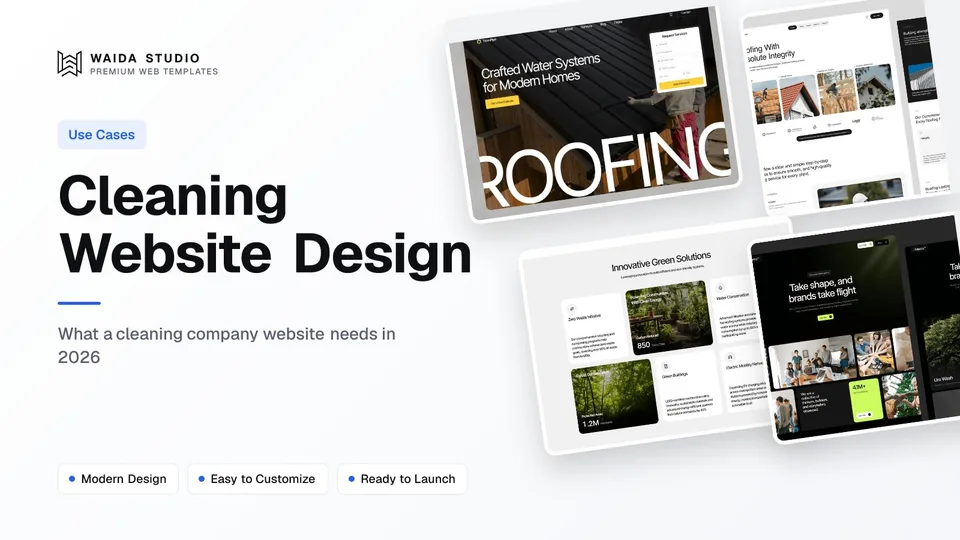
Good cleaning website design gets a visitor from "who can clean my place this week?" to a quote or a booked slot in under a minute. It shows what each clean includes, proves your team is insured and vetted, and tells people plainly which towns you cover and how to reach you.
This guide covers the pages a cleaning company needs, how to handle quotes and online booking, the trust signals customers look for, local search, speed, and what a cleaning website costs when you start from a template. If you want the general version for any local firm, read how to make a small business website first.
The Pages a Cleaning Website Needs
Most cleaning companies need six to eight page types. Service pages and area pages bring in search traffic; the "what's included" checklist and the reviews do the persuading. Every page should end in the same action, whether that is "Get a quote" or "Book a clean", so visitors never have to hunt for the next step.
Page | What the visitor wants from it | Why it books jobs |
|---|---|---|
Home | Do you clean homes or offices like mine, near me, soon? | Sorts residential from commercial visitors in one screen |
Services (one per service) | Regular, deep, move-out, office, post-construction: what each covers | Gives each search its own landing page |
What's included | Room-by-room checklist for each type of clean | Answers the question behind most phone calls |
Pricing or Quote | Roughly what will it cost for my home? | Lets people qualify themselves before they call |
Service areas (one per town) | Do you actually come to my neighbourhood? | Matches "cleaners near me" searches |
About and team | Who will be in my home, and are they vetted? | People let in cleaners they can check |
Book or Contact | How do I book, and what happens next? | The page every other page points to |
A one-person cleaning business serving a single town can fold most of this into one long page. Our guide to services landing page design walks through that format section by section.
Quotes and Online Booking
Decide early whether visitors book directly or ask for a quote, because it shapes the whole site. Residential cleaning with standard home sizes suits instant booking with a price; commercial cleaning, post-construction and large homes usually need a quote after a walkthrough. Many companies offer both, side by side.
- Instant booking works when your price follows a few inputs: bedrooms, bathrooms, type of clean and frequency. Show the price before the customer enters card details.
- Quote requests should stay short: name, phone or email, postcode, type of property and the service wanted. Ask about square footage and access on the call, not in the form.
- Recurring cleans are where most cleaning revenue repeats, so make weekly, fortnightly and monthly options visible on the booking form, along with any discount you give for them.
- Your cancellation and rescheduling policy belongs next to the booking button, not buried in the terms.
- A clear "what happens next" after the form: when you will reply, and whether you send a confirmation by email or text.
You don't have to build a booking system yourself. Cleaning software such as ZenMaid says you can host its booking form on your website or send it as a standalone link, and most scheduling tools offer something similar. On Framer or Webflow you embed that form on your Book page; the website handles the persuading and the tool handles the calendar.
Trust Signals Customers Check
Letting a stranger into your home or office is a bigger decision than most purchases, so a cleaning site has to answer "can I trust these people?" before it asks for a booking. Show proof that a customer can check, not adjectives.
- Insurance and bonding. Say what cover you carry, such as liability insurance and a bond, only if you hold it, and offer a certificate on request.
- Staff vetting. If you run background checks, say so and say who runs them. If staff are employees rather than contractors, that is worth stating too.
- A written satisfaction guarantee. Say what happens if something is missed: a free re-clean within a set number of days, for example.
- Real team photos of your own cleaners in uniform, not stock images of smiling models holding spray bottles.
- Products you use, especially if you offer eco-friendly or fragrance-free cleaning, and whether customers can request their own.
Reviews need care. In the US, the FTC's Consumer Reviews and Testimonials Rule went into effect on October 21, 2024. It bans fake reviews, rewards that depend on a review being positive, undisclosed reviews from staff or relatives, and threats used to get a bad review removed. Quote real customers with their permission, link to your Google reviews, and never write one yourself.
Local Search and Your Google Profile
Most cleaning jobs come from local searches, so build one page per town you genuinely serve and set up your Google Business Profile to match. Google says a service-area business can set up to 20 service areas, and the overall area shouldn't be more than about two hours' drive from where the business is based.
- Use the same business name, phone number and service areas on the website, the Google profile and every directory listing.
- Write each area page for that area. Say which services you offer there, how soon you can usually come, and anything local, such as parking or apartment building access. A page that only swaps the town name helps no one.
- Give each service page its own title, such as "Move-Out Cleaning in Austin | Your Company", rather than one title copied across the site.
- Consider Google Local Services Ads. In the US, house cleaning, carpet cleaning and window cleaning services are among the eligible categories, so the ads can send calls to the phone number on your site.
If you work from home and customers never visit you, Google's guidance is to show a service area rather than a street address on your profile. If customers do come to an office, list both the address and the service area.
Speed and Mobile: The Targets Worth Hitting
Many people book a cleaner from a phone, often in a spare minute, so a cleaning site has to load fast on mobile. Google's Core Web Vitals guidance sets the bar: the largest element on screen within 2.5 seconds, interactions answered within 200 milliseconds, and a layout shift score of 0.1 or less, measured at the 75th percentile of page loads.
Metric | Good threshold | What usually breaks it on a cleaning site |
|---|---|---|
Largest Contentful Paint (LCP) | 2.5 seconds or less | A full-width before-and-after photo uploaded straight from a phone |
Interaction to Next Paint (INP) | 200 milliseconds or less | A booking widget, chat bubble and review carousel all loading at once |
Cumulative Layout Shift (CLS) | 0.1 or less | An embedded booking form that pushes the page down as it loads |
Compress photos before uploading, keep one chat or callback tool instead of three, and give the embedded booking form a fixed height so the page doesn't jump. On Framer or Webflow, hosting is part of the plan, so there is no server for you to manage.
Cleaning Website Templates to Start From
Waida Studio doesn't have a template made only for cleaning companies, so these three are the closest honest fits: two built for home service businesses and one with a natural look for eco cleaning brands. They are our own templates, so weigh that; each is listed with its real price.
TitanPipe — free on Framer

TitanPipe was designed for roofing companies and home service professionals, and its "ideal for" list includes property maintenance providers. It has 11 pages with dedicated service and project pages and quote-focused calls to action, which map well onto cleaning services and before-and-after jobs. It is free on Framer with a free Waida account, and $79 on Webflow, $39 as HTML, and $49 for Next.js or Astro.
Steelcrest — for quote-driven service firms

Steelcrest is built for trade and home service businesses, with service pages, a before-and-after projects gallery, service-area pages for local search, and contact and quote request pages. That structure suits a commercial or post-construction cleaning company that quotes every job. It costs $79 on Framer or Webflow, $39 as HTML, and $49 for Next.js or Astro.
Greencore — for eco cleaning brands

Greencore is a sustainability template with earth tones, a services section, a blog and a section for certifications. If your pitch is non-toxic products or green cleaning, its 15 pages give you room for the story behind them. It is free on Framer with a free Waida account, and $79 on Webflow, $39 as HTML, and $49 for Next.js or Astro.
All three sit in the business website templates category, alongside others that adapt well to local services. The Figma file for each is sold separately for $19. Our free Framer templates are worth a look too if you want to start without spending anything.
What a Cleaning Website Costs
A template-built cleaning website costs between nothing and $79 to launch, plus a platform plan from about $10 to $25 a month and any booking software you choose. Prices below were checked on each provider's own page on November 1, 2026.
Item | Price | Notes |
|---|---|---|
TitanPipe or Greencore on Framer | Free | With a free Waida account |
Steelcrest on Framer or Webflow | $79 one-off | Or unlocked with a Waida Pro or Ultra plan credit |
Framer Basic plan | $10 a month, billed yearly | Custom domain, 2 CMS collections (framer.com/pricing) |
Webflow Basic / Premium | $15 / $25 a month, billed yearly | Basic has no CMS; Premium adds it (webflow.com/pricing) |
Waida template customisation | $499 one-off | Logo, copy, colours, images, up to 2 custom sections, 7-day delivery |
Waida custom website | $5,000 one-off | Full custom build; timeline varies |
Framer's free plan only publishes to a Framer domain and is described as ideal for non-commercial use, so a cleaning business should budget for a paid plan. For a fuller breakdown, see how much a website costs, and if you would rather hand the setup over, our customisation service does it for $499.
Templates to start from
All 44 templates




Frequently asked questions
What should a cleaning company website include?
A quote or booking button on every page, one page per service, a room-by-room list of what each clean includes, a page per town you serve, proof of insurance and staff vetting, a satisfaction guarantee and real customer reviews.
Should a cleaning website show prices?
For standard home cleans, yes: a starting price or a price based on bedrooms and bathrooms helps visitors book without calling. Commercial and post-construction work usually needs a quote after a walkthrough, so say that plainly.
Can customers book a cleaner directly on my website?
Yes. Cleaning software such as ZenMaid provides a booking form you can host on your website or share as a link, and Framer and Webflow sites can embed booking forms like that on a dedicated Book page.
Can cleaning companies use Google Local Services Ads?
Yes. In the US, house cleaning, carpet cleaning and window cleaning services are eligible categories for Google Local Services Ads, though availability depends on your area.
How much does a cleaning website cost?
Built from a template, a cleaning website costs from nothing to about $79 for the template, plus a platform plan from about $10 to $25 a month. A done-for-you customisation from Waida Studio costs $499.
Is there a free cleaning website template?
Waida Studio has no cleaning-only template, but TitanPipe, a home services template, and Greencore, a natural-look template suited to eco cleaning brands, are both free on Framer with a free Waida account.
A cleaning website that books jobs is simple: a quote or booking button on every page, a checklist of what each clean includes, insurance and vetting you can back up, real reviews, and a page for each town you serve. Get those right before you spend time on animation or extra pages.
Start from TitanPipe or Greencore, both free on Framer with a Waida account, or Steelcrest at $79, and browse the rest of the professional services templates. Every Waida licence covers unlimited projects, including client work, under our licence terms.

More from Kazi
Related articles
More in Use Cases
Event Website Design: What an Event Site Needs in 2026
A practical guide to event website design: the pages, agenda, ticketing hand-off, pricing and accessibility rules and search setup an event site needs.
Hotel Website Design: What a Hotel Site Needs in 2026
A practical guide to hotel website design: the pages, room details, booking engine, pricing and accessibility rules a hotel site has to get right.
Medical Website Design: What a Clinic Site Needs in 2026
What a medical clinic website needs in 2026: service and provider pages, a short booking path, trustworthy health content, and the privacy, notice and accessibility rules behind them.