Best Framer Portfolio Templates: 10 Picks for Designers, Photographers, and Creators in 2026
A curated list of the best Framer portfolio templates in 2026. Free and premium picks for designers, photographers, agencies, and creators.

The best Framer portfolio templates in 2026 are Mariq, for agencies that want a portfolio that doubles as a sales page; Formix Co, for editorial, long-form case studies; Nuestudio, for studios that want bold type and motion; and Egnis, for photography and video work. Most of the ten picks below are free.
A good Framer portfolio template should answer one question fast: can I picture my own work living in this layout? Below are ten templates that hold up to that test in 2026 — across designer portfolios, photography sites, agency-style case study pages, and personal creator brands.
How We Picked
Picking a portfolio template is partly aesthetic and partly structural. We weighed each entry on five criteria:
Layout flexibility. Does the template hold up when your work is bigger or smaller than the placeholder content? Tight, hand-tuned layouts often look better in demos but break the moment you put real projects into them.
Animation restraint. Motion should serve the work, not compete with it. Templates that load every section with parallax and reveal animations tend to feel exhausting once your real case studies are in. The good ones use motion to direct attention, not collect it.
CMS structure. A serious portfolio template ships with a properly structured Framer CMS — work collection, blog, sometimes services — not just static pages stitched together. This is what makes the template grow with you instead of forcing a rebuild after six months.
Mobile execution. Mobile breakpoints get rushed in a lot of templates. We checked each one on a real device, not just a viewport simulator.
Customization headroom. Can you change brand colours, fonts, and structure without breaking the layout? Templates that bake in too many opinions become harder to make your own — and the goal of a portfolio is to feel like yours.
The 10 Best Framer Portfolio Templates for 2026
1. Mariq — Free

Mariq leans bolder — bigger type, more colour, faster motion. It’s built for marketing-adjacent agencies, branding studios, and creative businesses that want a portfolio that doubles as a sales page. CMS support powers the blog, case studies, and pricing tiers. The animation work is restrained enough to scale comfortably to 20+ projects without feeling overdone. Best fit if your portfolio needs to convert visitors into inquiries, not just impress them.
2. Formix Co — Free

Formix is built around editorial style. The hero is kept minimal, shows the agency name, and the case study pages are structured for long-form scroll narratives rather than thumbnail grids. Best for designers, illustrators, and small studios who want their work to lead the page rather than the layout. Pages include Home, Work, Work Single, About, Services, Pricing, Career, Blog, and Contact — a full small-studio site, not a one-pager.
3. Xavier — Free [External]

Xavier is a modern and thoughtfully crafted personal portfolio template for Framer, built to help creatives and professionals establish a strong online presence. Whether you’re a designer, developer, freelancer, photographer, or creative entrepreneur, Xavier provides everything you need to showcase your work with confidence.
4. Nuestudio — Premium

Nuestudio is built for design agencies and studios that want a portfolio site with personality. Bold typography, beautiful animations, considered transitions between sections, and a CMS-powered case study system. Pages cover the full agency site: Home, About, Services, Project, Project Detail, Career, Blog, Contact.
5. Egnis — Free

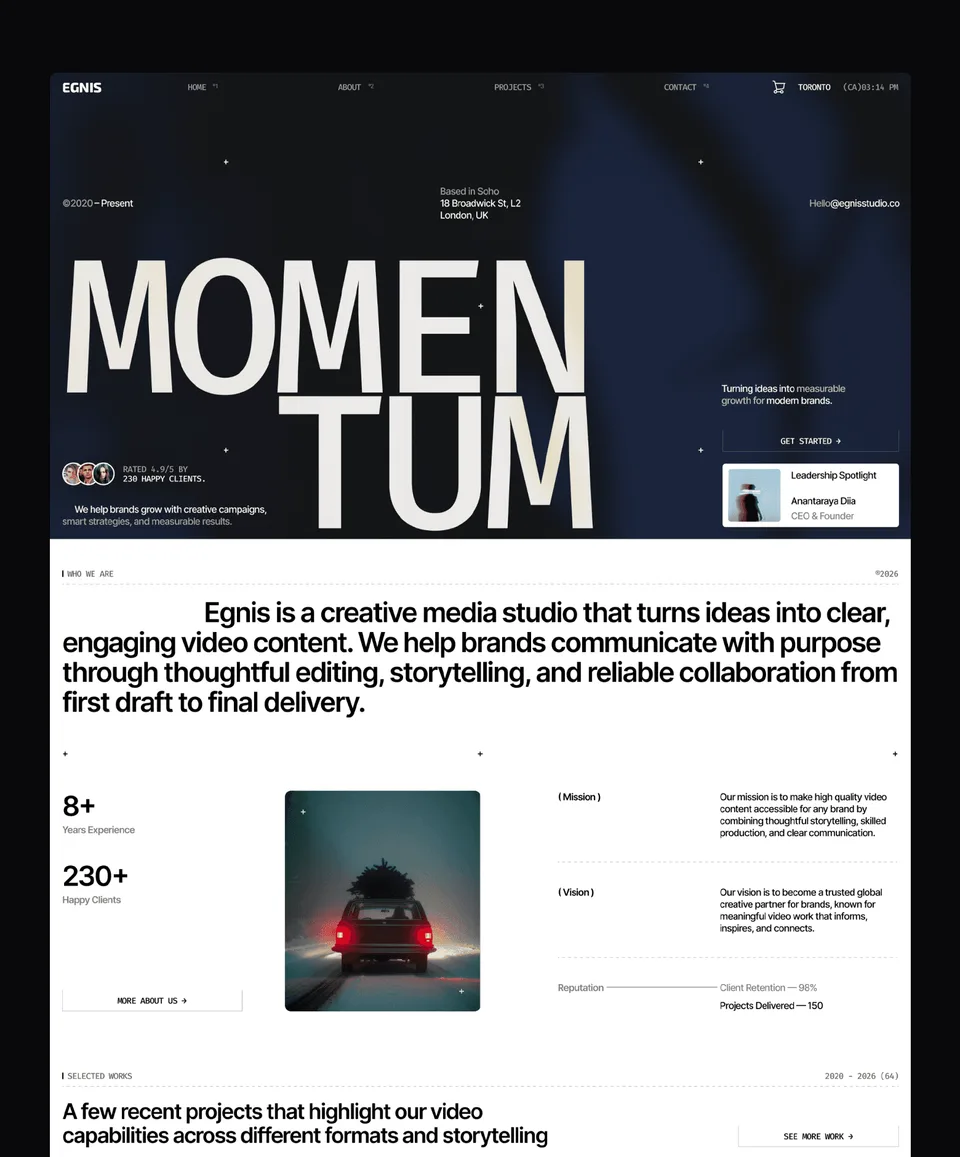
Egnis is photography- and video-first. Built specifically for film studios, video production agencies, and visual storytellers, the template centres video posters, full-bleed image sections, and rich-media galleries. The free tier keeps it accessible for personal portfolios in those niches without sacrificing structure.
6. Minux — Free [External]

Minux is a modern, high-performance Framer template crafted for creative agencies, design studios, freelancers, and digital professionals who want to showcase their work with style. Featuring a clean aesthetic, smooth animations, and a fully responsive layout, Minux helps you create a memorable online presence that converts visitors into clients.
7. Clavo — Free

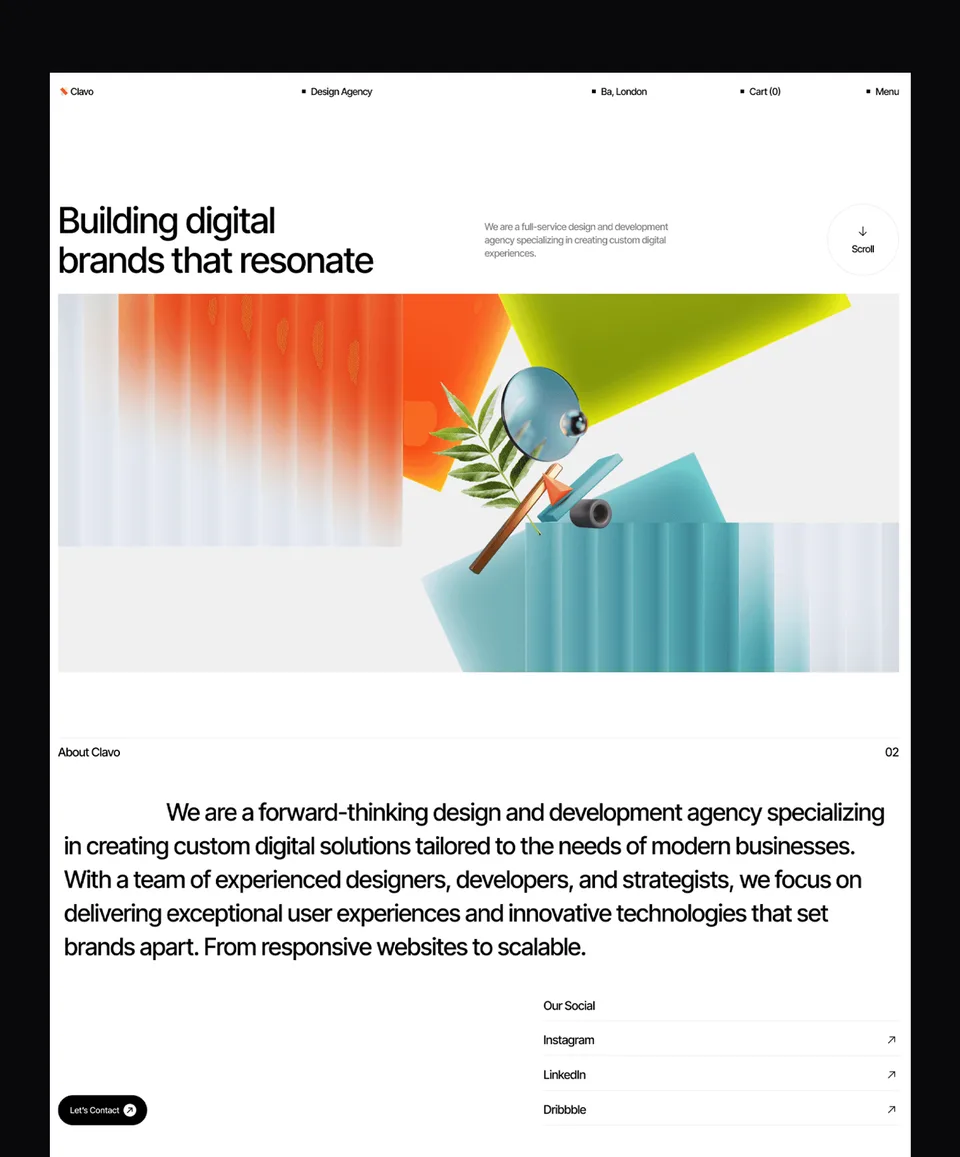
Clavo is Mariq’s quieter cousin — same agency-portfolio territory, more restrained styling. Built for marketing consultants, growth specialists, and small studios that want a template that looks professional rather than expressive. A good starting point if you don’t yet know how loud you want your brand to be.
8. GoldenFlash — Free

A modern portfolio template built around editorial layouts. Strong fit for photographers and designers whose work benefits from longer-form case studies and considered typography. CMS-powered project structure, customizable colour system, fully responsive across breakpoints. Closer in feel to a magazine than a marketing site — which is the right answer for a lot of design portfolios.
Check out GoldenFlash template
9. Free Framer Marketplace Picks

Beyond the curated picks above, the Framer Marketplace itself has a generous free portfolio category. The official Framer-published starter templates and several community-built ones are reliable starting points if budget is your hard constraint. They’re less opinionated than the templates above, which is sometimes exactly what you want when you have strong ideas of your own.
10. Custom (Built from a Template Base)

Sometimes the answer is none of the above — you start with a template and customize it to your content, brand, and structure. Waida Studio offers Template Customization, which adapts an existing template to your work. For larger-scale projects, full custom website design starts at $5,000+. We list this as the tenth option because for some portfolios — especially established designers with strong existing brand identity — the right move is starting close to a template and pushing it the rest of the way.
Check our customization service
Every pick above is in the catalogue: browse all Framer templates, narrow to portfolio templates, or start with the free Framer templates if you would rather judge the work before spending anything.
Portfolio templates for Framer
All 13 portfolio templates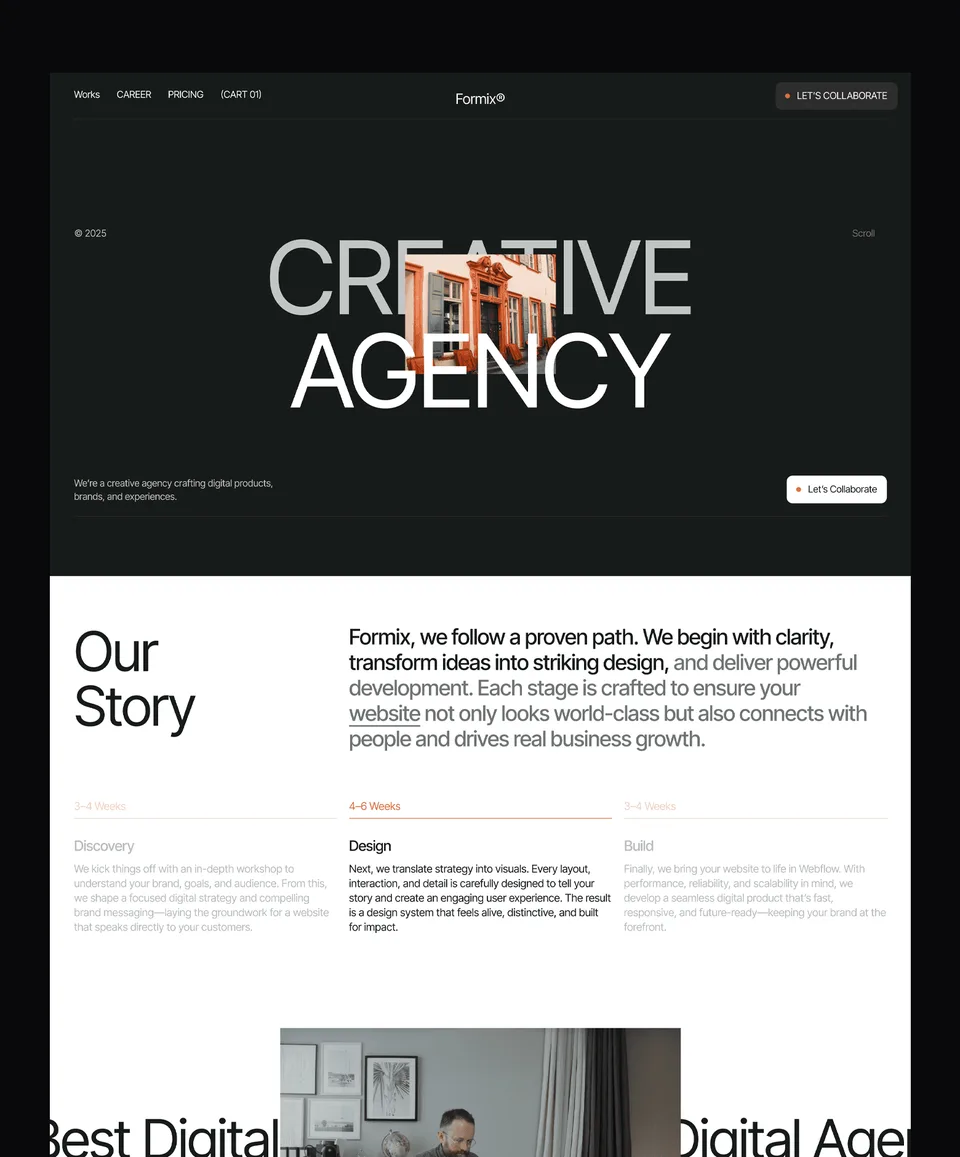


Frequently asked questions
What's the difference between a free and premium Framer portfolio template?
Premium templates usually ship with more pages, deeper CMS structure, more polished animation work, and direct support from the creator. Free templates are often simpler — fewer pages, lighter feature sets, no support. Both can be excellent. Pick based on whether the template's structure matches what your portfolio needs to do, not whether it costs $0 or $79.
Do I need a Framer subscription to use these templates?
Yes. To publish a Framer site to a custom domain you'll need at minimum a paid Framer plan, which starts at $10/month on the Basic tier (billed annually) as of 2026. The free Framer plan publishes only to a .framer.website subdomain — fine for testing the template, not for a real public portfolio.
Can I customize a Framer template if I don't know how to code?
Yes. Framer is a visual editor — you can change colours, type, layouts, and content without writing code. Larger structural changes (rebuilding a page, adding a new collection type) are still doable visually but get harder. If you'd rather have a template adapted to your content without doing it yourself, Waida Studio's customization service handles that for $499.
How long does it take to launch a portfolio from one of these templates?
Realistically, 1–2 weekends if you have your content (work images, project descriptions, bio) ready and you're willing to iterate. Without the content prepared, launch usually slips by a week or two. The template handles structure and styling — it can't write your case studies for you.
Is Framer good for portfolios specifically, vs. Webflow or Squarespace?
For portfolio sites where motion, image quality, and visual craft matter most, Framer is one of the strongest options in 2026. Webflow has more depth on CMS-heavy sites; Squarespace is faster to set up but less customizable. For most designers, photographers, and creators, Framer fits portfolio work particularly well — see our Framer pillar guide for a fuller comparison.
What to Consider Before Buying
A few practical notes that don't fit neatly into the list above:
Match the template to your work, not your taste. It's tempting to pick the most beautiful demo. But the demo isn't going on your live site — your work is. Pick the template that holds your work well, not the one that looks best with stock content. A minimalist layout will absorb messy projects awkwardly; a bold layout will overwhelm quiet ones. Here is a complete list of our portfolio templates.
Free vs. premium isn't really the question. Free templates can be excellent. Premium templates earn their price through more pages, deeper CMS structure, polished animation, and direct support from the creator. Either is fine — the question is whether the structure fits, not the price tag.
License terms matter. Licences vary between template sellers, and some limit you to one project or one client. If you build sites for clients, check the terms before you buy. Waida Studio templates are licensed to one person for an unlimited number of projects, client work included.
Plan for the template to be a starting point, not an end state. Even the best template needs your colour, typography, and content choices to feel like yours. Budget the time — or budget for customization — accordingly.
For a deeper look at how Framer fits portfolio work specifically, see our complete guide to Framer. Building on Webflow instead? See the best Webflow portfolio templates.

More from Kazi
Related articles
More in Framer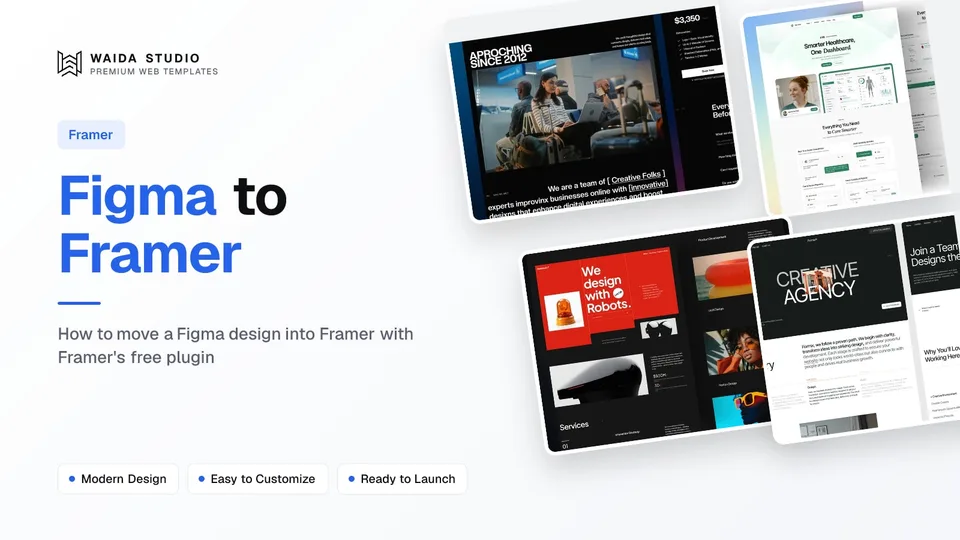
Figma to Framer: How to Move a Design in 2026
How to move a Figma design into Framer with Framer's free plugin: preparing the file, copying and pasting, fixing fonts and breakpoints, and publishing.

Best Framer SaaS Templates: 10 Landing Page Picks for Startups in 2026
Ten Framer templates for SaaS and AI startups, from single landing pages to full product sites. Seven are free, with who each one suits.

Framer Pricing in 2026: Every Plan, the Free Plan and the Student Discount
Free, Basic, Pro and Enterprise compared: what the free plan allows, how the student discount works, and the costs beyond the plan.